


Close
Back

How to Supercharge Your QuickBooks with LayerNext

Team LayerNext
December 24, 2025

If you're spending hours each month wrestling with uncategorized transactions, chasing down receipts, or trying to close your books on time, you're not alone. QuickBooks is powerful, but without the right automation layer, it can feel like you're stuck doing the same repetitive tasks month after month.

That's where LayerNext comes in. LayerNext transforms your existing QuickBooks Online setup into an intelligent, self-learning bookkeeping system that handles the grunt work while you focus on strategic decisions. This guide will walk you through exactly how to automate bookkeeping in QuickBooks Online using LayerNext's AI-powered platform, cutting your month-end close time by up to 70%.

Why QuickBooks Needs an AI Automation Layer

QuickBooks Online is excellent at storing financial data, but it wasn't designed to think for itself. Here's what happens without automation:

Manual transaction categorization eats up 5-10 hours per month. You're clicking through hundreds of bank feed transactions, assigning categories, and hoping you remembered the vendor's usual account code.

Bank reconciliation becomes a monthly nightmare. Matching receipts to transactions, hunting down duplicates, and resolving reconciliation exceptions can stretch what should be a two-hour task into a full day.

Chart of accounts cleanup gets postponed indefinitely. Inconsistent vendor mapping and payee rules lead to messy reports, making your P&L and balance sheet harder to trust.

Month-end close drags on for days. Without a clear close checklist and automated workflows, you're still reconciling accounts while your team is waiting for financial statements.

This is exactly why QuickBooks categorizes transactions wrong and how to fix it: the native system relies on basic rules that can't adapt to your business's complexity. LayerNext solves this with AI that learns from your historical data and gets smarter with every transaction.

What Is LayerNext for QuickBooks?

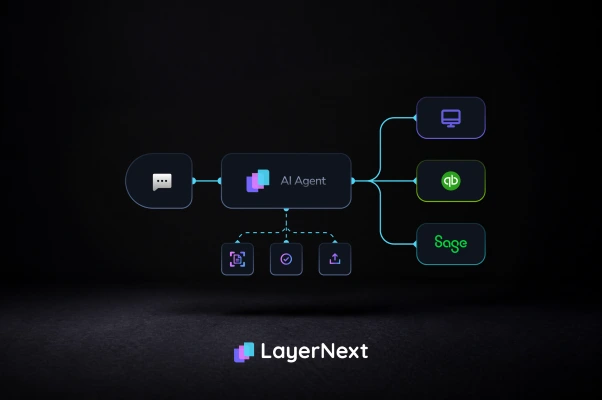
LayerNext is an AI bookkeeping platform for QuickBooks Online that automates the most time-consuming parts of your bookkeeping workflow. Think of it as an ai bookkeeper that works inside your existing QuickBooks setup, handling transaction categorization, bank reconciliation, receipt matching, and anomaly detection automatically.

Unlike simple bank feeds rules or macro-based scripts, LayerNext uses machine learning to understand your business patterns. It recognizes vendors, remembers categorization preferences, detects duplicates, and flags unusual transactions before they become problems in your audit trail.

The platform integrates directly with QuickBooks Online, so there's no need to migrate data or learn a completely new system. Your accountant or bookkeeping team continues working in QuickBooks while LayerNext handles the automation in the background.

Step-by-Step Guide: How to Automate Your QuickBooks with LayerNext

Step 1: Connect LayerNext to Your QuickBooks Online Account

Getting started with quickbooks automation takes less than five minutes. Here's the process:

  1. Sign up for LayerNext and select QuickBooks Online as your accounting platform
  2. Authorize the connection using OAuth (your QuickBooks credentials stay secure and private)
  3. Choose your sync preferences for how often LayerNext should pull new transactions and push categorizations

LayerNext immediately begins analyzing your historical transactions, chart of accounts structure, and existing categorization patterns. This initial learning phase takes 1-2 hours depending on your transaction volume, during which the AI builds a baseline understanding of your business.

Pro tip: Connect at least 6-12 months of historical data if available. The more context LayerNext has, the more accurate its predictions will be from day one.

Step 2: Set Up AI Transaction Categorization Rules

This is where LayerNext starts to automate transaction categorization quickbooks users typically spend hours on. The platform creates intelligent categorization rules that go far beyond QuickBooks' basic bank feeds rules.

  1. Review suggested categorizations for your most common vendors and transaction types
  2. Approve or adjust the AI's initial suggestions to teach it your preferences
  3. Enable auto-categorization for high-confidence transactions (typically 85%+ accuracy)

LayerNext automatically handles vendor/payee mapping, recognizing that "Amazon Web Services" and "AWS" are the same vendor. It also manages class tracking for departments or projects, applies location tags, and assigns customers to income transactions.

The system learns from every correction you make. When you change a category, LayerNext doesn't just update that transaction, it applies that learning to future similar transactions. This means your accuracy improves week over week without additional setup.

What gets automated:
  • Recurring expenses (rent, software subscriptions, utilities)
  • Payroll transactions and tax payments
  • Credit card payments and transfers between accounts
  • Common vendor purchases with consistent categorization
  • Revenue from known customers and payment processors

Step 3: Automate Bank Reconciliation in QuickBooks

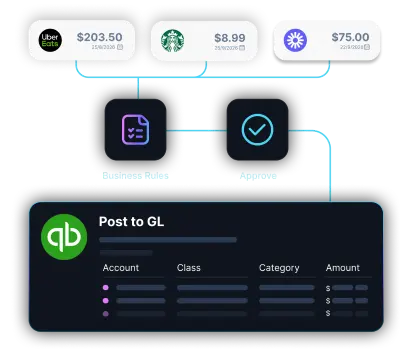
One of the biggest time-savers is how LayerNext helps you automate bank reconciliation quickbooks users traditionally do manually. The platform matches bank feed transactions to receipts, invoices, and bills automatically.

  1. Enable receipt matching so LayerNext can connect uploaded receipts or emailed receipts to their corresponding bank transactions
  2. Set up duplicate transaction detection to prevent the same expense from being entered twice
  3. Configure reconciliation rules for how to handle transfers, refunds, and split transactions

LayerNext's ai reconciliation for quickbooks online means you're no longer comparing bank statements line by line. The system flags reconciliation exceptions in real-time, so you can address issues immediately rather than discovering them during month-end close.

The platform also handles the tricky scenarios QuickBooks struggles with:

  • Partial payments that span multiple transactions
  • Refunds that arrive months after the original purchase
  • Currency conversions for international transactions
  • Merchant fees deducted from revenue deposits

Step 4: Implement Automated Receipt Capture and Matching

Receipt matching is notoriously tedious, but it's critical for audit trail documentation and expense management. Here's how to automate receipt matching in quickbooks using LayerNext:

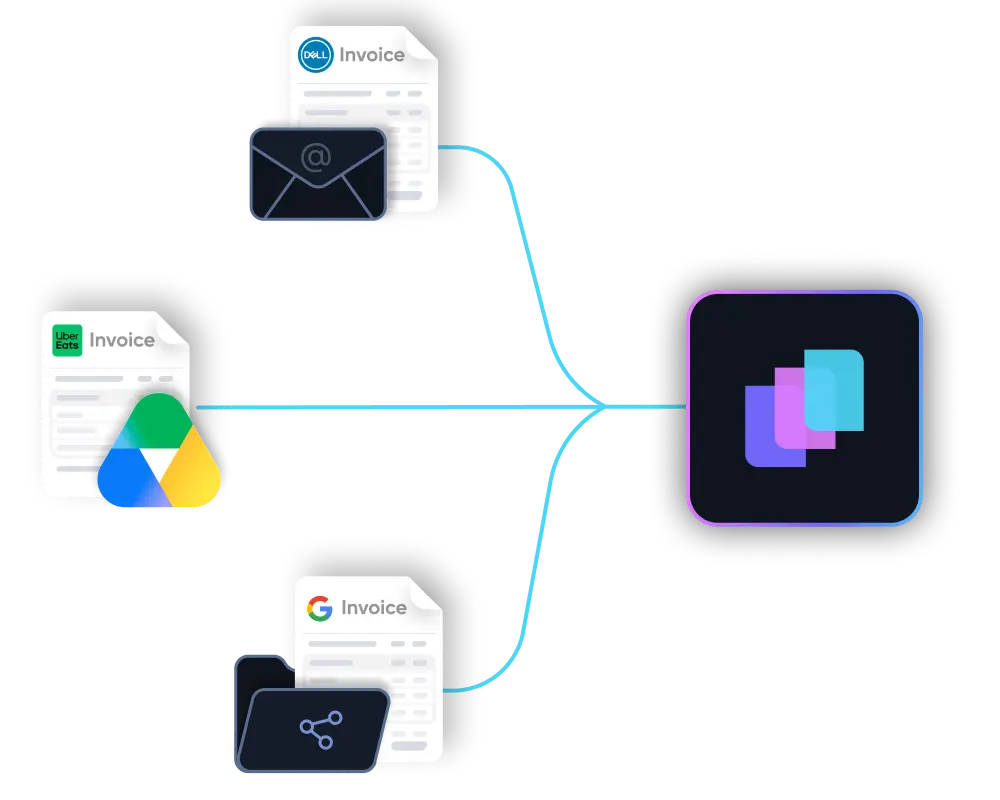
  1. Forward receipts to your unique LayerNext email address or upload them directly
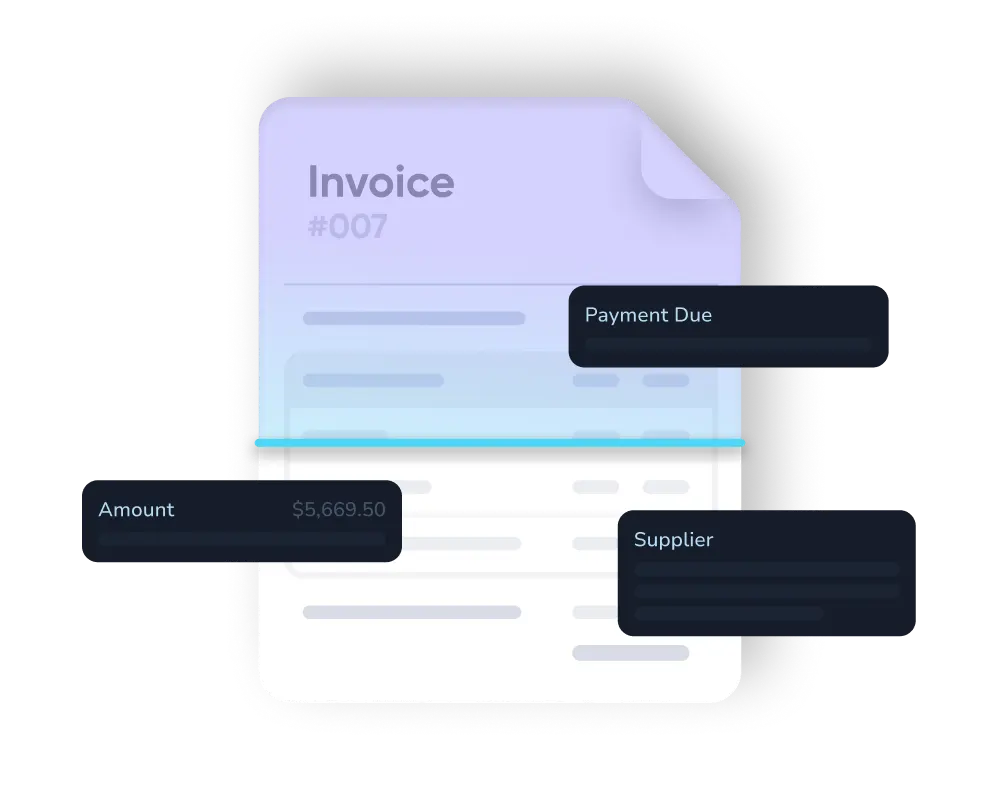
  2. LayerNext extracts key data including vendor name, amount, date, and line items using OCR
  3. The system automatically matches receipts to bank transactions based on vendor, amount, and date proximity
  4. Attachments sync to QuickBooks so everything is documented in one place

This automation eliminates the shoebox full of receipts scenario. Whether you're handling receipt scanning to quickbooks online automation for a small team or managing hundreds of expenses for a growing company, LayerNext ensures every transaction has its supporting documentation.

The AI is smart enough to handle variations in receipt formats, partial matches when amounts don't align perfectly (common with tips or merchant fees), and even multi-receipt transactions where one payment covers several expenses.

Step 5: Reduce Month-End Close Time with Automated Workflows

Month-end close is where all your bookkeeping work comes together, and it's where reduce month-end close quickbooks automation makes the biggest impact. LayerNext provides a structured close checklist and automates much of the process.

  1. Set up your close checklist with all required tasks (reconciliations, accruals, adjustments, report generation)
  2. Enable automated pre-close checks that verify data completeness before you start closing
  3. Use LayerNext's real-time bookkeeping dashboard to monitor close progress across all accounts
  4. Generate financial statements (P&L, balance sheet, cash flow) with one click once close is complete

The platform performs automated audit readiness checks, ensuring:

  • All bank and credit card accounts are reconciled
  • Uncategorized transactions are resolved
  • Chart of accounts cleanup is complete
  • Vendor and customer records are current
  • Intercompany transactions balance
  • Tax accounts reconcile to liabilities

LayerNext also maintains a complete audit trail of all automated decisions, so you can review what the AI did and why. This transparency is crucial for accounting firms and businesses that need to demonstrate controls during audits.

Step 6: Optimize with AI Anomaly Detection and Insights

Beyond automation, LayerNext acts as a second set of eyes on your books with ai anomaly detection bookkeeping that catches errors before they become problems.

  1. Review daily anomaly alerts for unusual transactions, duplicate entries, or categorization mismatches
  2. Set custom thresholds for what constitutes unusual activity in your business
  3. Use predictive insights to forecast cash flow and identify trends in spending or revenue

The system flags issues like:

  • Duplicate transaction detection quickbooks native tools often miss
  • Transactions categorized to unusual accounts for a specific vendor
  • Amounts significantly higher or lower than historical patterns
  • Missing transactions in recurring expense series
  • Potential tax categorization errors

This proactive approach to improve chart of accounts hygiene quickbooks reporting depends on means your books stay cleaner month to month rather than requiring massive cleanup efforts quarterly.

Advanced LayerNext Features for Power Users

Automated Coding Rules and Multi-Dimensional Categorization

For businesses using auto-class tracking quickbooks automation or multiple tracking dimensions (class, location, customer), LayerNext can apply sophisticated coding rules automatically. The AI learns how to split transactions across departments, assign project codes, and apply markup to billable expenses without manual intervention.

Workflow Automation for Bookkeeping Teams

Accounting firms can set up quickbooks workflow automation for bookkeeping across multiple clients. LayerNext allows you to:

  • Create standardized processes that apply across your client base
  • Route exceptions to specific team members based on transaction type
  • Generate client-ready reports on a schedule
  • Track time saved per client for capacity planning

Integration with Other Business Tools

LayerNext connects with your broader tech stack to enable end-to-end automated bookkeeping:

  • E-commerce platforms (Shopify, Amazon, WooCommerce) for automated revenue recognition
  • Payment processors (Stripe, PayPal, Square) for fee categorization and customer matching
  • Bill pay services for three-way matching between PO, receipt, and payment
  • Payroll systems for automated labor allocation

What to Expect After Implementing LayerNext

Businesses using LayerNext for quickbooks online bookkeeping automation typically see:

Time savings of 15-25 hours per month on routine bookkeeping tasks. What used to take a full week now happens automatically overnight.

85-95% reduction in categorization errors as the AI applies consistent logic and learns from corrections. No more wondering why quickbooks categorize transactions wrong.

Month-end close completed 3-5 days faster thanks to real-time reconciliation and automated close checklists. Some companies cut their close time from 10 days to just 3.

Improved cash flow visibility with up-to-date books and automated financial reporting quickbooks users can access anytime.

Better audit readiness with complete documentation, consistent categorization, and detailed audit trail of all automated actions.

Who Benefits Most from QuickBooks AI Automation?

Small Businesses and Startups

Automated bookkeeping software for startups enables founders to focus on growth rather than data entry. With LayerNext handling routine transactions, you can maintain accurate books without hiring a full-time bookkeeper until you actually need one.

Accounting Firms and Bookkeeping Practices

Bookkeeping automation for accounting firms means you can serve more clients with the same team size. LayerNext is particularly valuable for firms handling quickbooks cleanup and catch-up bookkeeping automation, as the AI can process months of backlogged transactions in hours rather than weeks.

E-commerce and SaaS Companies

These businesses deal with high transaction volumes from multiple revenue streams and payment processors. Automated bookkeeping for ecommerce quickbooks and automated bookkeeping for saas companies quickbooks setups handle the complexity automatically, from COGS calculations to revenue recognition.

Growing Companies with Complex Operations

As businesses scale, manual bookkeeping becomes unsustainable. Ai bookkeeping for agencies using quickbooks and similar implementations allow you to maintain accurate books through rapid growth phases without proportionally increasing your accounting headcount.

Making the Business Case for AI Bookkeeping Software

When evaluating ai bookkeeping software for small business needs, consider the total cost of manual bookkeeping:

Time cost: If bookkeeping takes 20 hours per month at a $50/hour loaded rate, that's $12,000 annually. LayerNext typically costs a fraction of this while delivering better accuracy.

Error cost: Bookkeeping errors lead to incorrect financial decisions, tax filing mistakes, and audit issues. The cost of a single significant error often exceeds the annual cost of automation.

Opportunity cost: Every hour spent on data entry is an hour not spent on financial analysis, business development, or strategic planning. The best ai bookkeeping software for quickbooks frees your team to focus on high-value activities.

Scalability: Manual processes don't scale. As transaction volume grows, you need proportionally more time or people. Automation costs stay relatively flat as you grow.

Common Questions About QuickBooks Automation with LayerNext

Will LayerNext replace my bookkeeper or accountant?

No. LayerNext automates repetitive tasks but doesn't replace professional judgment. Your bookkeeper or accountant becomes more strategic, focusing on planning, analysis, and advisory services rather than data entry. Most firms find they can serve more clients or take on more complex work with the same team.

How accurate is the AI categorization?

LayerNext typically achieves 98.42% accuracy within the first month. The system is most accurate on recurring transactions and common vendors, while flagging unusual items for human review.

What if the AI makes a mistake?

Every automated transaction can be reviewed and corrected in QuickBooks. When you make a correction, LayerNext learns from it and applies that learning to future similar transactions. The audit trail tracks all automated decisions and human overrides.

How does this work with my existing QuickBooks workflows?

LayerNext enhances rather than replaces your QuickBooks setup. You continue working in QuickBooks exactly as before, but with more transactions already categorized, reconciled, and documented. Your chart of accounts, custom fields, and existing processes remain intact.

Is my financial data secure?

LayerNext uses bank-level encryption and never stores your QuickBooks login credentials. Data is encrypted in transit and at rest, with regular security audits and compliance certifications.

The Future of Accounting Automation

The evolution from manual bookkeeping to ai accounting software represents a fundamental shift in how businesses manage their finances. Bookkeeping automation isn't about eliminating the human element but about elevating it. When accounting automation handles the repetitive work, professionals can focus on interpretation, strategy, and advisory services.

LayerNext represents the current state of the art in automated accounting: intelligent enough to handle complex scenarios, transparent enough to trust, and flexible enough to adapt to your unique business needs. As the platform continues learning from millions of transactions across thousands of businesses, the automation gets smarter and more capable.

Take the Next Step: Transform Your QuickBooks Experience

If you're ready to stop spending your weekends categorizing transactions and start using your financial data strategically, LayerNext offers the quickbooks automation tool for accountants and businesses that's both powerful and practical.

The best way to handle uncategorized transactions quickbooks throws at you isn't to work faster or hire more people. It's to implement intelligent automation that learns your business and handles routine work automatically.

Start your free trial of LayerNext today and discover why thousands of QuickBooks users have made the switch to ai bookkeeping. Connect your QuickBooks Online account, let the AI analyze your transaction history, and see how much time you can save in your first month.

Your books deserve to work as smart as you do. With LayerNext and QuickBooks working together, they finally can.


Ready to supercharge your QuickBooks? Visit LayerNext.ai today.

Ready to automate your bookkeeping?
Try LayerNext Today