Close

Finance work done by AI

LayerNext AI agents process invoices, reconcile accounts, categorize transactions, and generate CFO-grade reports across any ERP, any accounting platform.

Video Thumbnail
Blue digital wave of dots and lines on a dark background representing data or technology.Blue digital wave of dots and lines on a dark background representing data or technology.

Still doing finance work manually?

The Manual Struggle

Month-end always late

Invoices still need human entry

No clear cash position

ERP work still manual

Icon Logo LayerNext

LayerNext fixes this automatically.

Not another dashboard. Not another OCR tool.

AI agents do the finance work across QuickBooks, ERPs, documents, bank feed and legacy systems.

AP
Reconciliation
Bookkeeping
Reporting

Automate every finance workflow

AP and Invoices on Autopilot

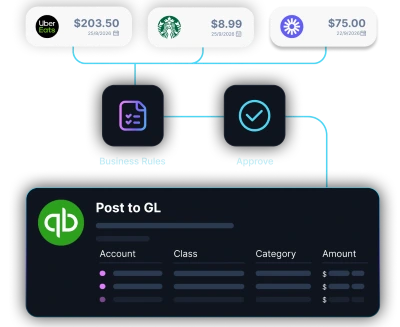
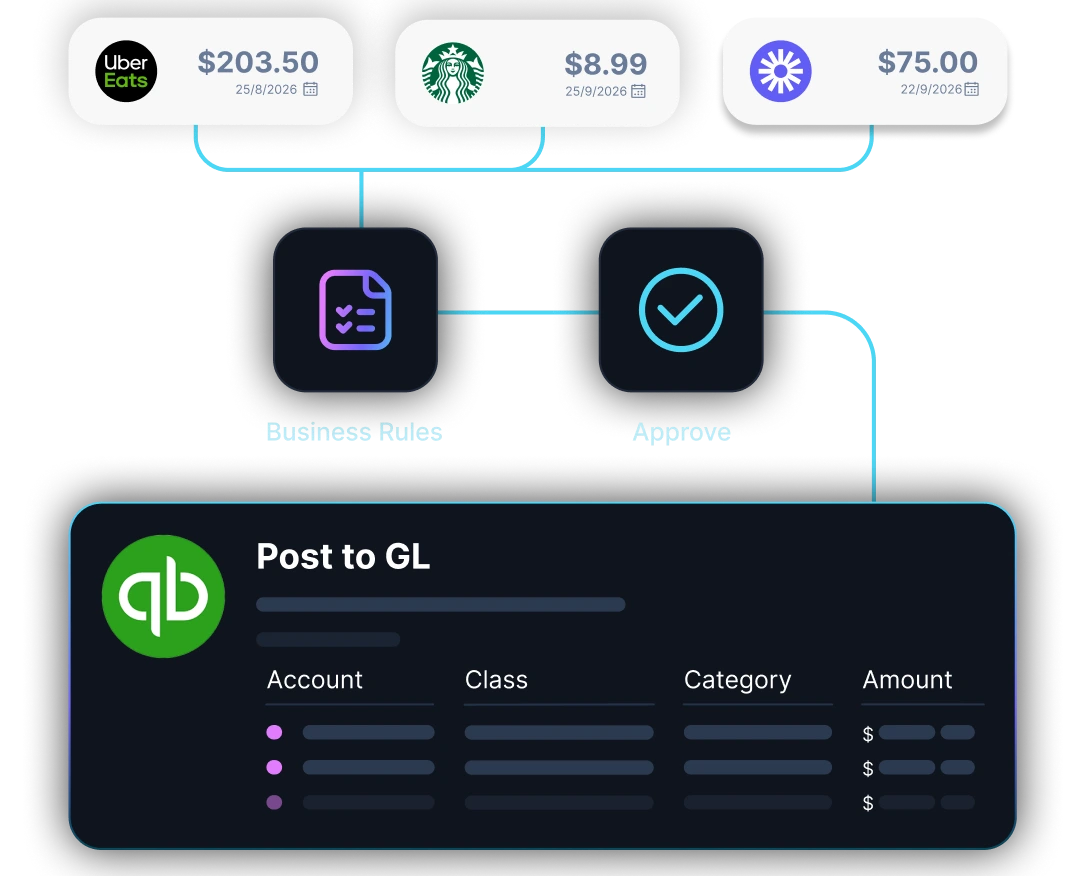
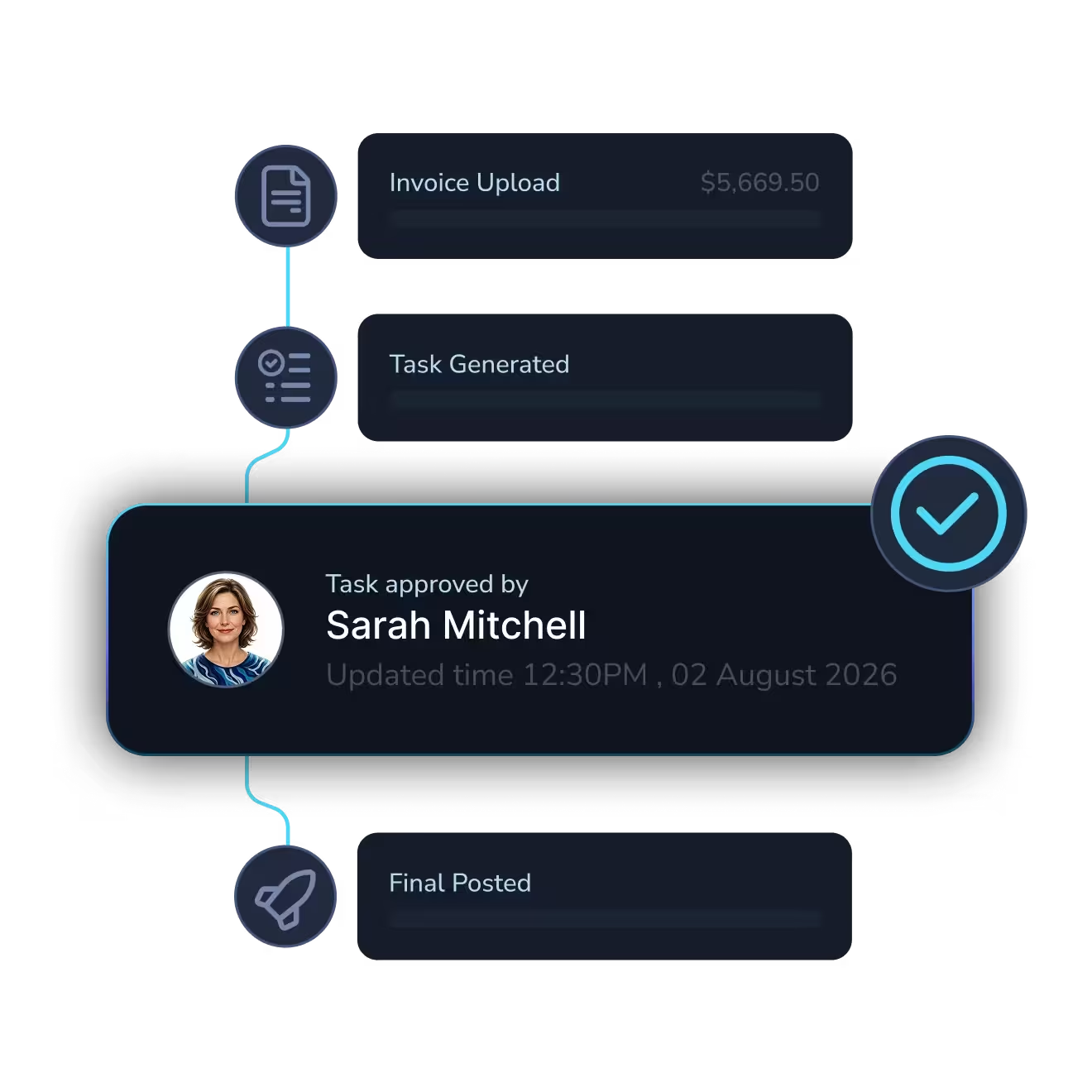
No more chasing invoices. No more manual data entry into your ERP. Every invoice is captured, extracted, validated, matched to POs, and routed for approval.

The agent processes the invoice. You just approve it.
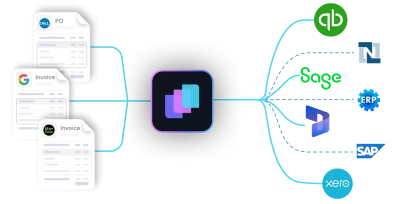
Diagram showing multiple expense entries from apps like Uber Eats, Google, and Starbucks converging into a central software, which then connects to accounting platforms QuickBooks, Xero, and Sage.Diagram showing multiple expense entries from apps like Uber Eats, Google, and Starbucks converging into a central software, which then connects to accounting platforms QuickBooks, Xero, and Sage.
Abstract digital network with icons representing user, shield, settings gear, bar chart, padlock, and magnifying glass connected by glowing blue lines on a black background.Abstract digital network with icons representing user, shield, settings gear, bar chart, padlock, and magnifying glass connected by glowing blue lines on a black background.
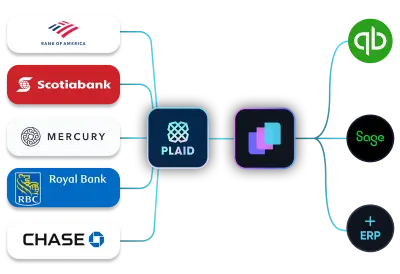
Illustration showing integration of multiple bank statement icons including Scotiabank and Bank of America with accounting software QuickBooks via an intermediary app.Illustration showing integration of multiple bank statement icons including Scotiabank and Bank of America with accounting software QuickBooks via an intermediary app.

Real-time Bank Reconciliation

Connect your bank or upload a statement,  every transaction is matched and reconciled in real time, just like an expert accountant would.

LayerNext Agents don't help you reconcile. They reconcile.

Dark digital circuit-like lines with icons representing data analysis, settings, security, and user connections on a black background.Dark digital circuit-like lines with icons representing data analysis, settings, security, and user connections on a black background.

Autonomous Bookkeeping

No more spreadsheets. No more manual entry. Every expense, invoice, and receipt is automatically captured, categorized, and tax-ready.

You do nothing. The agent does everything. Save 15+ hours per month

Diagram showing multiple expense entries from apps like Uber Eats, Google, and Starbucks converging into a central software, which then connects to accounting platforms QuickBooks, Xero, and Sage.Diagram showing multiple expense entries from apps like Uber Eats, Google, and Starbucks converging into a central software, which then connects to accounting platforms QuickBooks, Xero, and Sage.
Abstract digital network with icons representing user, shield, settings gear, bar chart, padlock, and magnifying glass connected by glowing blue lines on a black background.Abstract digital network with icons representing user, shield, settings gear, bar chart, padlock, and magnifying glass connected by glowing blue lines on a black background.
Illustration showing integration of multiple bank statement icons including Scotiabank and Bank of America with accounting software QuickBooks via an intermediary app.Illustration showing integration of multiple bank statement icons including Scotiabank and Bank of America with accounting software QuickBooks via an intermediary app.

Custom Workflows

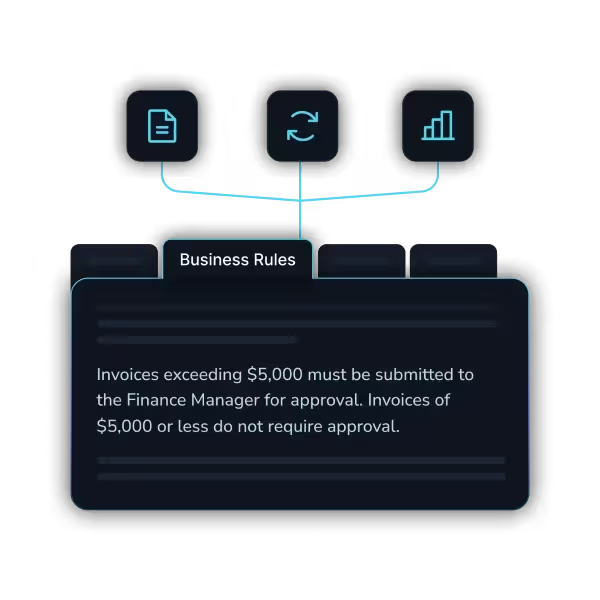
Every business has different rules. Different approval chains. Different GL structures. Define your logic once.

The agent follows it every time, across every transaction, without exception

Dark digital circuit-like lines with icons representing data analysis, settings, security, and user connections on a black background.Dark digital circuit-like lines with icons representing data analysis, settings, security, and user connections on a black background.

ERP and Desktop Automation

Your ERP doesn't have an API? Doesn't matter. Our agents navigate desktop applications, legacy systems, and Windows-based software the same way your team does.

If a human can use it, the agent can automate it.
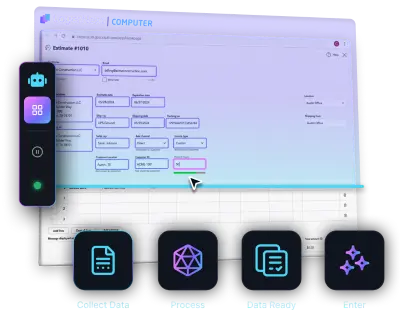
Diagram showing multiple expense entries from apps like Uber Eats, Google, and Starbucks converging into a central software, which then connects to accounting platforms QuickBooks, Xero, and Sage.Diagram showing multiple expense entries from apps like Uber Eats, Google, and Starbucks converging into a central software, which then connects to accounting platforms QuickBooks, Xero, and Sage.
Abstract digital network with icons representing user, shield, settings gear, bar chart, padlock, and magnifying glass connected by glowing blue lines on a black background.Abstract digital network with icons representing user, shield, settings gear, bar chart, padlock, and magnifying glass connected by glowing blue lines on a black background.

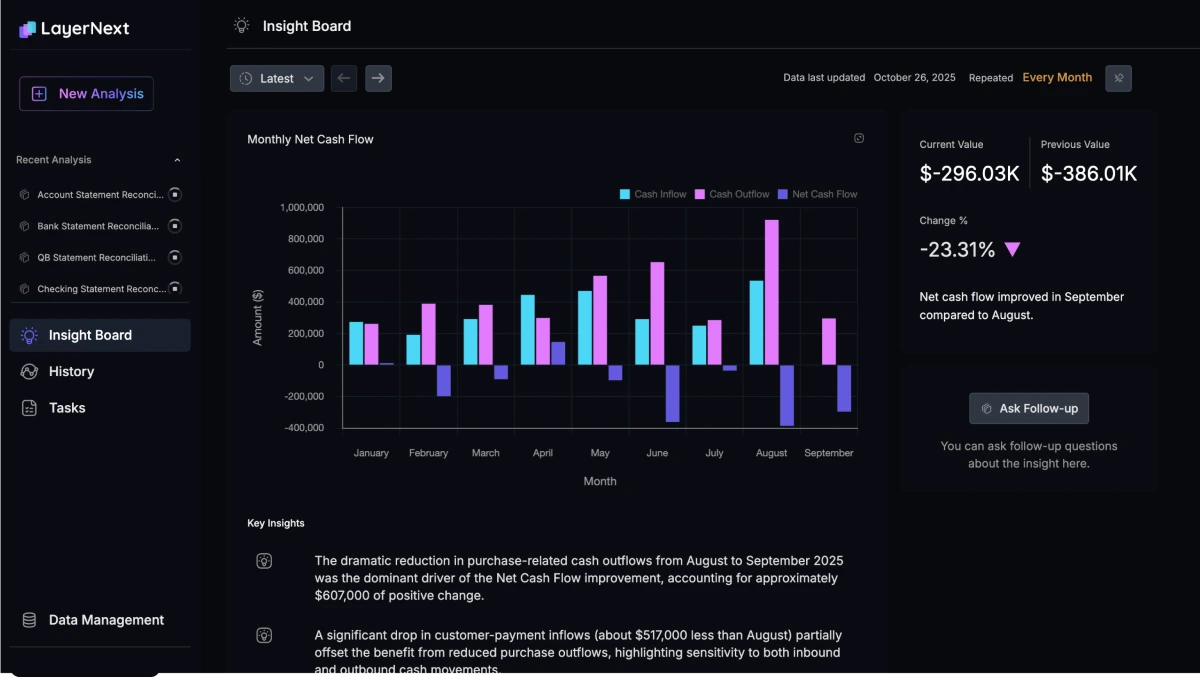
CFO-Level Intelligence

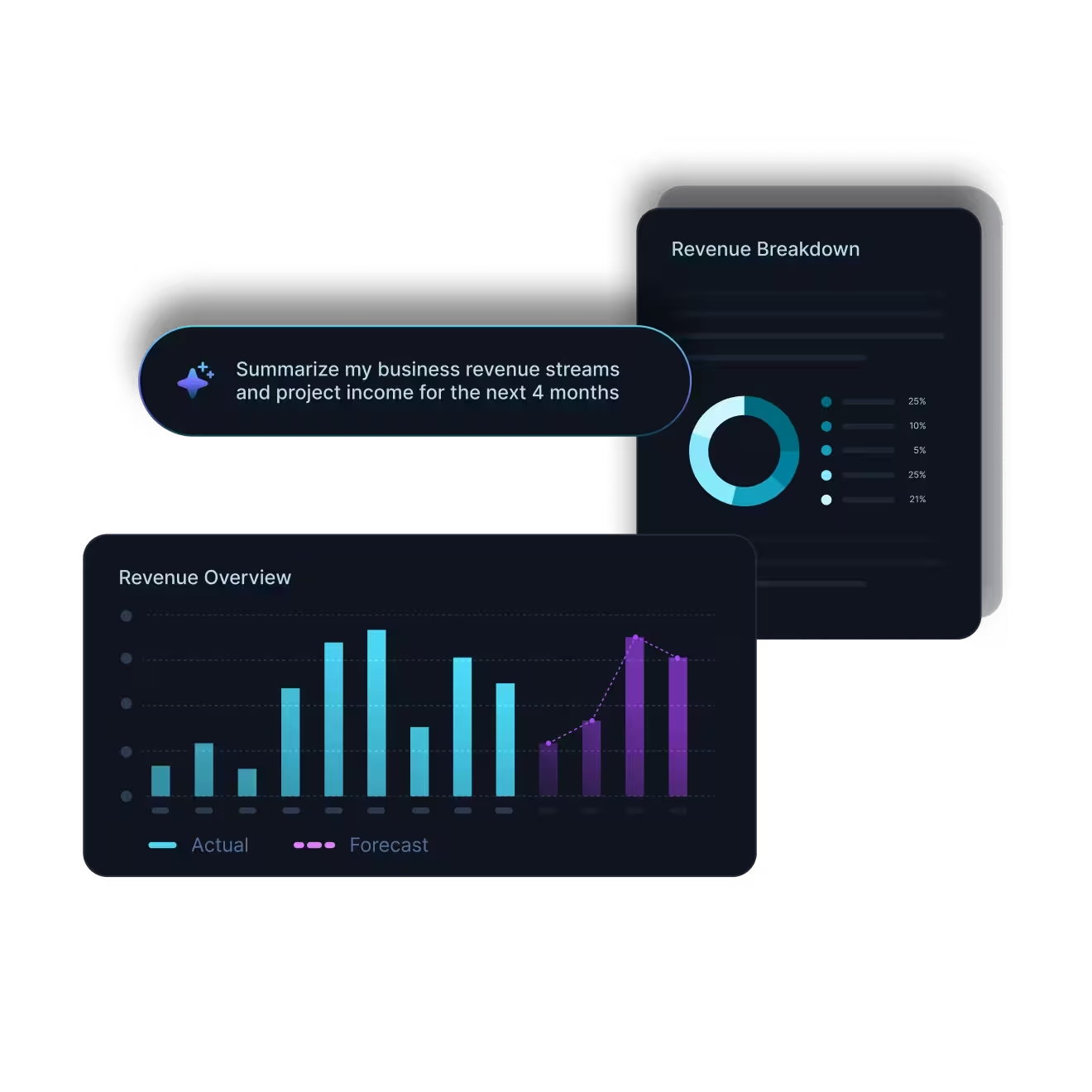
Know your cash flow, burn rate, and runway instantly. Get smart tax-saving tips and financial clarity so you never run your business in the dark.
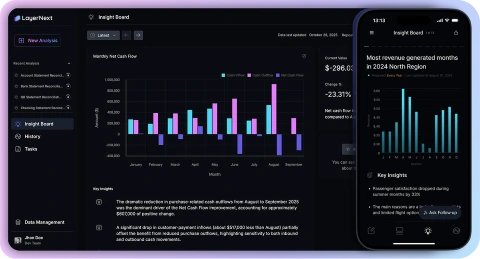
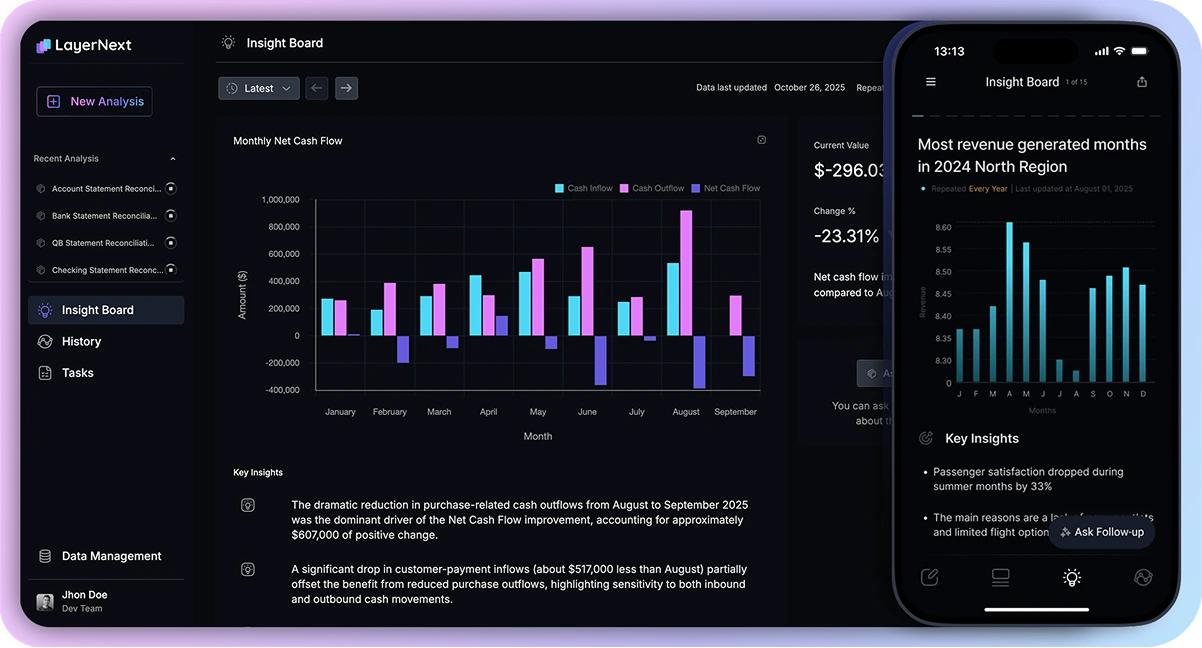
LayerNext Insight Board showing monthly net cash flow bar chart from January to September and a mobile view of most revenue generated with key insights.LayerNext Insight Board showing monthly net cash flow bar chart from January to September and a mobile view of most revenue generated with key insights.
Advanced Encryption
24/7 Expert Assistance
Bank-Grade Security
Dark digital circuit-like lines with icons representing data analysis, settings, security, and user connections on a black background.

The numbers behind it

90 - 165

Hours saved per month finance teams

90 - 100%

Reduction in processing errors

95% +

Task accuracy on defined workflows

Weeks

To deploy, not months

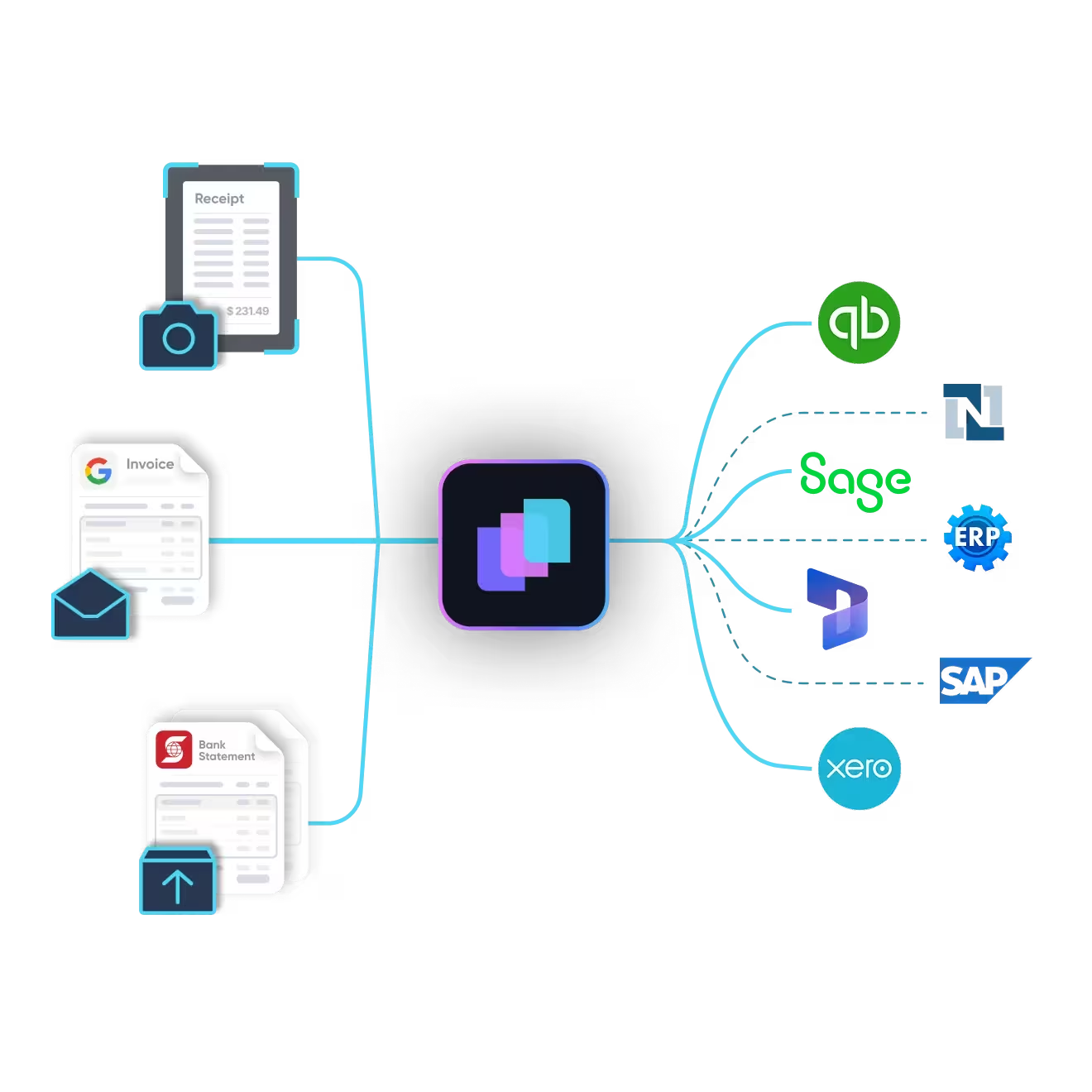
Works with your existing stack

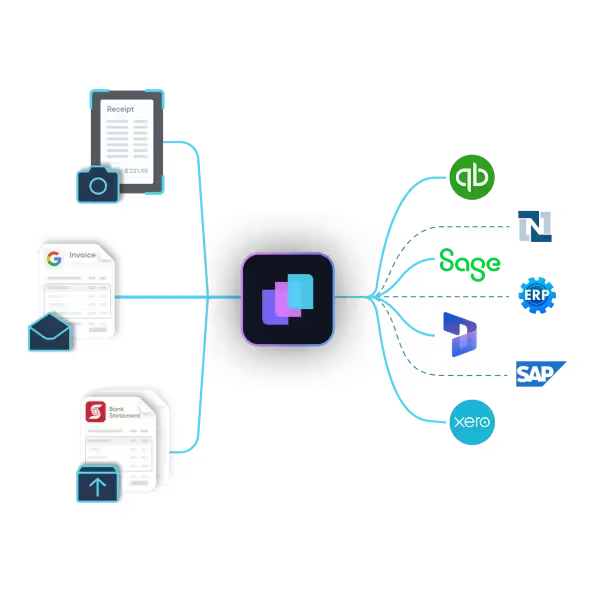
Plugs into your existing stack. AI agents work at the application layer.

Quickbooks Online
Microsoft Dynamics 365
Sage
Quickbooks Desktop
Xero
NetSuite
SAP
Excel-Based Workflows
Legacy and Custom ERPs
Freshbooks

Enterprise-ready oversight for financial work.

AI can move fast, but finance needs control. LayerNext keeps humans in the with approvals, validation gates, and audit trails.

Talk to Sales
                                     

Customer data isolated


Human approval before posting


Full workflow audit trail


Business rules enforced

Common Questions

What is LayerNext?
LayerNext is an AI-powered financial operations platform. Specialized AI agents handle bookkeeping, invoice processing, bank reconciliation, AP automation, and financial reporting. The system processes your data, prepares everything for review, and learns your business rules over time so your team focuses on decisions, not data entry.
Who is LayerNext for?
Small businesses and founders who use QuickBooks and want their books handled automatically. And mid-market and enterprise companies with high-volume financial workflows who need to automate invoice processing, reconciliation, and reporting across multiple systems, including legacy ERPs with no API access.
What accounting platforms does LayerNext support?
QuickBooks Online, QuickBooks Desktop, Microsoft Dynamics 365, Sage, Xero, FreshBooks, NetSuite, SAP, and legacy or custom ERP systems. Our AI agents operate at the application layer, interacting with your systems the same way a human operator would. We automate workflows on platforms that don't expose APIs, including Windows-based desktop applications.
How is this different from traditional automation or RPA?
Traditional RPA follows rigid scripts and breaks when formats change. LayerNext's AI agents reason over messy financial data, handling inconsistent invoice formats, partial matches, and edge cases. They plan, execute, and self-verify results. They also learn from every correction your team makes, improving accuracy continuously.
Is my financial data safe?
All data is encrypted in transit and at rest. We maintain strict access controls, data retention policies, and SOC 2-aligned security practices. Bank connections are handled through Plaid's secure infrastructure. We never use customer financial data to train models.
Will LayerNext post entries without my approval?
No. Every automated workflow includes human review checkpoints. The AI processes data and prepares entries, then stages everything for your team to review, adjust, or approve before anything is posted. You control what goes into your books.
How long does it take to get started?
Small businesses can connect QuickBooks and start in minutes. Enterprise deployments follow a phased approach: discovery in weeks 1 to 2, a pilot on a subset of workflows in weeks 3 to 6, and full-scale deployment by week 7 to 12.Do I still need my accountant or CPA?
Do I still need my accountant or CPA?
LayerNext automates the operational work: data entry, categorization, reconciliation, and reporting. You'll still want your accountant for tax strategy, complex filings, and advisory work. With clean, always-current books, your accountant's job becomes faster and more strategic.
What kind of financial reports does LayerNext generate?
CFO-grade reports including cash flow analysis, burn rate and runway projections, revenue trends, expense breakdowns, margin analysis, and anomaly alerts. Enterprise customers also get custom dashboards, variance analysis, and management reports tailored to their KPIs.
How is LayerNext priced?
Small businesses pay a monthly subscription starting at $79/month, which includes transaction processing and financial reporting. Enterprise customers pay implementation fees based on workflow complexity plus monthly subscriptions based on transaction volume. Contact us for enterprise pricing.

Ready To Use AI In Your Organization?

The wait for reports from sales, marketing, or accounting that used to take weeks is over. Simply ask any question in plain English and create the reports on your own.

Start for free
Smartphone screen showing LayerNext virtual assistant interface asking 'How can I assist you today?' with a message about September cash outflow down 23%, QuickBooks Reconciliation Report listing transactions and differences, and a QR code labeled 'Scan Me'.

LayerNext Mobile Experience

Your AI CFO for QuickBooks, Now on iOS and Android