
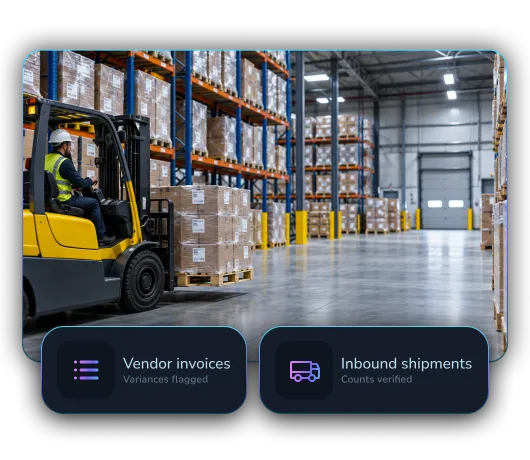
AP Automation for Distribution

LayerNext handles invoice, reconciliation, and reporting workflows across suppliers, branches, entities, and the ERP systems distribution companies rely on.

High volume
Process thousands of invoices across locations
Complex POs
Match items, receipts, freight, and tolerances
Branch scale
Apply different rules across companies and locations

Built for companies like yours

LayerNext adapts the same finance agent platform to the operating context, documents, approvals, and systems used across these businesses.

Industrial Supply
High supplier volumes, detailed purchasing, branch approvals, and specialized ERP workflows.
Foodservice Distribution
Fast-moving inventory, location-level controls, freight, credits, and supplier differences.
Medical Supply
Controlled purchasing, multi-location operations, detailed documents, and consistent approvals.
Consumer Goods
Large product catalogs, vendor volume, receiving activity, and multi-channel operations.
Electrical & Plumbing
Branch-based distribution with complex products, purchase orders, receipts, and local ownership.

Distribution complexity

Distribution finance teams manage large supplier volumes, detailed POs, decentralized approvals, freight differences, and systems built around operational reality. LayerNext automates across that complexity.

Invoice volume
Process many supplier invoices without adding the same level of manual capacity.
Location-specific rules
Route approvals and coding by company, branch, buyer, department, or amount.
PO differences
Handle receipts, substitutions, freight, partial deliveries, and configured tolerances.

One finance layer across the distribution network

LayerNext standardizes the core workflow while respecting local ownership, entity structures, system variations, and exception paths.

Centralize
Capture finance documents and workflow requests from every location.
Contextualize
Identify company, branch, supplier, PO, buyer, and approval rules.
Execute
Complete matching, routing, reconciliation, and ERP actions.
Oversee
Track throughput, exceptions, owners, and outcomes across the network.

Built for distribution finance

Branch Routing
Direct approvals and exceptions to the correct location and owner.
PO and Receipt Matching
Connect invoices with purchase orders and receiving evidence.
Freight and Tolerances
Apply configured rules for freight, price, quantity, and timing differences.
Supplier Statements
Reconcile supplier activity and surface missing or duplicated transactions.
Legacy ERP Work
Operate distribution systems that lack modern integration options.
Multi-Entity Reporting
Prepare consistent outputs across companies, divisions, and branches.

LayerNext has been an outstanding partner in our AI transformation journey. Their team successfully delivered multiple AI automation initiatives on time and with exceptional quality, helping us modernize key financial and operational processes.

Mike Janik, CFO, Sexton Group of Companies

Mike Janik, CPA, CGA

CFO, Sexton Family of Companies

Works across the systems you already use

LayerNext agents operate across legacy ERPs, desktop applications, cloud platforms, and custom finance systems without forcing a replacement project.

LayerNext  Logo SVG
Epicor Logo SVGNetsuite Logo SVGMicrosoft Dynamics 365 Logo SVG
Legacy ERP Systems
Integrate with legacy ERPs like Epicor, NetSuite, Microsoft Dynamics 365, Sage.
QuickBooks Logo SVG
Desktop Applications
Automate QuickBooks Desktop and other desktop-based finance systems
Xero Logo SVGSage 100/300  Logo SVGFreshbooks Logo SVGSAP Logo SVG
Cloud Finance Platforms
Connect with cloud finance platforms like QuickBooks and Xero and modern systems.
S3 Logo SVGGoogle Cloud Logo SVG
Custom Systems & Workflows
Connect databases, spreadsheets, and custom business applications across your organization.

Scale without forcing every branch into one process

LayerNext provides central oversight while executing the specific rules and system steps each business unit requires.

Multi-location approvals

Supplier volume

Complex receiving

ERP flexibility

Automate AP across your network

Start with the branch or workflow carrying the greatest manual load.

Talk to Sales