

Close

AP Automation for Sage

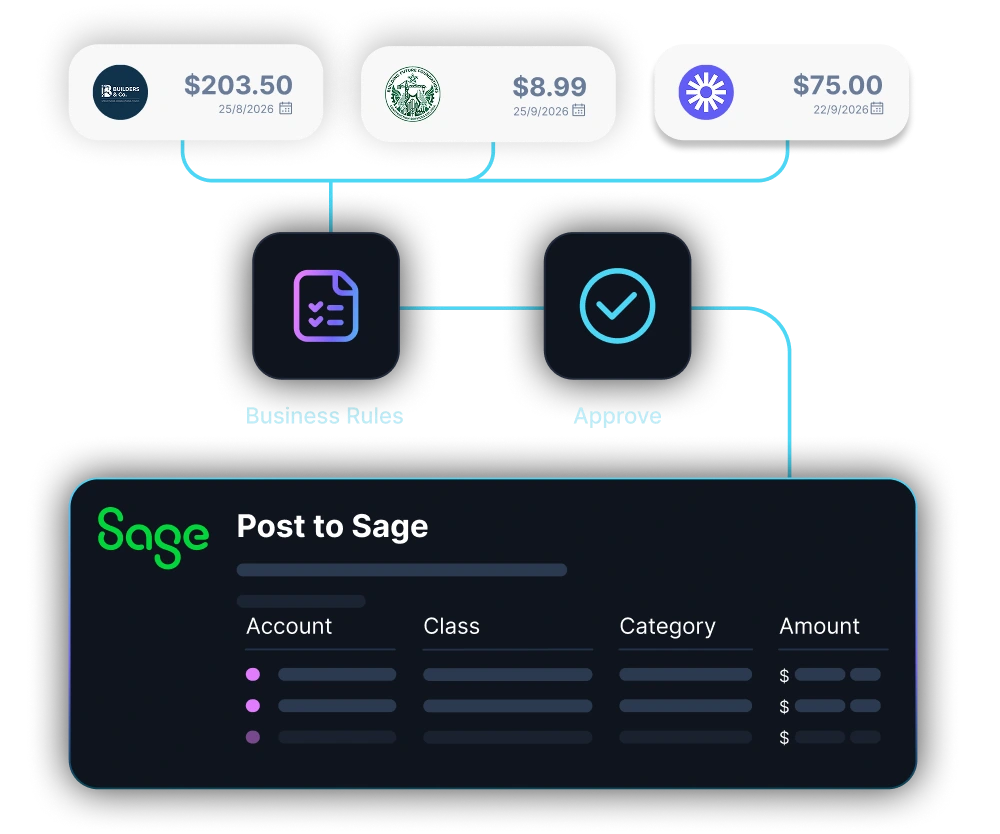
AI agents read invoices, validate data, match POs, handle exceptions, and post entries into Sage. No API or ERP replacement needed.

Built for enterprise AP at scale

LayerNext automates the full AP workflow around Sage, from invoice intake through ERP posting and reconciliation.

Sage Invoice Capture
Import invoices from app, email, shared folders, local or cloud drives.
Automated PO Matching
Match invoices to purchase orders, receipts, prices, quantities, and vendor rules.
Statement Reconciliation
AI matches transactions to supplier statements and flags discrepancies before they compound.
Sage ERP Posting
Posts validated invoice data directly into Sage through API or computer use agent automation.
Exception Handling
Routes only mismatches, missing POs, and approval decisions to controllers.
Agent That Adapts
Learns supplier formats, correction patterns, and business rules over time.
Dual-Mode Connectivity
Connects via Sage API where available, or via UI automation where it isn't.
Multi-Entity Sage Support
Every packing slip, action, and approval logged against the PO for full traceability.
Custom Sage Workflows
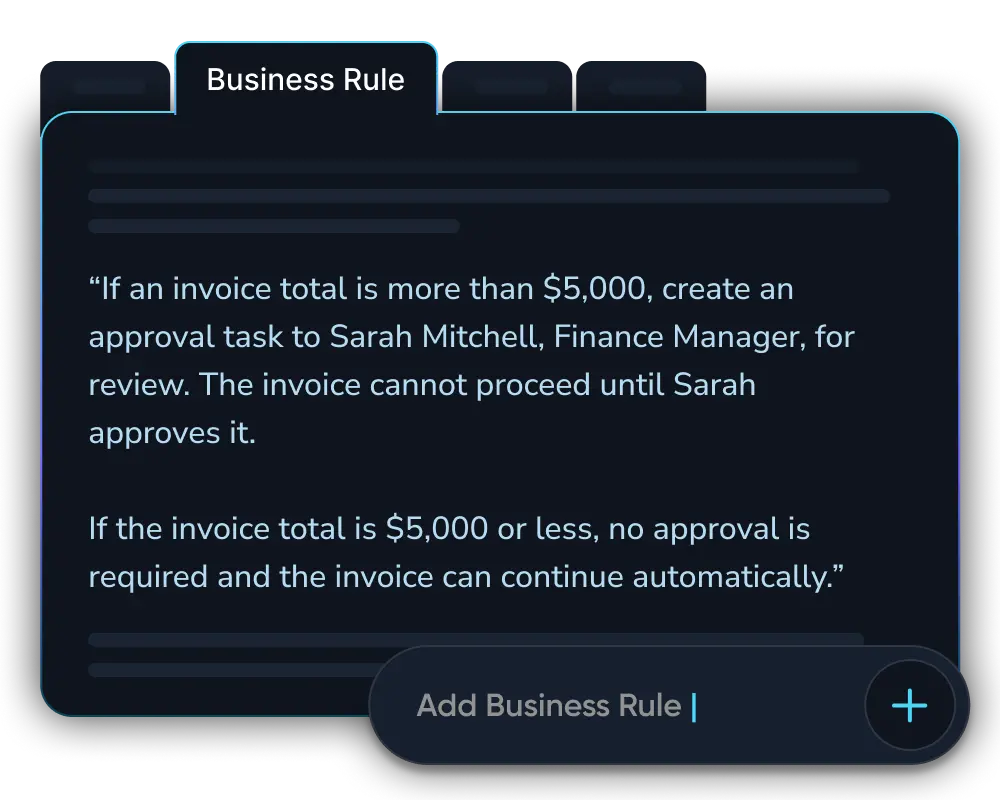
Define approval chains and GL rules in plain English.

The AP workflow, from intake to posting

From the moment a document lands to the moment it's in Sage, nothing sits waiting on a person to move it forward.
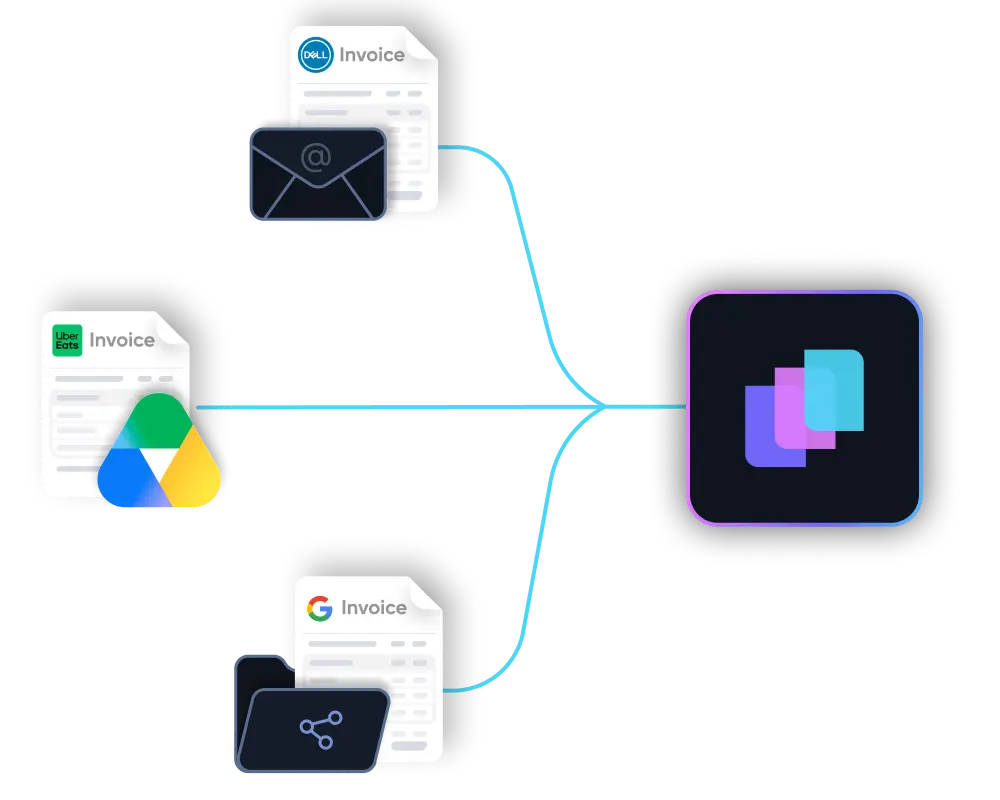
Documents arrive from anywhere

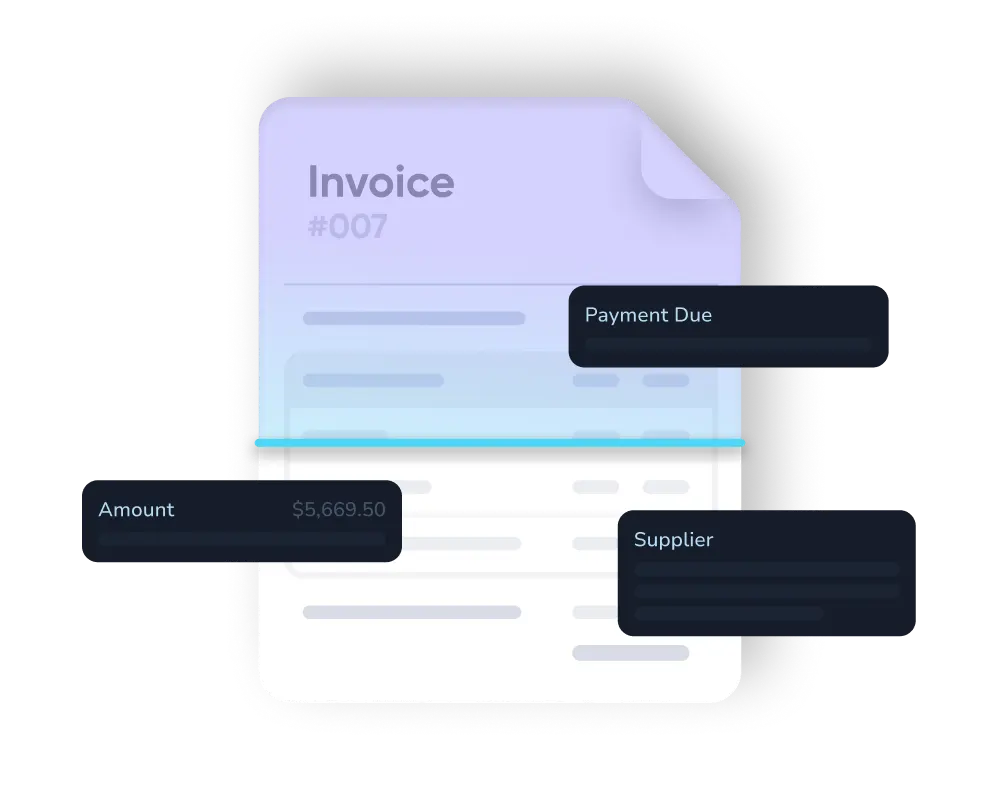
Invoices reach LayerNext through your dedicated email inbox, shared network folders, supplier portals, or cloud storage, and are picked up automatically the moment they land.

Unstructured documents understood

PDFs, scans, emailed attachments, and inconsistent supplier formats are read and interpreted, including the messy long tail that OCR and EDI tools typically reject.

Checked against your rules and POs

Pricing, tax treatment, and tolerance thresholds are checked per vendor, and every invoice is automatically matched to its corresponding purchase order in Sage.

Entered directly into Sage

The agent posts the validated entry through Sage's API where one's available, or by logging into Sage through its own interface, the same screens a person uses, where it isn't.

LayerNext pays for itself by month 3

Most Sage customers recover their full contract value before the first quarter ends, then keep saving every month after.

5x ROI

Year 1 return on investment

<3 months

Typical payback period on the full contract value

165+

Hours saved per month per finance team

Weeks

To deploy, not months

From Manual Entry to Autonomous

Use AI agents to automate invoice entry, matching, and exception handling within Sage, no matter the edition or number of entities.

Manual AP

Agent Workflow

Invoice Entry

Sage

AP clerks manually key each invoice into Sage line by line.

Invoice Entry

LayerNext

Agents read and post approved invoices into Sage automatically.

Data Capture

Sage

Invoice data is copied from PDFs, scans, emails, and paper by hand.

Data Capture

LayerNext

AI extracts data automatically from messy, inconsistent supplier invoice formats.

PO Matching

Sage

POs, receipts, prices, and quantities are checked manually against Sage records.

PO Matching

LayerNext

Invoices are matched to POs, receipts, prices, quantities, and vendor rules.

Exception Flow

Sage

Issues are chased through emails, spreadsheets, and side conversations with suppliers.

Exception Flow

LayerNext

Exceptions become tagged tasks with invoice, supplier, issue, and required action.

Business Rules

Sage

Supplier rules and tolerances live in people's heads or scattered spreadsheets.

Business Rules

LayerNext

Supplier rules, tolerances, and approvals are applied consistently every time.

ERP Access

Sage

Automation depends entirely on whether your specific Sage edition exposes an API.

ERP Access

LayerNext

LayerNext uses Sage APIs where available and the Sage UI where they are not.

Team Focus

Sage

AP teams spend most of their time on repetitive data entry.

Team Focus

LayerNext

AP teams focus on review, approvals, exceptions, and process control.

Audit Trail

Sage

Traceability depends on manual notes, email chains, and individual memory.

Audit Trail

LayerNext

Every document, action, and human decision is logged automatically end to end.

Multi-Entity Sage Files

Sage

Rules and formats are re-learned by hand for every company file.

Multi-Entity Files

LayerNext

One agent applies consistent rules across every Sage entity or company file.

Enterprise-grade security
built into every workflow

See how LayerNext protects your data

Proven across high-volume industries

AP automation excels with high invoice volume, varied formats, and legacy systems like Sage. LayerNext is designed for this.

Wholesale Distribution
Manufacturing
Transportation and Logistics
Construction and Trades
Real Estate and Property
Healthcare and Senior Care
Agriculture and Agribusiness
Automotive
Energy and Utilities
Hospitality and Food Service
Public Sector

Common questions

What is Sage AP automation?
Sage AP automation uses software or AI agents to process supplier invoices, validate invoice data, match invoices to purchase orders, route exceptions, and post approved entries into Sage. LayerNext goes further than data capture, completing the full AP workflow directly inside Sage.
Does LayerNext require a Sage API?
No. LayerNext connects to Sage through its API where one is available, and through Sage's own user interface via computer-use automation where it isn't. This means LayerNext works across Sage environments regardless of API access, including desktop and legacy deployments.
Does LayerNext work with Sage 50, Sage 100, and other Sage editions?
Yes. LayerNext supports the Sage product family, including Sage 50 and Sage 100, connecting via API or UI automation depending on what each edition exposes. Talk to LayerNext's team to confirm support for your specific Sage version and deployment.
Can LayerNext post invoices into Sage?
Yes. After invoices are read, validated, matched to POs, and approved, LayerNext enters the approved data into Sage using API connectivity where available or computer-use automation where it isn't. Every posted entry is logged for a complete audit trail.
How does LayerNext handle PO matching in Sage?
LayerNext checks invoice details against purchase orders, receipts, vendor rules, pricing, quantities, freight, and tax, then compares them to Sage records and tolerance thresholds. If something doesn't match, LayerNext creates a tagged exception task for a human to review before anything posts.
How long does implementation take?
LayerNext is configured around your actual invoices, supplier rules, and Sage workflow. Enterprise deployments are typically completed in weeks, not months, depending on workflow complexity, invoice volume, and how many Sage entities are involved.

Still keying invoices into your ERP?

Turn manual Sage entry into an autonomous workflow, from invoice capture through PO matching, ERP posting, reconciliation, and CFO-ready reporting, with LayerNext AI agents.

Talk to Sales