


Close

AP Automation for QuickBooks Online

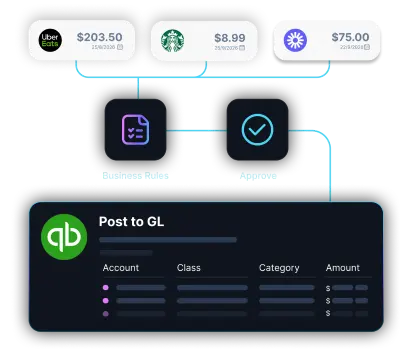
LayerNext AI agents read invoices, validate data, match POs, handle exceptions, and post entries directly into QuickBooks Online with the full AP workflow, not just capture.

Built for AP at every scale

The full accounts payable workflow around QuickBooks Online, from document intake through posting and reconciliation, runs on its own.

QuickBooks Invoice Capture
Import invoices from the app, email, shared folders, and local or cloud drives automatically.
Automated PO Matching
Match invoices to POs, receipts, prices, quantities, and per-vendor rules before anything posts.
Statement Reconciliation
AI matches transactions to supplier statements, flagging discrepancies early.
Direct QBO Posting
Post validated invoice data straight into QuickBooks Online through its official Intuit API.
Exception Handling
Route only mismatches, missing POs, and approvals to controllers.
Live Bank Feed
Connect bank accounts through Plaid so transactions pull in and reconcile automatically.

What took an AP clerk four steps, now takes none

From the inbox to QuickBooks Online, every step runs automatically with nothing waiting on a person to move it forward.
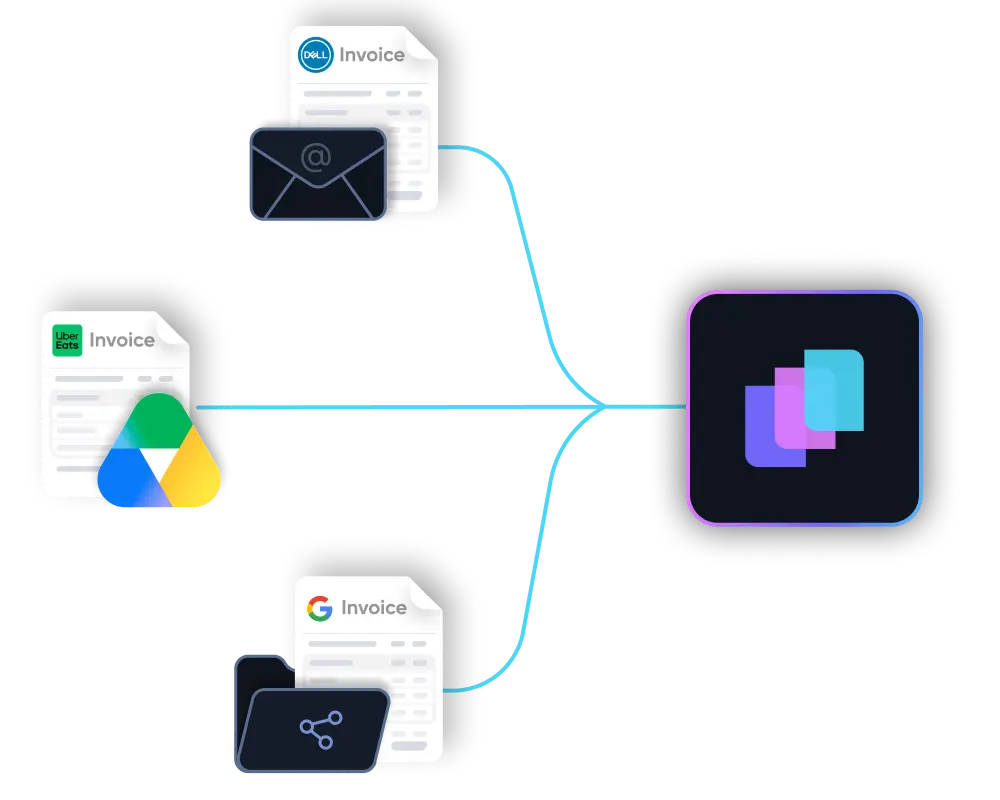
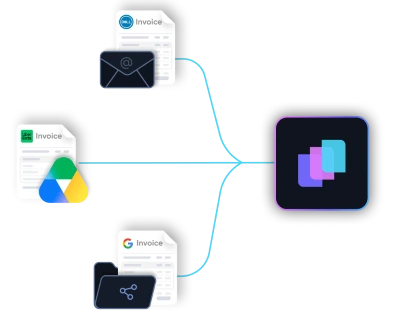
Documents arrive from anywhere

Email inbox, shared folders, supplier portals, or cloud storage. Invoices are picked up automatically the moment they land.

Unstructured documents understood

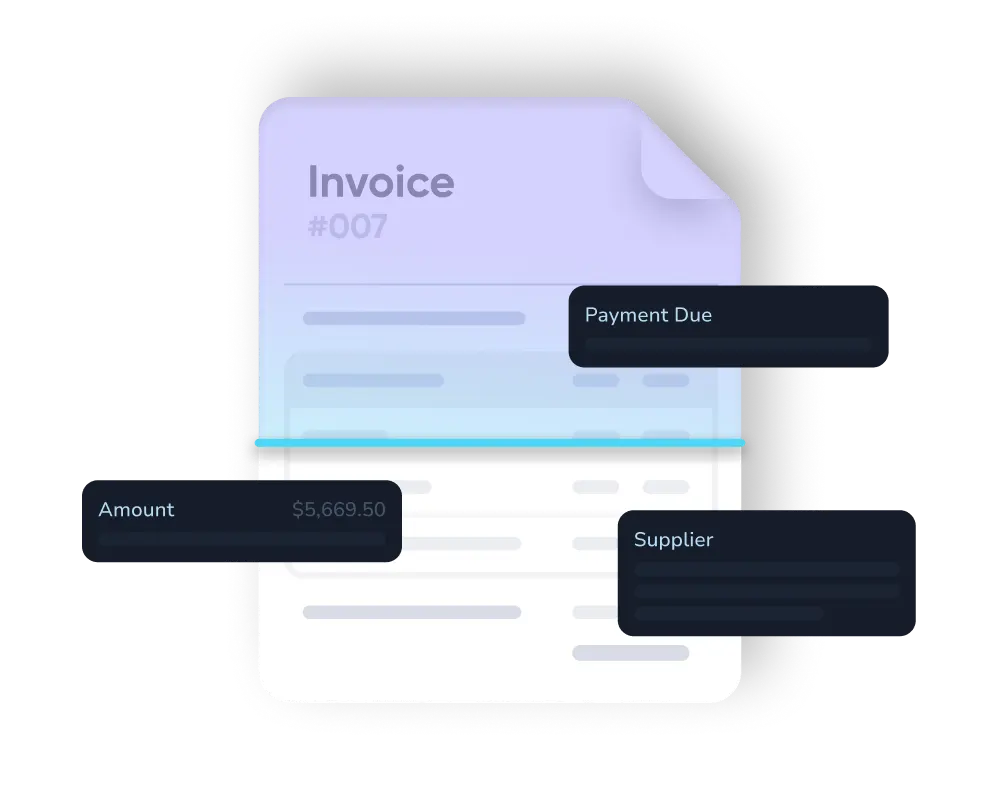
PDFs, scans, and inconsistent supplier formats are read and interpreted, including the long tail that OCR and EDI tools reject.

Checked against your rules and POs

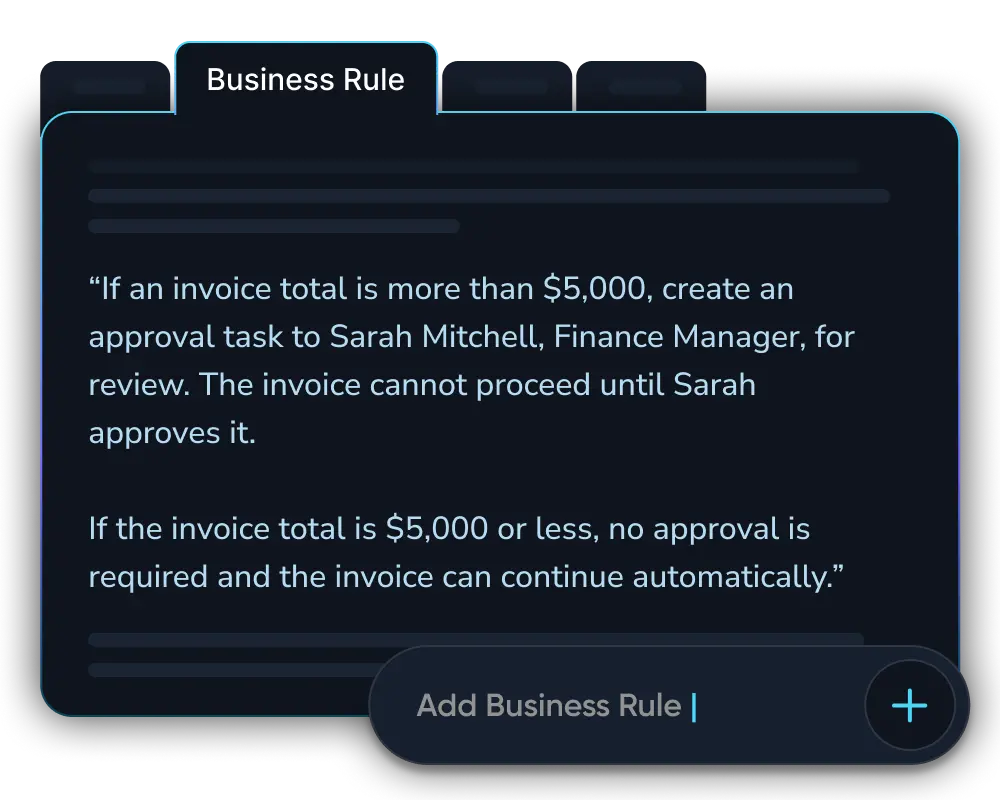
Pricing, tax treatment, and tolerance thresholds are checked per vendor. Invoices are matched to purchase orders automatically.

Entered directly into QBO

Validated entries post straight into QuickBooks Online through its official Intuit API, a direct sync that connects in minutes, with no manual export or re-keying.

LayerNext pays for itself by month 3

Whether you're a founder on QuickBooks Online or a finance team buried in supplier invoices, the math works inside the first quarter.

5x ROI

Year 1 return on investment

<3 months

Typical payback period on the full contract value

165+

Hours saved per month per finance team

Weeks

To deploy, not months

From Manual Entry to Autonomous

Replace repetitive invoice entry, manual matching, and scattered exception handling with AI agents that complete the AP workflow inside QBO.

Manual AP

Agent Workflow

Invoice Entry

QBO

Staff key each invoice into QuickBooks Online by hand, line by line.

Invoice Entry

LayerNext

Agents read, validate, and post every invoice automatically, no keying.

Data Capture

QBO

Invoice data is copied from PDFs, scans, emails, and paper by hand.

Data Capture

LayerNext

AI extracts data from messy supplier invoices automatically.

PO Matching

QBO

POs, receipts, prices, and quantities are checked manually.

PO Matching

LayerNext

Invoices are matched to POs, receipts, prices, quantities, and vendor rules.

Exception Flow

QBO

Problems surface late, buried in email threads and sticky notes.

Exception Flow

LayerNext

Only true exceptions routed to a person as a clear, named task.

Business Rules

QBO

Supplier rules live in people’s heads or scattered notes.

Business Rules

LayerNext

Supplier rules, tolerances, and approvals are applied consistently.

Team Focus

QBO

Finance time consumed by data entry and month-end cleanup.

Team Focus

LayerNext

Team focuses on review, approvals, and decisions, not keying.

Bank Reconciliation

QBO

Statements reconciled by hand at month-end, always days behind.

Bank Reconciliation

LayerNext

Transactions matched continuously through live bank feeds; reconciliation becomes a quick review.

Audit Trail

QBO

Traceability gaps; reconstructing who did what takes hours of digging.

Audit Trail

LayerNext

Every document, action, and approval logged automatically with full traceability.

Scaling

QBO

More invoices means hiring and training more AP clerks.

Scaling

LayerNext

Volume scales without added headcount; the agent absorbs the load.

Enterprise-grade security
built into every workflow

See how LayerNext protects your data

Proven across high-volume industries

LayerNext runs on QuickBooks Online for founders and finance teams across document-heavy, multi-vendor businesses, anywhere invoices pile up and books fall behind.

Wholesale Distribution
Manufacturing
Transportation and Logistics
Construction and Trades
Real Estate and Property
Healthcare and Senior Care
Agriculture and Agribusiness
Automotive
Energy and Utilities
Hospitality and Food Service
Public Sector

Resources for AP teams

Practical guides for automating accounts payable and closing your books on QuickBooks Online.
Common questions

What is QuickBooks Online AP automation?
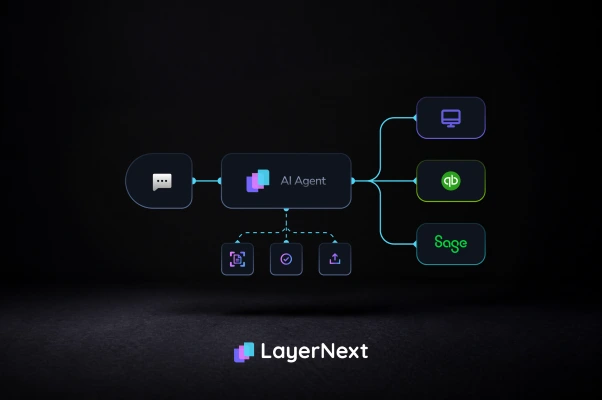
QuickBooks Online AP automation is software that handles accounts payable end to end on top of QuickBooks Online. LayerNext AI agents read supplier invoices, validate them, match them to purchase orders, post the entries into QuickBooks Online, and reconcile transactions, so your team reviews decisions instead of keying data.
Does LayerNext require a QuickBooks Online API?
LayerNext connects to QuickBooks Online through its official Intuit API, so setup takes minutes and entries sync directly, with no manual export or import. Unlike legacy desktop ERPs, where LayerNext operates the software's own interface, QuickBooks Online's API lets the agent post validated data straight into your books.
Does LayerNext work with QuickBooks Online plans and QuickBooks Desktop?
Yes. LayerNext works with QuickBooks Online across its Simple Start, Essentials, Plus, and Advanced plans. It also supports QuickBooks Desktop for enterprises on legacy environments, operating that software through its own interface where no API is available. The same AI agents run the AP workflow on either.
Can LayerNext post invoices into QuickBooks Online?
Yes. Posting validated invoices into QuickBooks Online is a core part of the workflow. After LayerNext reads an invoice, checks it against your rules, and matches it to a purchase order, the agent posts the entry directly into QuickBooks Online through its API, with no re-keying by your team.
How does LayerNext handle PO matching?
LayerNext matches each invoice to its purchase order automatically, comparing prices, quantities, and receipts against your vendor-specific tolerances. When everything lines up, the invoice posts to QuickBooks Online on its own. When something doesn't (a price gap, a missing PO), the agent flags it as a task for a person to resolve.
How long does implementation take?
For small businesses, connecting QuickBooks Online takes minutes and your books, including historical data, are current from day one. For enterprises with custom workflows and multiple supplier groups, LayerNext deploys in weeks, not months. Deployment is scoped to your rules and vendor base, with human input requested only when a decision is needed.

Still keying invoices into QuickBooks Online?

Move from manual QuickBooks Online entry to an autonomous workflow that captures, validates, posts, and reconciles every invoice, through to CFO-level reporting on where your business stands.

Start for free