Summary
Most AP automation software assumes your ERP has a modern API and your invoices arrive in clean, structured formats. For mid-market distributors and operational businesses running Epicor Eagle, Sage, QuickBooks Desktop, or Microsoft Dynamics, that assumption fails. Your finance team is left keying the messy long tail by hand.
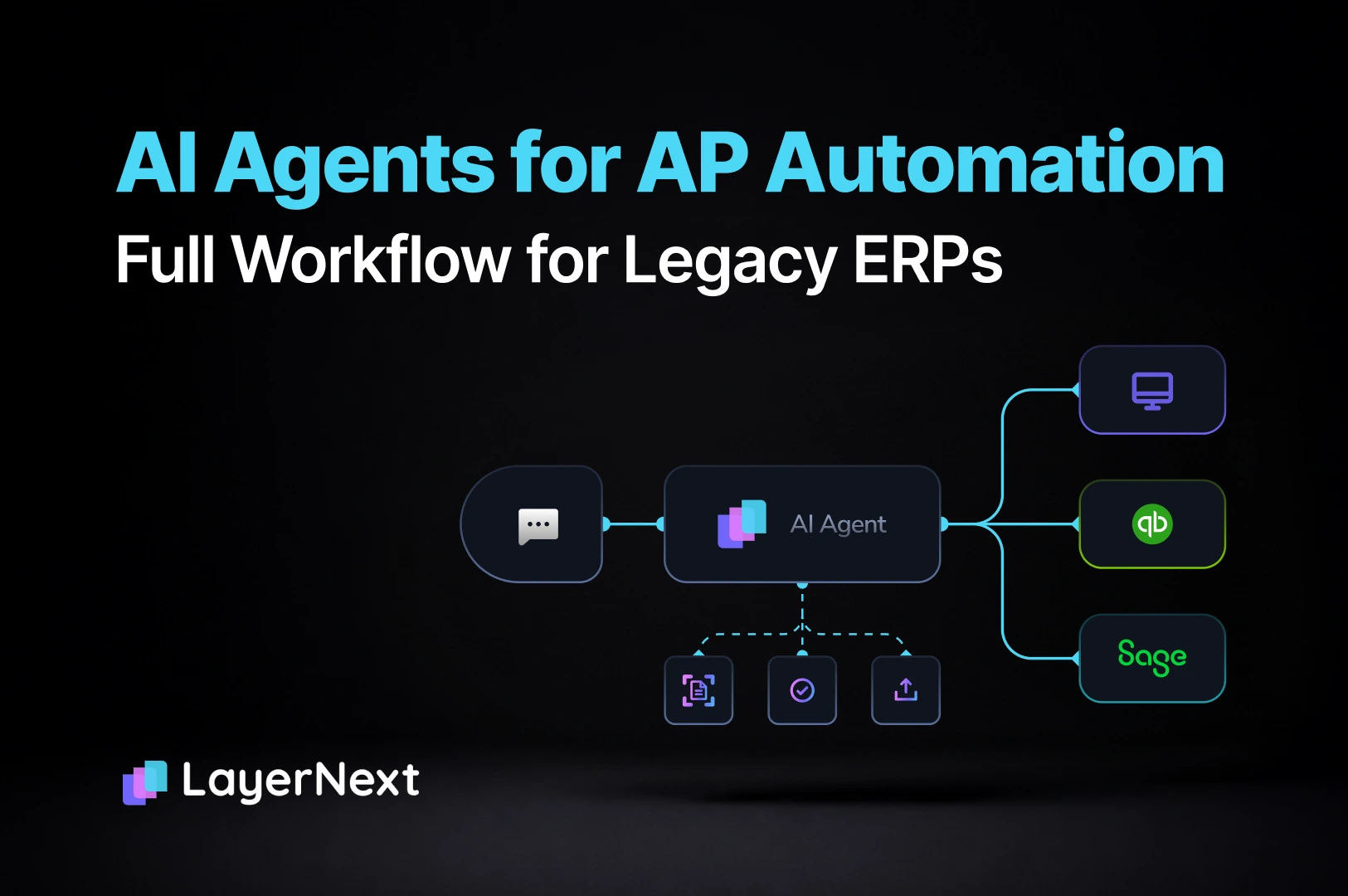
This article breaks down why traditional accounts payable automation tools cannot serve legacy ERP environments, how AI agents solve the problem by operating through the same interface your team uses, and what makes LayerNext structurally different from EDI plugins, modern AP vendors like Bill and Tipalti, and RPA tools like UiPath.
You will also find a head-to-head comparison table across five AP automation categories, a step-by-step framework for evaluating automation on a legacy ERP, and answers to the most common questions controllers and CFOs ask before signing.
If your AP team is buried in manual processing and every vendor you have evaluated requires an API you do not have, start here.
AP automation software was built for businesses running modern, cloud-based ERPs with clean API access and structured invoice data. That profile describes a minority of mid-market companies. The majority operate on Epicor Eagle, Sage, Microsoft Dynamics, QuickBooks Desktop, or something custom-built years ago. For these businesses, every AP vendor pitch ends the same way: "We need API access to your ERP." Conversation over.
The accounts payable automation market has grown rapidly, but it grew around an assumption that does not hold for thousands of mid-market distributors and operational businesses. Their invoices are messy. Their ERPs have no modern integration layer. Their finance teams are still keying supplier invoices by hand, matching purchase orders in spreadsheets, and losing days every month to reconciliation and close.
LayerNext was built for these businesses specifically. Not as a workaround. As the primary design decision.
What Is AP Automation
Most tools marketed as “AP automation” perform one function well: invoice data capture. They read a document, extract fields (vendor name, amount, date, line items), and hand structured data to the next step. That is useful. It is also roughly 10% of the actual AP workflow.
The Full AP Workflow, Mapped Out
Here is the complete chain that a finance team performs every day:
- Invoice arrives through email, shared folder, paper scan, or ERP inbox.
- Data is read from the document.
- Data is validated against internal records.
- Invoice is matched to the purchase order.
- Exceptions are identified and resolved: pricing mismatches, tax discrepancies, missing POs.
- Entry is posted into the ERP or accounting system.
- Transaction is reconciled against bank statements or feeds.
- A human reviews and approves the entry.
- The audit trail is preserved.
Most AP tools handle step 2. Some handle steps 2 through 4 on clean, structured documents. Almost none touch steps 5 through 9. And none of the major vendors, Bill, Tipalti, Ramp, Stampli, can execute any of it on a desktop ERP with no API.
The Messy Long-Tail Problem
Even for invoice capture, existing tools work on the clean slice: structured EDI from major suppliers, standardized formats, predictable layouts. The rest, the hundreds of smaller suppliers who send invoices as PDFs, scanned images, or email attachments in inconsistent formats, still lands on a human’s desk. This is the “messy long tail,” and it is where most of the manual hours actually accumulate.
Traditional AP automation captures invoice data. LayerNext completes the finance workflow.
Why Mid-Market Finance Teams Are Still Stuck
The gap in AP automation is not a technology shortage. Dozens of vendors sell invoice processing tools. The gap is that those tools were designed for a different customer. Mid-market distributors and operational businesses face a set of constraints that fall outside the assumptions of nearly every product on the market.
The Legacy ERP Problem
Thousands of mid-market businesses run their operations on Epicor Eagle, Sage 50, QuickBooks Desktop, Microsoft Dynamics (older versions), or custom-built ERP systems. These platforms were not designed for cloud connectivity. They have no public API. They offer no webhook. They run on local servers or individual desktops. Every modern AP automation vendor requires an API to connect, which means these businesses are structurally excluded from the market.
This is not a niche edge case. In distribution, building materials, lumber, hardware, industrial supply, and agricultural supply, legacy desktop ERPs are the norm, not the exception.
The Staffing Problem
AP clerk roles are among the hardest to fill and retain in mid-market finance. The work is repetitive, the training period is long (because the ERP is old and the processes are manual), and turnover is high. Controllers and AP managers increasingly cannot hire enough people to keep up with invoice volume. Month-end close runs late because AP is the bottleneck, and the bottleneck is a staffing hole that keeps reappearing.
The Tool Problem
The AP automation tools that do exist in these accounts are typically EDI or OCR plugins tied to the ERP. They work on clean, structured invoices from major suppliers. They fail on the messy long tail: the inconsistent formats, handwritten notes, scanned documents, and non-standard layouts that make up the majority of real-world supplier invoices. The finance team still keys these by hand. The tool handles the easy 30%. The team handles the hard 70%.
The result is a buyer who has tried automation, found it insufficient, and now assumes that nothing on the market can solve their actual problem. That assumption is correct for every tool that requires an API and only captures data. It is not correct for agent-based automation.
How to Automate Accounts Payable on a Legacy ERP
Before evaluating specific tools, it helps to understand the decision tree. The path to automating AP depends on three variables: what ERP you run, how your invoices arrive, and how much of the workflow you need covered.
Step 1: Assess Your Current Stack
If your ERP is cloud-native with an open API (NetSuite, Xero, modern Dynamics 365), you have access to the full AP automation market. Products like Bill, Tipalti, Ramp, and Stampli were designed for your environment.
If your ERP is desktop-based, on-premise, or API-less (Epicor Eagle, Sage 50, QuickBooks Desktop, older Dynamics versions, custom systems), the majority of AP automation vendors cannot connect to your system. Your options narrow to three: RPA, outsourced manual processing, or agent-based automation.
Step 2: Identify Where the Hours Go
Most finance teams assume the bottleneck is invoice capture. In practice, the hours pile up in exception handling, PO matching, manual ERP entry, and reconciliation. If your automation only covers data extraction, you are automating the least time-consuming part of the process.
Step 3: Choose the Right Automation Model
For legacy ERP environments, the choice comes down to:
- RPA (scripted bots)
Can interact with desktop systems, but scripts are brittle. They break when screens change, formats shift, or exceptions arise. Maintenance costs compound over time. - Outsourced AP
Solves the staffing problem but introduces accuracy risk, latency, and a recurring cost that scales with volume. - Agent-based automation
AI agents operate through the ERP's user interface, the same way a human would. They reason about unstructured documents, adapt to format changes, and complete the full workflow. This is the approach LayerNext uses.
Why AI Agents Solve What Traditional AP Tools Cannot
Before introducing LayerNext specifically, it is worth understanding why agent-based automation represents a structural shift for this problem, not just an incremental improvement over OCR or RPA.
Agents Reason. Scripts Follow Rules.
Traditional AP tools, whether OCR, EDI, or RPA, operate on fixed rules. An OCR engine expects a specific layout. An EDI connector expects a specific data format. An RPA bot follows a specific sequence of screen clicks. When the input deviates from the expected pattern, the tool breaks, stops, or fails silently.
AI agents operate differently. They process unstructured input, reason about what they are seeing, and make decisions based on context rather than rigid templates. When a supplier changes their invoice layout, the agent reads the new format. When a tax calculation does not match expectations, the agent flags it for review rather than halting the entire process. This is not a theoretical distinction. It is the practical difference between automation that requires constant maintenance and automation that holds up across real-world variation.
Interface-Based Automation Instead of API Dependency
The most significant architectural shift is how agents interact with existing systems. Traditional tools require a direct data connection: an API, a database link, or a structured file exchange. If the ERP does not offer one, the tool cannot connect.
Agent-based automation operates through the system’s user interface, the same screens and inputs a human employee would use. The agent logs in, looks up records, enters data, saves entries, and navigates the application. This means any software a human can operate becomes automatable, regardless of whether it was built for integration.
Continuous Adaptation Instead of Brittle Maintenance
RPA implementations in AP environments are notorious for maintenance costs. Every time a screen changes, a field moves, or a new supplier sends an unfamiliar format, someone must update the script. Over time, the cost of maintaining the automation approaches or exceeds the cost of manual processing.
Agent-based systems adapt to these changes because they reason about what is on screen rather than following a memorized path. The maintenance burden is structurally lower, and the system becomes more reliable as it processes more documents and encounters more variation.
Comparing AP Automation Solutions: Why LayerNext Leads
The AP automation market is large, but most of it was built for a different buyer. Here is how the major categories compare when the environment is a mid-market distributor running a legacy ERP with high invoice volume and messy supplier documents.
LayerNext vs. EDI and OCR Plugins
EDI and OCR plugins handle the structured slice of incoming invoices: standardized formats from major suppliers, clean electronic data interchange feeds, predictable document layouts. They work well for that portion. The problem is everything else. The hundreds of smaller suppliers who send invoices as scanned PDFs, emailed images, or inconsistent spreadsheets break these tools entirely. The finance team still keys those by hand. That “long tail” is typically where the majority of manual hours accumulate. LayerNext agents read unstructured documents, reason about their contents, and complete the full workflow. This is the tool LayerNext most often replaces at enterprise accounts.
LayerNext vs. Modern AP Vendors (Bill, Tipalti, Ramp, Stampli, Maxima)
These vendors built excellent products for cloud-connected environments. Their architecture requires API access to the customer’s ERP or accounting system. If that system is Epicor Eagle, Sage 50, QuickBooks Desktop, or a custom-built platform with no integration layer, these vendors are structurally unable to connect. They will not bid on the account. For the mid-market distributor running one of these systems, the buyer is invisible to the modern AP automation market. LayerNext was designed precisely for these environments.
LayerNext vs. RPA (UiPath and Similar)
RPA promised to solve the legacy-ERP problem by scripting bots that click through screens in a fixed sequence. That works until a format changes, a screen updates, or an exception appears that requires judgment rather than a pre-written rule. At that point, the bot stops or fails silently. Maintenance costs compound. Over time, many RPA implementations in AP are abandoned or scaled back because the cost of keeping scripts current exceeds the savings. LayerNext agents reason about what is on screen instead of following a fixed script. When the layout shifts or an exception surfaces, the agent adapts rather than breaking.
LayerNext for Enterprise AP and Reconciliation
LayerNext is an agent-based platform purpose-built for mid-market finance teams running legacy ERP environments. The platform uses AI agents that operate inside the customer’s existing systems, completing the full AP and reconciliation workflow with the finance team approving every step. Here is what makes it structurally different, followed by the specific capabilities it delivers.
What Makes LayerNext Different
The Entire Workflow, Not Just the First Step.
Every competitor in this space stops at invoice data extraction and hands the rest back to a human. LayerNext chains the full sequence: read, validate, match, resolve, post, reconcile, approve. The differentiator is not any single feature. It is that no other vendor attempts the complete chain on legacy systems. They capture data. LayerNext closes the loop.
Designed for No API from Day One.
The entire platform architecture assumes the customer’s ERP has no API. This is not a compatibility mode or a workaround bolted on after the product shipped. Workflow configuration, business rules, data ingestion, and agent execution were all built with the assumption that no integration layer exists. Every other vendor treats no-API as an edge case. LayerNext treats it as the default.
The Finance Team Runs It Without Developers.
Business rules are written in plain English. Exceptions surface as tasks the team resolves directly. Processing statistics are visible in a single dashboard. The finance team operates the entire system independently: no developer tickets, no vendor dependency for day-to-day changes, no waiting two weeks for a rule update. That operational independence does not exist in any competing tool in this market segment.
Human Control as a Core Design Constraint.
Finance teams do not adopt tools they cannot verify. LayerNext’s human-in-the-loop model is not an optional setting. It is how the product works. Every entry is reviewed before it posts. Every exception surfaces as a task the team can inspect. The audit trail is complete from the first invoice processed. For controllers and CFOs evaluating agent-based automation for the first time, this is what separates a “maybe next year” from a signed pilot.
Core Capabilities
Custom Workflows, Configured Without Code.
Every business processes invoices slightly differently. The sequence of steps, what gets validated, what triggers an exception, where entries get posted. LayerNext lets finance teams define these workflows as a sequence of steps without writing a single line of code. Adding an invoice to the accounting system requires specifying what data to extract, how to verify it, and where to post it. That is a workflow definition in LayerNext, not a development cycle. No IT tickets. No testing sprints.
Supplier-Specific Business Rules in Plain English.
In distribution, no two suppliers are identical. One has different tax rules by province. Another uses non-standard PO references. A third sends invoices in a format no OCR tool can parse. LayerNext includes a business rules engine where the finance team defines processing rules and exceptions per supplier, per customer, or per any entity, written in plain English. The system uses an indexed search tree to retrieve the correct rule at processing time. Even with thousands of supplier-specific rules, the engine matches the right rule to the right invoice by querying against the supplier’s name or other key identifiers.
Legacy ERP Automation Without an API.
LayerNext uses a computer-use agent that operates the ERP through its user interface: the same screens and inputs a human employee would use. If a person can log into the system, look up a record, enter an invoice, and save it, the agent can do the same thing. No API. No middleware. No integration project. Supported environments include Epicor (including Eagle), Sage, Microsoft Dynamics, QuickBooks Desktop, and custom or Excel-heavy ERP workflows.
Multi-Channel Data Ingestion.
Invoice data does not arrive in one neat stream. It comes through email attachments, shared network folders, supplier portals, local drives, cloud storage, and records inside the ERP itself. LayerNext connects to the data where it already lives: a dedicated email address for incoming documents, a bot that runs on local machines, SQL database connectivity, cloud storage connections (AWS S3, Google Cloud), and API connectivity to systems that support it. Once configured, the finance team does no additional work to feed data into the system.
One Portal to Manage Every Automation.
Each enterprise customer gets a dedicated cloud portal accessed at their own subdomain. Every automation running in the organization, AP processing, reconciliation, exception handling, is visible and manageable from one place. The portal includes an Insight Board: a dashboard showing how many documents have been processed, how many are pending, and how many need human input. Managers get a single view of the entire operation without switching tools or requesting status reports.
Human-in-the-Loop: Task-Based Approvals.
Every time the system needs a human decision, it creates a task in the portal tagged with key identifiers: invoice number, supplier name, exception type. Example: the agent detects a tax discrepancy on an invoice and creates a task flagged as “double check tax,” linked to the invoice number. The reviewer finds it, confirms or corrects, and marks it done. When all tasks show “Done,” no human input is needed and the agents continue processing. Nothing posts without approval. The audit trail is complete.
Take Control of Your AP Workflow
Your finance team should not be spending hours keying invoices that a system could process. Month-end should not run late because AP is the bottleneck. Your ERP does not need to have an API for automation to work.
LayerNext was built for the businesses that every other AP vendor overlooked. If your team is buried in manual AP, running a desktop ERP, and tired of tools that only handle the clean invoices, this is the product that was designed for your exact environment.
Start with a concrete proof. Send us the supplier invoices your current system struggles with. We will show you what our agents do with them, inside your ERP, with your team approving every step.
Frequently Asked Questions

.webp)