Close

Automated financial reporting on any ERP

LayerNext turns your ledgers, invoices, and bank feeds into monthly reports, live KPIs, and forecasts, on the ERP you already run, with or without an API.

Custom Monthly Reports and Forecasts

Set up your report pack once in plain English. LayerNext produces it every period from live data, so month-end reporting is a review, not a rebuild.
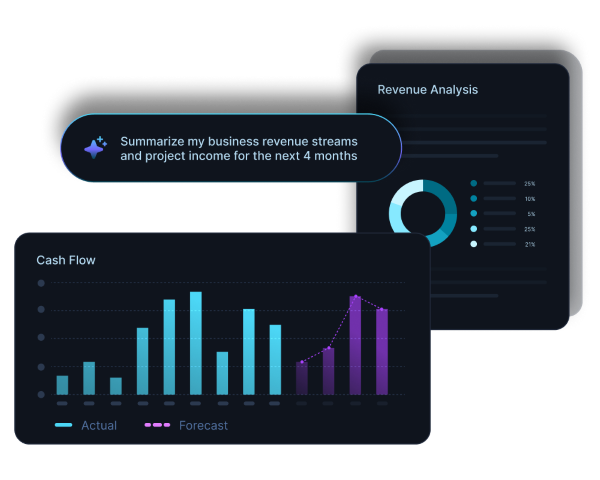
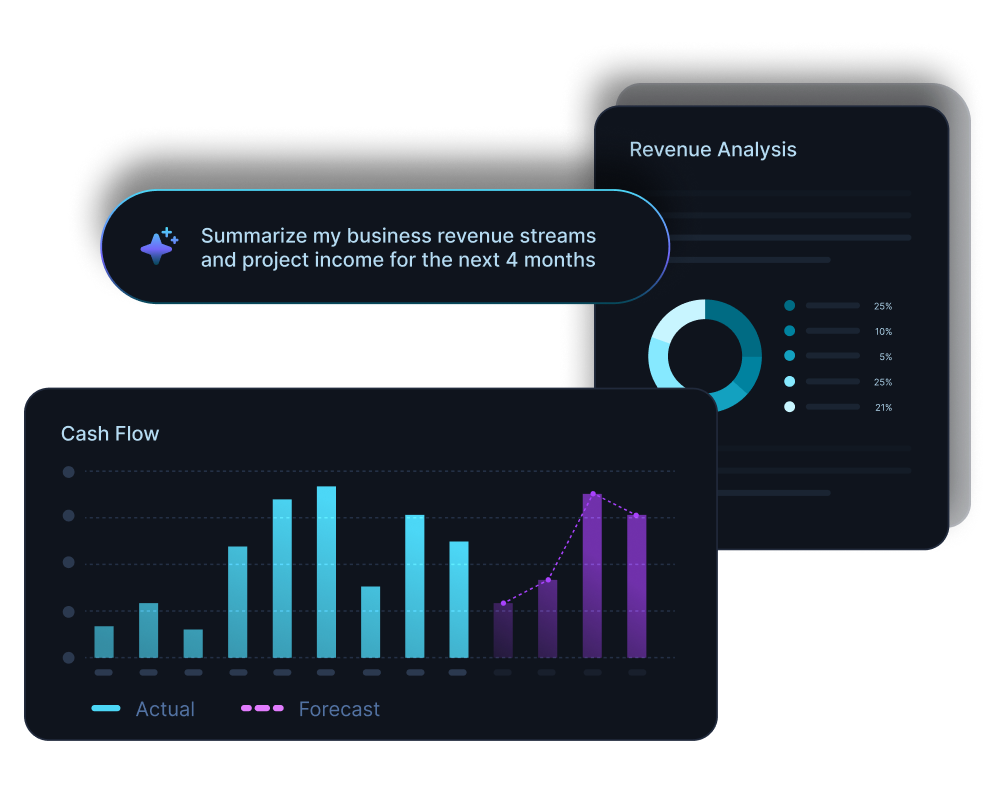
  • Report packs defined in plain English, produced every period
  • Forecasts built from your live ledger, not a stale export
  • Consolidated, multi-entity reporting across locations and currencies (USD, CAD)
Diagram showing multiple expense entries from apps like Uber Eats, Google, and Starbucks converging into a central software, which then connects to accounting platforms QuickBooks, Xero, and Sage.Diagram showing multiple expense entries from apps like Uber Eats, Google, and Starbucks converging into a central software, which then connects to accounting platforms QuickBooks, Xero, and Sage.
Illustration showing integration of multiple bank statement icons including Scotiabank and Bank of America with accounting software QuickBooks via an intermediary app.Illustration showing integration of multiple bank statement icons including Scotiabank and Bank of America with accounting software QuickBooks via an intermediary app.

Live KPIs on Your Financial Dashboard

Open the app and your key numbers are already current. LayerNext keeps every metric reconciled to today, so leadership decides on live data, not last month's close.

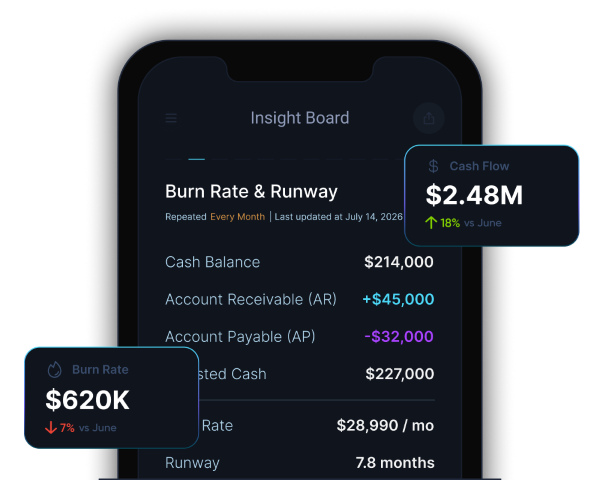
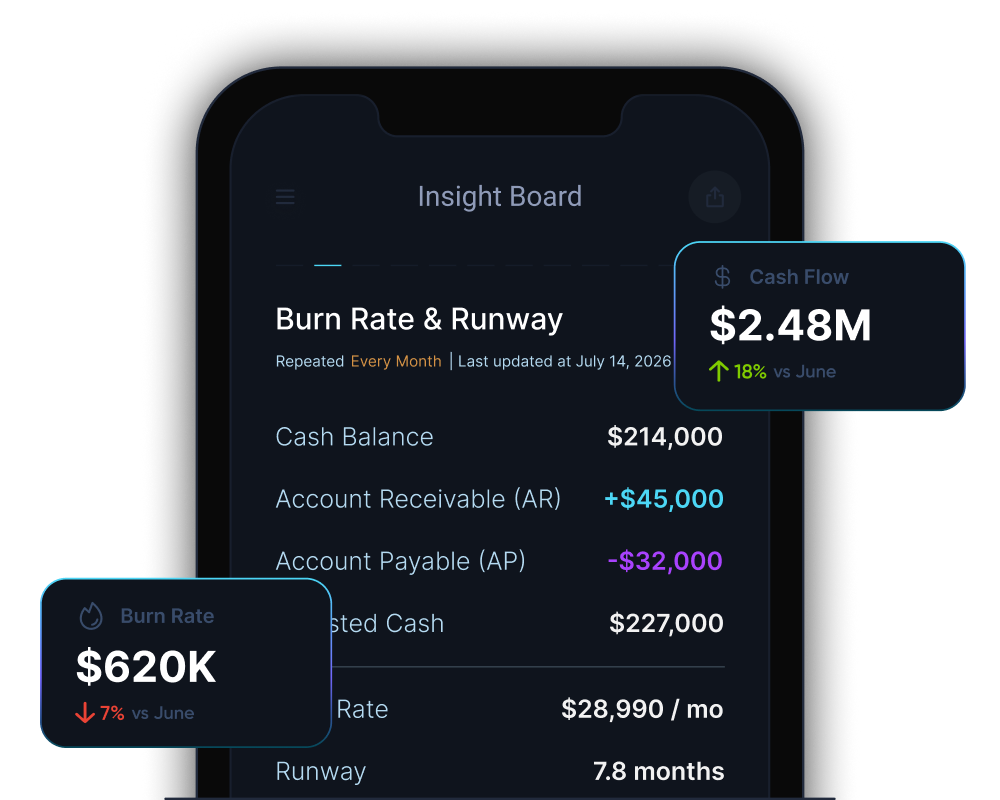
  • Cash runway and burn rate, updated as transactions land
  • Real-time cash position across every account and entity
  • Margin analysis and anomaly alerts on your spend
Dark digital circuit-like lines with icons representing data analysis, settings, security, and user connections on a black background.

Real-Time Reporting, with or without API

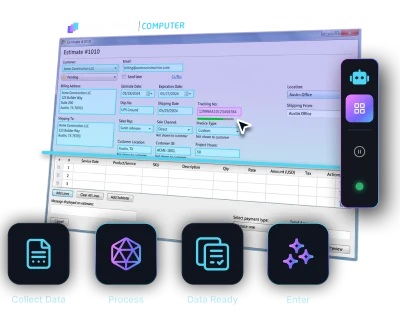
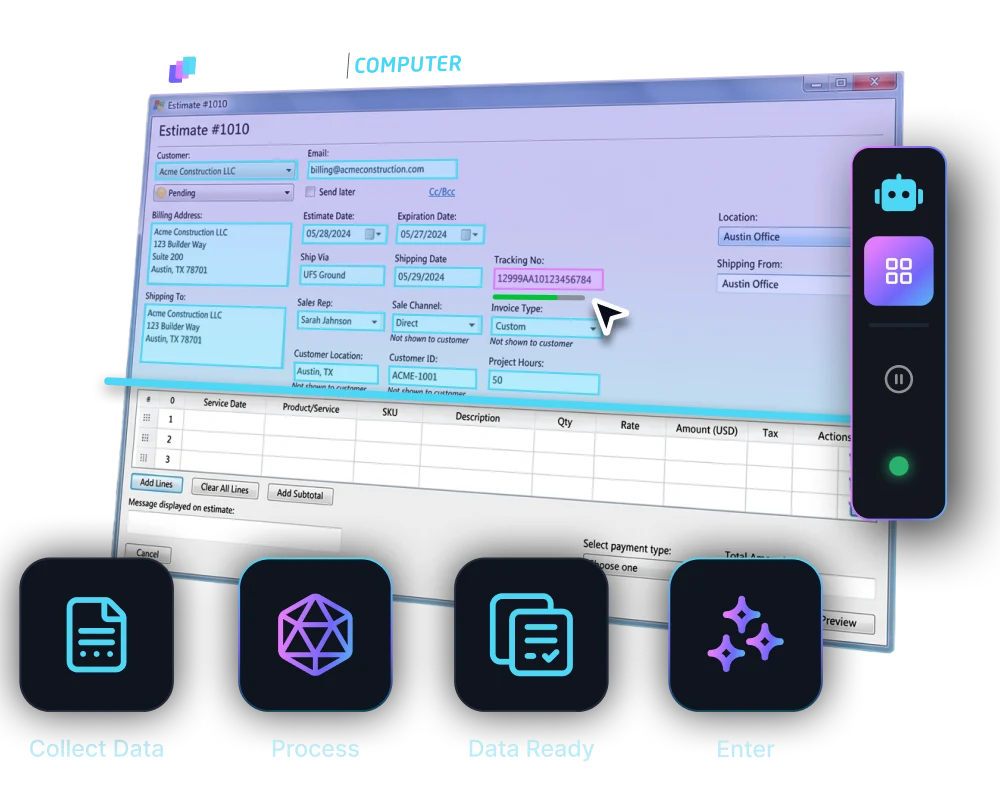
Most reporting tools need a clean cloud API. LayerNext operates your desktop or legacy ERP through the same screens your team uses, reading the figures directly. A decades-old Windows ERP reports like a modern cloud one.
  • Works on systems with an API, and on those without
  • No integration project, middleware, or system change
  • Books stay current to today, not weeks behind
Diagram showing multiple expense entries from apps like Uber Eats, Google, and Starbucks converging into a central software, which then connects to accounting platforms QuickBooks, Xero, and Sage.Diagram showing multiple expense entries from apps like Uber Eats, Google, and Starbucks converging into a central software, which then connects to accounting platforms QuickBooks, Xero, and Sage.
Abstract digital network with icons representing user, shield, settings gear, bar chart, padlock, and magnifying glass connected by glowing blue lines on a black background.Abstract digital network with icons representing user, shield, settings gear, bar chart, padlock, and magnifying glass connected by glowing blue lines on a black background.

LayerNext pays for itself by month 3

Whether you're a founder on QuickBooks Online or a finance team buried in supplier invoices, the math works inside the first quarter.

5x ROI

Year 1 return on investment

<3 months

Typical payback period on the full contract value

165+

Hours saved per month per finance team

Weeks

To deploy, not months

Enterprise-grade security
on every report

See how LayerNext protects your data

Everything finance teams need, in one place

From the moment a transaction lands, it's matched, checked for anomalies, and logged, whether your ERP has an API or connects through its own screens.

Live KPI Updates
Runway, burn rate, and cash flow refresh as transactions land.
Board-Ready Reports
Charts and figures organized for busy finance teams.
Fully Automated
Report packs build themselves on schedule, no manual pulling of numbers.
Branded Reports
Match report structure to how your business already reports.
Forecasts From Live Data
Forecasts built on your current ledger, not a snapshot.
Ask Your Financials Anything
Plain-English questions get instant answers from your reporting data.

Explore real reports by industry

See what your reports could look like before you connect anything.

Browse report library

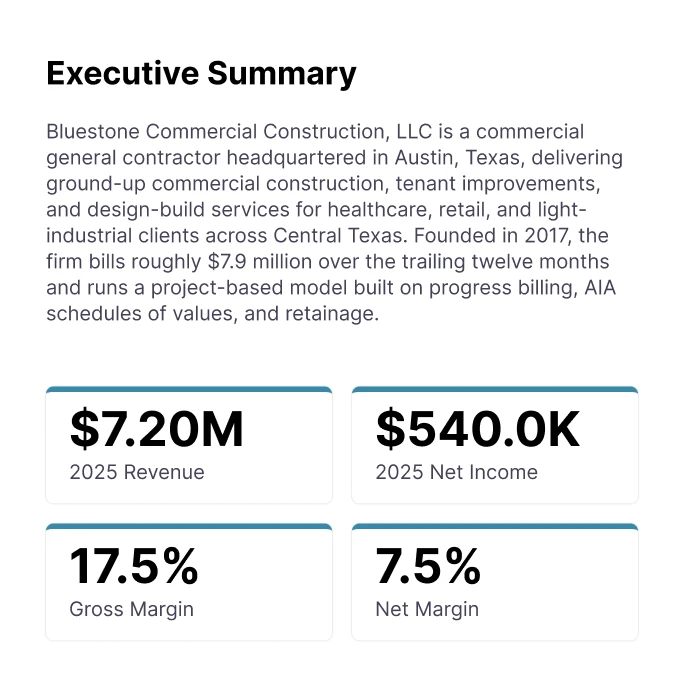
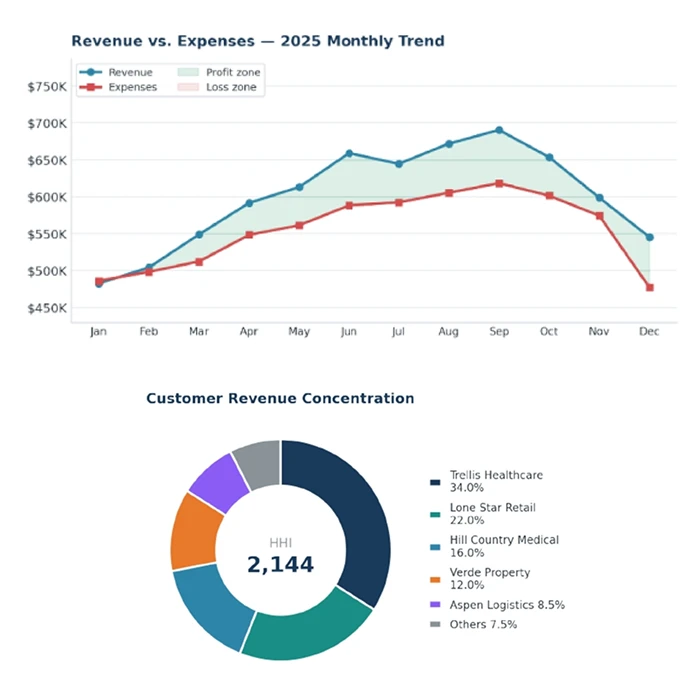
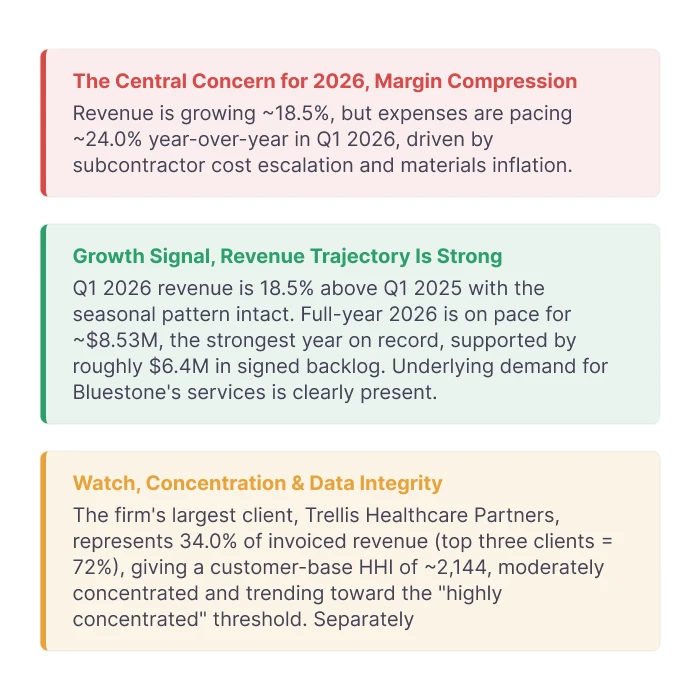
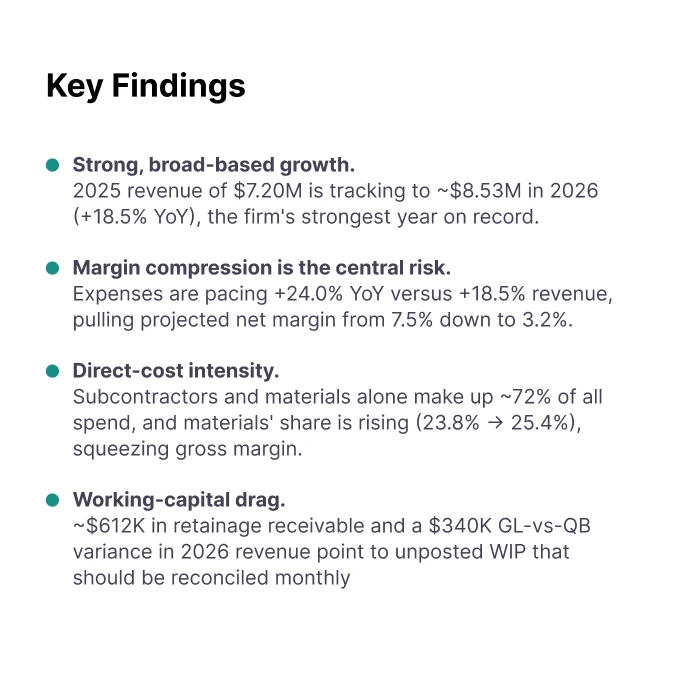
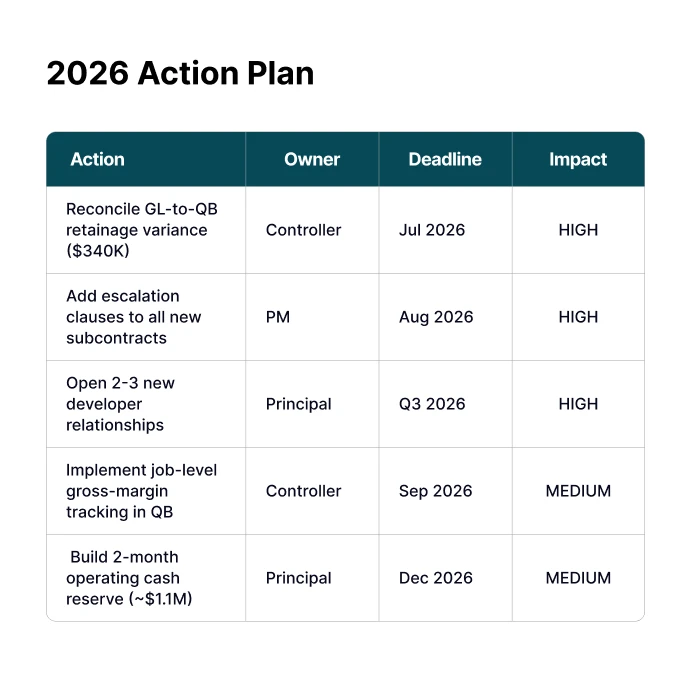
Commercial Construction

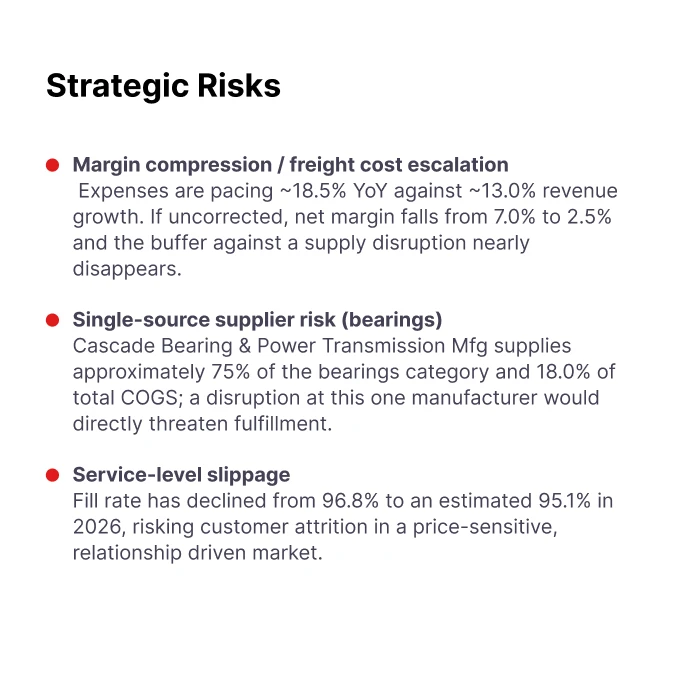
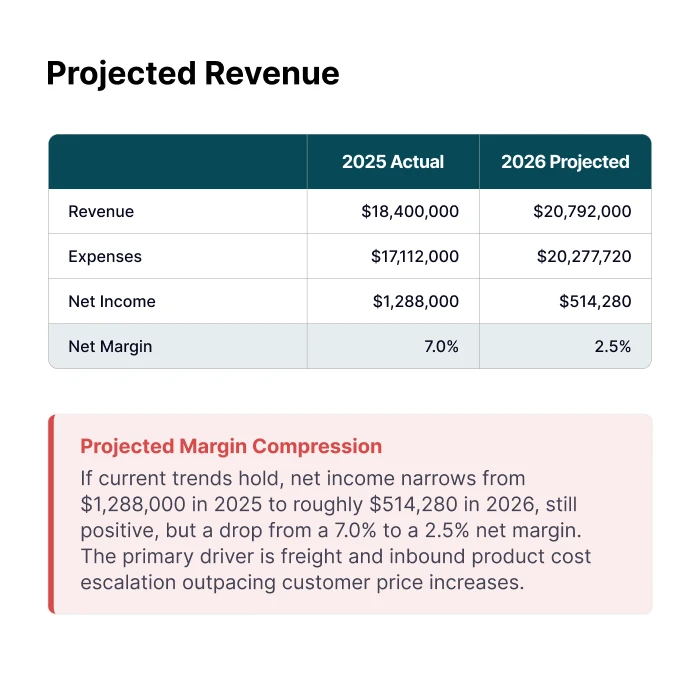
Analyze revenue, job costs, margins, cash flow, risks, and forecasts for commercial contractors managing multiple projects.

View Sample Report

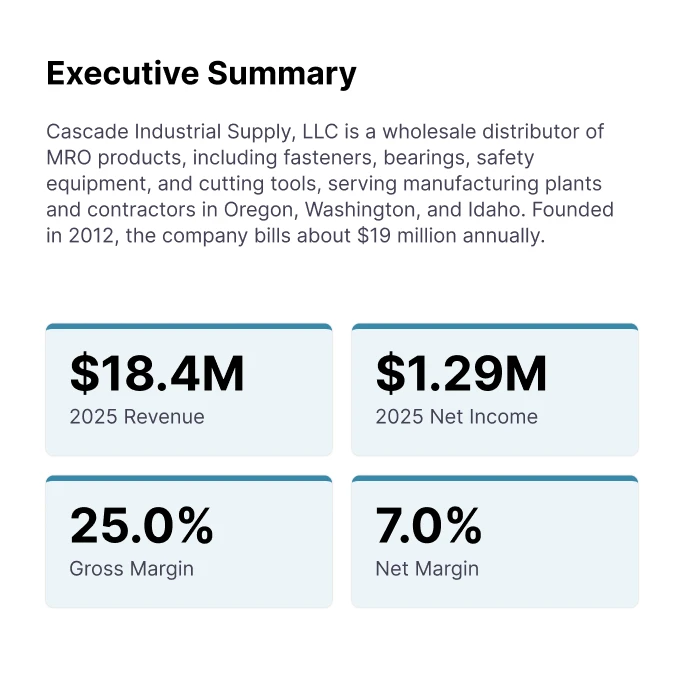
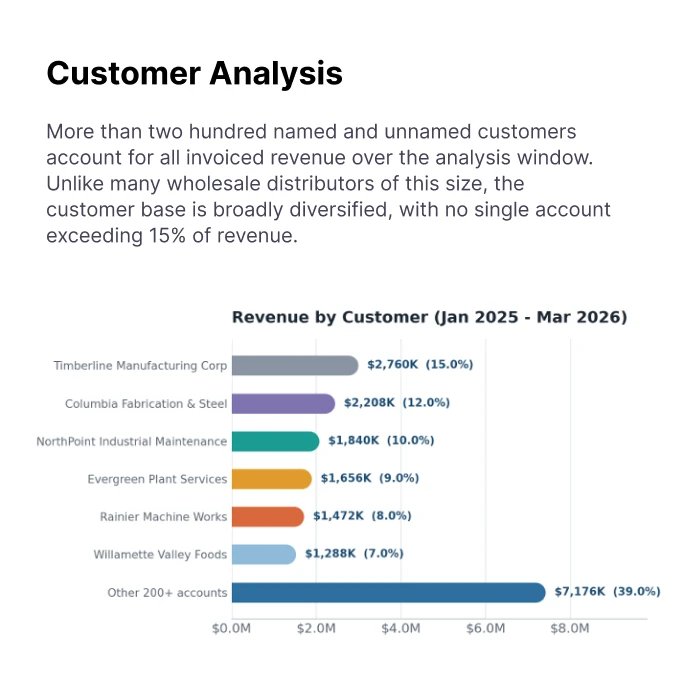
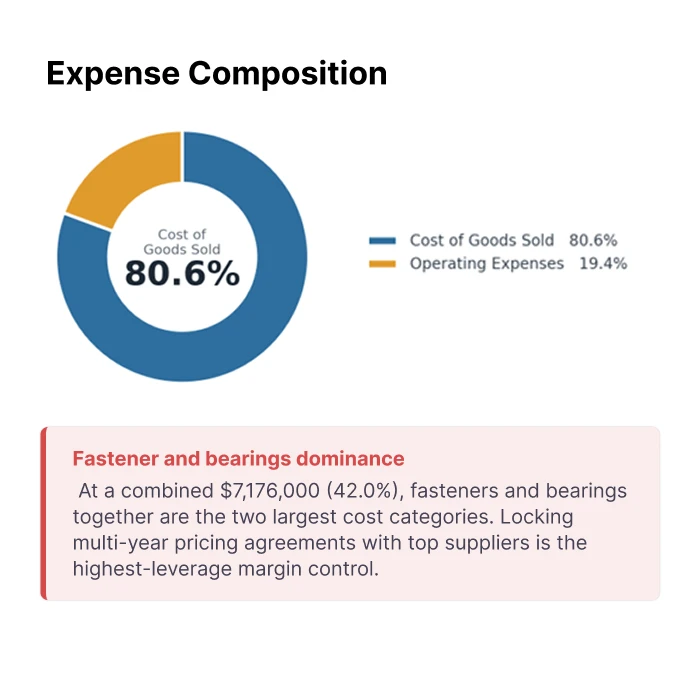
Wholesale Distribution

Evaluate revenue, margins, inventory's cash impact, cash flow, and forecasts for distributors with multiple locations.

View Sample Report

Built for document-heavy, multi-entity operators

Reporting matters most where transaction volume is high, entities are many, and ERPs are old. That is exactly what LayerNext was built for.

Wholesale Distribution
Manufacturing
Transportation and Logistics
Construction and Trades
Real Estate and Property
Healthcare and Senior Care
Agriculture and Agribusiness
Automotive
Energy and Utilities
Hospitality and Food Service
Public Sector

Built to work with what you have

Keep your current ERP and accounting stack. LayerNext works within it.

Quickbooks Online
Microsoft Dynamics 365
Sage
Quickbooks Desktop
Xero
NetSuite
SAP
Excel-Based Workflows
Freshbooks
Epicor
FieldServio
Legacy and Custom ERPs

Common questions

What is financial reporting software?
Financial reporting software collects data from your accounting system, invoices, and bank feeds and turns it into financial statements, KPI dashboards, and forecasts. LayerNext produces custom monthly reports and live KPIs on any ERP, including legacy and desktop systems with no API.
How does automation of financial statements work?
LayerNext connects to your ledger and source documents, keeps transactions categorized and reconciled, and builds your statements on a schedule you set. It can also run ERPs that have no API by working through their own screens, so automation still works on legacy systems.
What are real-time financial statements?
Real-time financial statements update as transactions happen, instead of being rebuilt at month-end. Because LayerNext keeps books continuously closed, figures like cash position, runway, and burn rate stay current to today.
What are monthly management reports?
Monthly management reports are the internal reports leadership uses to run the business: P&L, balance sheet, cash flow, and KPIs. LayerNext produces these each period, tailored to your entities and industry.
What is cash runway, and how do you calculate it?
Cash runway is how many months your business can operate before running out of cash. You calculate it by dividing current cash by monthly net burn (burn rate). LayerNext tracks both live, so you never recompute them by hand.
Does LayerNext report on legacy ERPs with no API?
Yes. LayerNext operates desktop and legacy ERPs through the same screens your team uses, so it reports on systems that API-dependent tools cannot reach.
What is financial reporting for small business?
Financial reporting for small business means turning your books into the statements and KPIs an owner needs to make decisions, usually a P&L, cash flow view, and a few key metrics. LayerNext connects to QuickBooks Online in minutes and delivers this automatically, with always-closed books and real-time cash flow, on web, iOS, and Android.

Build your first report in minutes

See what automated reporting looks like on your books, free, before you decide.