Summary
The Shopify-QuickBooks connector went through a forced migration in January 2026 that broke syncing for thousands of stores. Orders stopped importing, customer records vanished, inventory tracking was removed entirely, and COGS discrepancies appeared with no clear fix. This guide explains exactly what happened, why the standard troubleshooting steps keep failing, and how AI bookkeeping handles Shopify financials without relying on the connector at all.
What broke in January 2026:
- Orders stopped syncing to QuickBooks and now pile up in a manual review queue
- Customer data disappeared from existing records during migration
- Inventory sync was removed entirely from the rebuilt connector
- COGS calculations broke for stores with variants and bundle products
- Intermittent sync failures with no error log and no notification
The alternative:
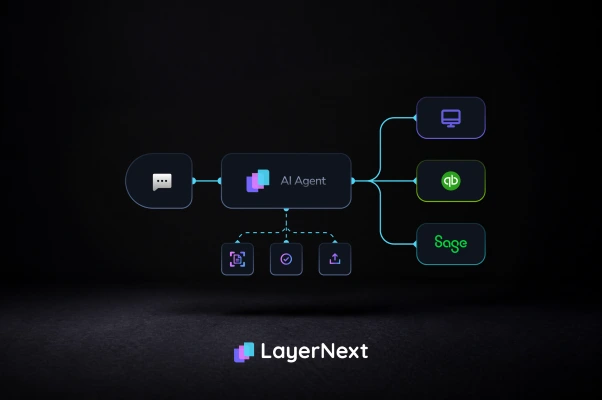
- AI bookkeeping integrates with both Shopify and QuickBooks independently
- No connector required. Sync failures become irrelevant
- COGS, fees, refunds, and payout reconciliation handled automatically
- Real-time reconciliation without manual matching
- 7-day free trial, no credit card required
What broke with the Shopify-QuickBooks connector in January 2026
If your Shopify orders stopped syncing to QuickBooks in early 2026, you are not alone and you are not doing anything wrong.
In mid-January 2026, Intuit forced a mandatory migration of the QuickBooks Connector for Shopify. The migration moved all users to a completely rebuilt version of the integration. It was not optional. The old connector was discontinued with no rollback path. What followed was a cascade of failures that affected thousands of stores simultaneously.
This is not a temporary glitch. Intuit has not published a fix timeline. The core architectural changes in the rebuilt connector are intentional, not errors that will be patched.
Order sync now requires manual acceptance.
Instead of syncing Shopify orders directly to your QuickBooks income accounts as the old connector did, the rebuilt version routes every order into the QuickBooks Banking Feed as a pending item. Each order then needs to be manually accepted one by one before it posts to your books. For stores doing hundreds of orders per month, this is operationally unsustainable. Many merchants report that even manual acceptance fails with a generic error that provides no guidance on how to resolve it.
Inventory sync was removed entirely.
The rebuilt connector removed inventory quantity sync with no migration path provided. Stores that relied on QuickBooks to track stock levels now have two completely separate sources of truth with no automatic way to keep them aligned. If you were using QuickBooks inventory counts to manage reorder points, those counts have been frozen since the migration date.
COGS calculations broke for variant products.
Cost of goods sold calculations are producing wrong figures for any store with products that have multiple variants (sizes, colors, bundles, or kits. The rebuilt connector does not correctly handle the relationship between product variants and their respective cost structures. Affected stores are seeing gross profit figures that bear no relation to reality.
Customer data disappeared.
Existing customer records were orphaned or deleted during the migration for many stores, breaking historical matching for recurring customers. Stores with years of customer purchase history lost the ability to run lifetime value reports or produce complete customer records for their accountant.
Silent failures with no error log.
Perhaps the most frustrating outcome: the connector appears to work intermittently. There is no notification when an order fails to sync, no error log to review, and no way to identify which specific orders were affected without manually comparing Shopify and QuickBooks order by order. For high-volume stores, the number of missing orders can be in the hundreds before anyone notices.
Three scenarios that played out for real store owners
These are not hypothetical. They represent the pattern of what thousands of Shopify merchants experienced in January and February 2026.
The silent failure.
A Shopify store doing $80,000 per month in revenue. The connector appeared to be running normally, with no error messages and no alerts. Three weeks after the migration, the founder noticed their QuickBooks revenue was $40,000 lower than Shopify showed. Half of their January orders had never synced. By then the window to easily reconcile had passed and their accountant had to manually reconstruct the missing records at a significant cost in billable time.
The customer data wipe.
A store with five years of customer purchase history. The migration wiped customer associations from hundreds of historical orders, turning them into anonymous transactions with no customer link. The store lost the ability to run customer lifetime value reports, segment their email list by purchase history, or produce complete customer records for their accountant at year-end.
The inventory nightmare.
A store with 200 SKUs that used QuickBooks inventory tracking to manage reorder points. The removal of inventory sync from the connector meant their QuickBooks inventory counts were frozen from the day of the migration. Six weeks later, QuickBooks showed stock levels that bore no relation to reality. The store had been reordering based on wrong numbers for over a month.
Why the standard troubleshooting steps keep failing
If you have tried disconnecting and reconnecting, reinstalling, remapping accounts, or working through Intuit support, you are not the problem. The issues with the rebuilt connector are architectural, not configuration errors that a reinstall will fix.
The Banking Feed routing is a design decision, not a bug.
The built connector was intentionally redesigned to route orders through the Banking Feed rather than posting directly to income accounts. This was an architectural choice by Intuit. It is not going to be reversed by a software update.
Inventory sync was removed deliberately.
Intuit intentionally removed inventory quantity sync from the rebuilt connector. There is no setting to restore it. If you need inventory sync, you need a different solution.
Support cannot fix structural problems.
The volume of support tickets from the migration has overwhelmed both Intuit and Shopify support teams. Most responses are generic troubleshooting steps that address configuration issues, not the structural problems in the rebuilt connector. Stores report waiting days for responses that do not resolve their specific situation.
The rebuilt connector is not broken in a way that will be fixed. The Banking Feed routing and removal of inventory sync are permanent changes to how the integration works.
The real cost of a broken integration
The financial accuracy cost.
Every order that fails to sync is a revenue transaction missing from your QuickBooks. Every COGS discrepancy is a profit figure that is wrong. Decisions made on top of that data affect everything: inventory purchasing, pricing changes, and profitability analysis. For a store doing 500 orders per month with even a 5% failure rate, that is 25 missing orders per month compounding into a larger gap with every passing week.
The time cost.
Manually identifying sync gaps means comparing Shopify and QuickBooks order by order. Fixing them means re-entering or correcting each missing order individually. At 20 minutes per order, 25 missing orders per month amounts to over 8 hours of manual reconciliation work every single month, in addition to normal bookkeeping.
The accountant cost.
Your accountant needs complete, accurate records to prepare your financials. When orders are missing, COGS are wrong, and customer records are broken, they spend billable hours identifying and correcting the gaps before they can do the work you hired them for. That cleanup cost lands on your invoice at exactly the wrong time.
How AI bookkeeping for e-commerce works
The permanent fix is not another round of troubleshooting the connector. It is bypassing the connector entirely.
LayerNext integrates with both Shopify and QuickBooks independently. It does not route data through the connector. Sync failures in the connector become irrelevant. Here is what that means in practice for your Shopify store. For the full picture of what AI bookkeeping adds to QuickBooks, see Why QuickBooks Alone Isn't Enough
Revenue recognition handled correctly.
Every Shopify order is captured automatically, including the breakdown between product revenue, shipping revenue, and taxes collected. Refunds and returns are handled as separate transactions that reverse the original revenue correctly. Multi-channel revenue from Shopify and other platforms is consolidated automatically into one set of books.
COGS calculated correctly for all product types.
LayerNext calculates cost of goods sold based on your product costs, including products with multiple variants, bundles, and kits. COGS figures feed directly into your QuickBooks P&L without manual adjustment. When product costs change, the calculations update automatically.
Shopify Payments fees and transaction fees categorized automatically.
Shopify Payments fees, transaction fees, and app subscription charges are categorized automatically as cost of sales or operating expenses depending on their type. Payment processor fees from Shopify Payments, PayPal, or Stripe are all handled without manual categorization.
Shopify payouts reconciled automatically.
Shopify payouts to your bank account are matched to your bank statement automatically. The difference between gross order value and net payout, after fees and refunds are deducted, is reconciled correctly without manual calculation. No more working out why the deposit amount does not match your expected revenue.
Real-time financials.
Because LayerNext integrates directly with Shopify rather than waiting for a connector sync, your financials update continuously. Revenue, COGS, and profitability are current to today, not to whenever the connector last ran successfully or whenever you last manually accepted a queue of orders.
Step by step: moving to AI bookkeeping for your Shopify store
Moving away from the connector takes under 15 minutes. Here is exactly what happens:
- Connect your QuickBooks account
LayerNext integrates with QuickBooks Online via a secure OAuth link. Your existing chart of accounts, historical data, and categories all carry over immediately. Nothing changes in your QuickBooks setup. - Connect your Shopify store
LayerNext integrates with your Shopify store. Your product catalogue, order history, customer records, and payout history are read directly. No connector app required in either Shopify or QuickBooks. - Review your product cost setup
LayerNext reads your product costs from Shopify. Review and confirm the cost figures for your main SKUs. This is a one-time setup step that ensures COGS calculations are accurate from day one. Products with variants are handled at the variant level. - Review initial categorization suggestions
LayerNext analyses your Shopify order types, payment structures, and fee categories and presents its initial approach for your review. Approve, adjust, or correct as needed. The AI learns from your preferences immediately and applies them to all future transactions. - Your Shopify bookkeeping runs automatically from this point
Every new order, refund, payout, and fee is captured, categorized, reconciled, and posted to QuickBooks automatically. No connector. No sync queue. No manual matching. Your books stay current to today without any ongoing input from you.
How bank data works: if your bank is already connected to QuickBooks, LayerNext reads your transactions through that connection. If not, upload your bank statement and LayerNext processes it instantly.
When the QuickBooks connector is still worth keeping
If your Shopify-QuickBooks integration is working reliably and the January 2026 migration did not significantly affect your store, there is no urgent reason to switch. The connector works for straightforward stores with simple product structures, low order volumes, no inventory tracking requirements, and no COGS complexity.
If the connector broke in January 2026 and has not been fully resolved, or if you are dealing with ongoing COGS discrepancies, missing orders, or a manual acceptance queue you cannot keep up with, LayerNext is the permanent fix rather than another round of troubleshooting a connector that was redesigned in ways that do not serve your store's needs.
FAQs: Shopify-QuickBooks Integration Not Syncing