Summary
QuickBooks is a great starting point - but there's a ceiling. This guide covers:
- The 6 most common signs you've outgrown QuickBooks
- Why piling on more add-ons makes the problem worse, not better
- Why a traditional ERP is overkill for most growing businesses
- What an AI-native Finance OS does differently - and how to make the switch
QuickBooks Works - Until It Really Doesn't
Let's be honest: QuickBooks is great for what it was designed to do. If you're a small business with a few hundred transactions a month, one bank account, and a part-time bookkeeper keeping things tidy, QuickBooks Online does exactly what it says on the tin. It's affordable, familiar, and has a massive ecosystem of accountants and advisors who know it cold. For many businesses, the question of when to switch from QuickBooks doesn't come up for years.
But there's a version of your business, maybe six months from now, maybe already here today, where QuickBooks stops being an asset and starts being a bottleneck.
You've probably felt the early signs: a reconciliation that used to take 30 minutes now eats up a Friday afternoon. A report your investor asked for requires four manual exports and a spreadsheet you built yourself. A new hire needs financial access and you realize the user limits are going to cost you another $50/month. None of these feel catastrophic on their own. But together, they're telling you something important.
According to a widely cited analysis by Milestone Business Solutions, the clearest warning sign that a business has outgrown QuickBooks isn't a single failure. It's when your team starts spending more time working around the system than working in it. Workarounds are a symptom. They mean the tool is no longer serving the business. The business is now serving the tool.
This guide will help you recognize exactly where you are on that curve, explain why the usual "add another app" reflex tends to make things worse, and show you what a modern alternative actually looks like, without the six-figure ERP bill.
Who Should Stay on QuickBooks
Not every business needs to move on. QuickBooks remains a solid choice if you process fewer than 200 transactions per month, operate a single entity with one or two bank accounts, have revenue under $300K, and don't need real-time financial reporting or board-ready materials. If your bookkeeper can close the books in a single sitting and your reporting needs are limited to standard P&L and balance sheet snapshots, QuickBooks is still doing its job.
The signs below describe what happens when a business grows past that point.
6 Signs You've Outgrown QuickBooks
These aren't hypothetical edge cases. They're patterns that come up again and again for businesses crossing the $500K to $5M revenue threshold. If you recognize two or more of these, it's time to have an honest conversation about your finance stack.
1. Your Monthly Close Is a Multi-Day Event
The signal: What used to be a 30-minute task now takes your team multiple days every month.
In QuickBooks, closing the books requires a series of manual steps: reviewing the bank feed, matching transactions, chasing down uncategorized items, running reconciliation reports, and hoping nothing slipped through. For a business processing a few hundred transactions a month, this is manageable. For a business processing a few thousand, it becomes a multi-day fire drill every month.
The problem compounds as you grow. More transactions mean more opportunities for duplicates, misfires, and miscategorizations. More accounts mean more feeds to reconcile. Every error you find at month-end is an error that's been sitting in your books for 30 days, potentially distorting every decision made in between.
The real cost isn't just the hours. It's the decisions made on stale or inaccurate data. When your CFO or bookkeeper is heads-down on reconciliation, they're not analyzing your business. They're maintaining it. For a closer look at the specific technical reasons this happens, see: Why Your QuickBooks Bank Balance Doesn't Match.
2. You're Making Decisions With Last Month's Numbers
QuickBooks is built around periodic reporting. You generate a P&L, a balance sheet, a cash flow statement - all snapshots of a moment in the past. That model made sense when businesses ran on monthly or quarterly cycles. It makes much less sense when you're deciding right now whether to run a promotion, hire a sales rep, or extend credit to a customer.
Ask yourself: if your CFO walked in tomorrow and asked "what's our current cash runway at this exact burn rate," could you answer in five minutes? For most QuickBooks users, the honest answer is no. You'd need to export data, build or update a spreadsheet model, make assumptions about timing, and arrive at a number that's already a week out of date by the time you finish.
Real-time visibility isn't a luxury for high-growth businesses - it's a basic requirement. Every day you're flying blind is a day you're making decisions on incomplete information.
"If your CFO asked for your current runway today, could you answer in five minutes? For most QuickBooks users, the honest answer is no."
3. User Access Has Become a Real Constraint
The signal: You're paying more for user seats than you'd like, and people who need financial data still can't get it.
QuickBooks Online limits concurrent users depending on your plan. That might sound like plenty until you consider that your operations team, your sales lead who needs to check customer account status, your CFO, your bookkeeper, and the accountant you hired all need access simultaneously.
The permissions model also creates friction. QuickBooks has roles, but they're blunt instruments. You often can't give a department head read-only access to their own budget without also exposing data you'd rather keep restricted. So you either over-share, under-share, or spend time maintaining a brittle permissions setup that breaks every time someone changes roles.
For rapidly scaling teams, the user model alone is enough to force a platform conversation.
4. You're Running Three or More Financial Add-Ons
The signal: Your financial data lives in four or more systems, and none of them agree with each other all the time.
This is probably the most common sign, and the one most often rationalized away. QuickBooks doesn't handle payroll the way you want, so you add Gusto. It doesn't do inventory, so you add Fishbowl or SOS. It doesn't connect cleanly to Shopify, so you add a connector app. It doesn't provide the board-ready reporting you need, so you add Fathom or Spotlight. Each addition makes sense in isolation.
But here's what happens in aggregate: you now have four systems that each hold part of your financial truth, and none of them agree with each other all the time. Data syncs fail silently. Timing differences create phantom discrepancies. When you hit a problem, you have four different support teams to contact and no one who owns the whole picture.
Every integration point is a potential point of failure. And the more integrations you have, the more time your team spends on data hygiene instead of analysis.
5. Your Chart of Accounts Is a Mess
The signal: Your P&L has dozens of accounts nobody fully understands, some redundant, some miscategorized, some untouched since 2022.
This one takes a while to emerge, but it's a reliable indicator of a business that has grown faster than its financial infrastructure. It usually starts with one person creating a few custom accounts to track something specific. Then another person does the same for a different purpose. Then your accountant adds a few more at year-end. Over time, you accumulate dozens of accounts that nobody fully understands.
A messy chart of accounts isn't just aesthetically unpleasant. It actively degrades the quality of your financial reporting. When transactions flow into the wrong buckets, your P&L becomes misleading. Your gross margin might look higher or lower than it actually is. Your operating expenses might be understated because some costs are hiding in balance sheet accounts.
Cleaning up a chart of accounts manually in QuickBooks is a painful, time-consuming process with significant risk of making things worse. AI-native platforms can flag these inconsistencies automatically and suggest reclassifications, something QuickBooks' static rules can never do.
6. You Can't Answer Basic Questions Without Building a Spreadsheet
This is the one that usually triggers the "we need to do something about this" conversation. A board member asks what your current burn rate is. An investor wants to see a 90-day cash flow projection. A potential acquirer asks for trailing twelve months of revenue by product line. And in every case, the answer is the same: "give me a couple of days."
QuickBooks can produce standard financial reports. But it wasn't designed to answer dynamic questions on the fly. The moment someone asks for something slightly non-standard - revenue by sales rep, expenses by project, runway under three different growth scenarios - you're back in spreadsheets, manually assembling data from multiple exports.
A modern finance platform should be able to answer these questions in seconds. If yours can't, that's not a personal failing of your finance team - it's a tool problem.
Why Adding More Apps Makes Things Worse
There's a well-worn playbook for dealing with QuickBooks limitations: find an app for the gap. The QuickBooks App Store lists over 700 integrations. For every problem you encounter, payroll, inventory, reporting, CRM sync, e-commerce reconciliation, there's at least one app that promises to fix it.
This approach works, in a narrow sense, for a while. The problem is what it does to your overall financial architecture over time.
Integration Debt Compounds Faster Than Technical Debt
Every new integration creates a dependency. App A needs App B to sync on a schedule. If that sync fails - and they fail, often silently - you have inconsistent data across your systems that's hard to detect and expensive to fix. Unlike code, broken integrations don't throw errors. They just quietly produce wrong numbers.
We saw this play out dramatically in early 2026 when Intuit forced a migration of the QuickBooks Connector for Shopify merchants. Orders stopped syncing. Customer data vanished. Inventory tracking broke. Merchants who had built their entire financial workflow around that connector suddenly had completely unreliable books - through no fault of their own. The connector was the single point of failure, and when it failed, everything downstream failed with it.
Maintenance Has a Real Cost
Every integration you add needs to be maintained. That means someone needs to own it - checking that it's running, updating it when either platform changes their API, troubleshooting when it breaks. For small teams, that "someone" is usually the founder, the ops manager, or the bookkeeper - all of whom have better things to do.
A 2024 survey by Zapier found that small business owners spend an average of 5 hours per week on manual tasks that could be automated - and that's before accounting for the time spent maintaining the automation tools themselves. Integration maintenance is a hidden tax on your team's time that grows with every tool you add.
Your Data Becomes Fragmented
Perhaps most importantly, more integrations mean your financial truth is spread across more systems - and no single system has the complete picture. When you need a consolidated view of your business, you're manually assembling it from multiple exports. That process introduces errors, requires judgment calls about how to handle timing differences, and takes time that should be spent on analysis, not assembly.
A true Finance OS gives you one place where all of your financial data lives, is reconciled automatically, and can be queried in real time. That's not possible when your data is split across QuickBooks, a connector, a BI tool, and three spreadsheets.
Why a Traditional ERP Usually Isn't the Answer
The standard advice when a business outgrows QuickBooks is to implement an ERP: NetSuite, Sage Intacct, Microsoft Dynamics 365, or one of several other enterprise platforms. For large businesses with complex operational needs, this makes sense. For the vast majority of growing businesses under $50M in revenue, it's overkill in the worst way.
The Implementation Reality
ERP implementations are notoriously difficult, slow, and expensive. A typical NetSuite implementation for a mid-size business runs between $25,000 and $150,000 in implementation fees alone, before you factor in the annual license cost, the internal time your team will spend on the project, and the inevitable scope creep. The timeline is usually 6 to 12 months minimum.
Then there's the failure rate. According to research covered by Panorama Consulting's annual ERP report, more than half of ERP implementations exceed their original budget, and a significant percentage fail to deliver their projected benefits. The problem isn't usually the software. It's the complexity of the implementation process and the organizational change management required.
ERPs Were Built for a Different Era
Traditional ERPs were designed in the 1990s and early 2000s for large enterprises that needed to manage supply chains, manufacturing, HR, and finance all in one system. They are capable platforms, for the problems they were designed to solve.
Modern startups and SMBs have different needs. They often don't have manufacturing operations or complex supply chains. They do have Stripe subscriptions, Shopify storefronts, API-first payroll systems, and a need for real-time financial data that can be queried from a mobile phone. ERPs weren't designed for this world. Bolting modern fintech workflows onto an ERP is, in many ways, just as awkward as bolting enterprise reporting onto QuickBooks.
There Is a Better Option Between QuickBooks and an ERP
The gap between QuickBooks and a traditional ERP is where most growing businesses actually live, and historically, that gap has been filled with workarounds. The emergence of AI-native Finance OS platforms is filling that gap with something better: the financial intelligence of an enterprise platform, built for the speed and flexibility that modern businesses actually need.
What an AI-Native Finance OS Actually Does
The term "AI Finance OS" gets thrown around a lot. Here's what it actually means in practice - not in terms of marketing copy, but in terms of the specific workflows it replaces and the problems it solves.
Continuous, Automated Reconciliation
Instead of reconciling your bank feeds once a month, an AI Finance OS reconciles continuously. Every transaction that comes through is automatically matched against your bank statement, categorized based on learned patterns, and posted to the correct account - in real time, around the clock.
This eliminates the month-end close crunch almost entirely. When every transaction is reconciled as it occurs, there's no backlog to work through. Your books are always current. Discrepancies are flagged immediately, when they're easiest to investigate, rather than weeks later when the trail has gone cold.
Machine Learning Categorization That Actually Works
QuickBooks' rules-based categorization is brittle. Rules misfire when vendor names change. They create duplicates when you click Add instead of Match. They require constant manual maintenance to stay accurate. And when they fail, the errors propagate silently until someone reviews the books.
AI categorization works differently. Instead of matching against static rules, it learns your actual spending patterns - which vendors you pay, what categories they belong to, how to handle edge cases. Over time, it gets more accurate, not less. And when it encounters something genuinely ambiguous, it flags it for human review rather than guessing wrong silently.
For a detailed look at how this works in practice, see our guide: Fix Miscategorized Expenses in QuickBooks: Use AI to Stop Rules from Misfiring.
Real-Time Cash Flow, Burn Rate, and Runway
This is arguably the single most valuable thing an AI Finance OS provides for growing businesses. Instead of generating a cash flow statement after the fact, you have a live dashboard that shows you exactly where you stand right now - updated every time a transaction clears.
Burn rate isn't calculated once a month in a spreadsheet. It's visible at any moment, calculated automatically from your actual transaction data. Runway is projected dynamically based on current spend patterns, not a static model you built in Q4. When your spending shifts - a big vendor payment goes out, a large customer pays early - the dashboard updates automatically.
For SaaS businesses and startups especially, this isn't just convenient. It's a fundamental improvement in how you manage the business. Investors expect this level of visibility. Boards expect it. And frankly, running a business without it is like driving with a cardboard windshield - you might be going in the right direction, but you can't actually see where you're headed.
CFO-Level Intelligence Without a CFO
A fractional CFO costs between $3,000 and $10,000 per month. A full-time CFO costs significantly more. For businesses at the $1–5M revenue stage, that's often not a justifiable expense - but the financial intelligence a CFO provides is absolutely necessary.
An AI Finance OS closes this gap by automating the analytical work that a CFO would otherwise do manually: variance analysis, scenario modeling, anomaly detection, rolling forecasts. When a cost center spikes unexpectedly, you get an alert. When your runway drops below a threshold, you're notified proactively. When your gross margin moves materially, the system flags it - rather than waiting for you to notice it in a monthly report.
How LayerNext Fits
LayerNext was built specifically for the gap between QuickBooks and an ERP - for businesses that have outgrown manual bookkeeping but don't need (or can't afford) the complexity of enterprise finance software.
It works in two modes depending on where you are in your journey:
Mode 1: The Intelligence Layer on Top of QuickBooks
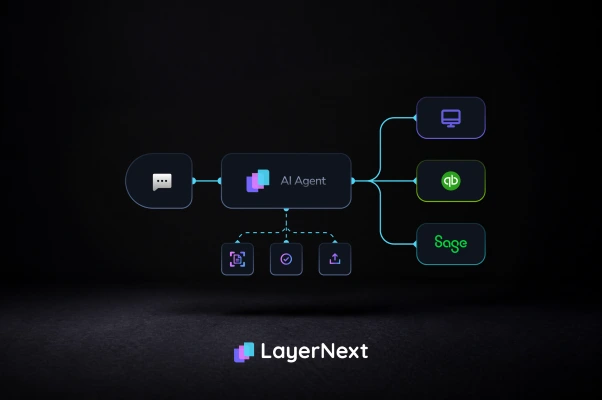
If you're not ready to fully migrate away from QuickBooks - maybe your accountant is deeply familiar with it, or your audit trail lives there - LayerNext can connect directly to QuickBooks Online and add the capabilities that QBO lacks: real-time reconciliation, AI categorization, live dashboards, and automated reporting.
You keep your existing setup. You just stop doing the manual work. LayerNext handles the reconciliation, flags the errors, and gives you the real-time visibility you need - while everything continues to sync back to QuickBooks for your accountant's review.
Mode 2: The Full AI Finance OS
For businesses ready to move beyond QuickBooks entirely, LayerNext serves as a complete Finance OS. It connects directly to your bank accounts, payment processors, payroll platforms, and other financial data sources - ingesting transactions natively, without relying on QuickBooks as an intermediary.
This gives you a single source of financial truth that's always current, always reconciled, and always queryable. Your books close in real time. Your cash flow dashboard reflects today's actual position. Your investor reports generate automatically.
What LayerNext Specifically Does
- Connects to QuickBooks Online, bank feeds, Stripe, Shopify, and other sources via native integrations
- Automatically categorizes transactions using machine learning trained on your specific spending patterns
- Reconciles bank feeds continuously - no more month-end close marathons
- Delivers a live dashboard with cash flow, burn rate, runway, and P&L - updated in real time
- Flags anomalies, duplicates, and miscategorizations proactively - before they compound
- Generates board-ready reports and investor updates automatically
- Scales from solo founder to accounting firm managing 50+ clients - without adding headcount
How to Make the Transition: A Practical Roadmap
The right time to make this move isn't when QuickBooks completely breaks down. It's when the friction starts compounding - when you're spending more energy maintaining your finance stack than benefiting from it. If you recognized yourself in two or more of the signs above, that time is probably now.
Here's a practical, low-risk approach to making the switch:
Step 1: Audit Your Current Financial Stack
Before you do anything else, map out every tool that currently touches your financial data. Include QuickBooks, your bank feeds, any payroll system, any e-commerce connectors, any BI or reporting tools, and any spreadsheets that are being used as system-of-record for anything. For each one, note: what data does it hold, who owns it, and how often does it require manual intervention?
This exercise alone is usually revelatory. Most businesses discover they have more financial data spread across more systems than they realized - and that the manual work required to maintain consistency between them is much larger than they thought.
Step 2: Identify Your Highest-Pain Workflow
Don't try to fix everything at once. Pick the single workflow that causes the most pain - the one that takes the most time, creates the most errors, or generates the most anxiety at month-end. For most businesses, this is either reconciliation or cash flow visibility. That's your starting point.
Step 3: Connect LayerNext Without Disrupting Your Existing Setup
Connect LayerNext to your bank feeds and QuickBooks. Let it run in parallel for 30 days without changing your existing workflows. Watch how it categorizes transactions, what it flags, and what your real-time dashboard shows. Compare it to what you're getting from your current system.
This parallel-run approach means zero risk. Your existing books and processes continue untouched. You're just adding a layer of visibility and automation - and evaluating it based on real results, not promises.
Step 4: Evaluate and Decide
After 30 days, you'll have a clear picture. How much time did automated reconciliation save? How many errors did the AI catch that would have slipped through manually? What decisions did you make faster because of real-time visibility? Use those concrete numbers to decide your next step: continue alongside QuickBooks, or migrate fully.
- Audit your current stack - every tool that touches financial data
- Identify your single highest-pain workflow and start there
- Connect LayerNext alongside QuickBooks - parallel run, zero disruption
- Let it run for 30 days and measure the concrete difference in time and accuracy
- Make your decision based on data, not intuition
Frequently Asked Questions