


Close
Back

How to Automate QuickBooks Bookkeeping Completely in 2026

Sumudu Dinushika
February 20, 2026

Summary

While QuickBooks is powerful accounting software, it isn't an "autonomous bookkeeper"—it still requires hours of manual data entry, categorization, and reconciliation. In 2026, fully autonomous AI (like LayerNext) closes this gap by acting as a digital agent that does the work for you.

The 6-Step Automation Workflow

  1. Direct Integration: Connect your QuickBooks Online via secure OAuth (no manual CSV exports).
  2. Live Bank Feeds: Link all business accounts and payment processors (Stripe/PayPal) for real-time data flow.
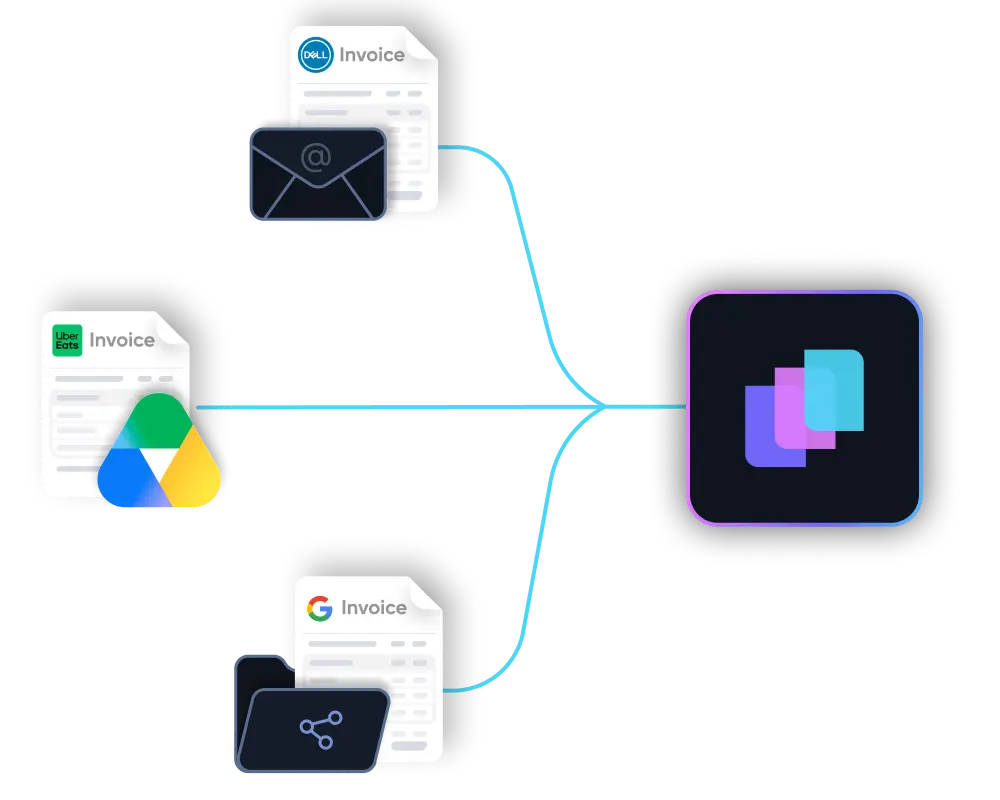
  3. Auto-Capture Receipts: Forward emails or snap photos; the AI extracts data and matches it to bank transactions automatically.
  4. Continuous Categorization: AI learns your patterns to label expenses and reconciles accounts daily instead of monthly.
  5. The "Always-Closed" Ledger: Your books are permanently up-to-date, meaning no month-end scramble.
  6. AI CFO Insights: Use plain-English queries (e.g., "What's my burn rate?") to get instant cash flow forecasts and margin analysis.

The Impact

  • Time: Saves 15+ hours/month (roughly two full workdays).
  • Money: Saves $5,000–$9,600/year compared to a traditional bookkeeper.
  • Accountant Relations: Your accountant stays, but their bill drops because they receive clean, "audit-ready" data instead of a mess to fix.

If you're still logging into QuickBooks at 11pm trying to reconcile last month's transactions, you're not alone, and you're definitely not doing it wrong. QuickBooks is genuinely great software. But here's the thing nobody tells you when you sign up: QuickBooks doesn't do the bookkeeping. You do.

Every transaction still needs to be categorized. Every receipt still needs to be matched. Every month still ends with you scrambling to close the books before your accountant starts sending passive-aggressive emails.

That's the gap. And in 2026, AI has finally closed it.

This guide walks you through exactly how to automate your QuickBooks bookkeeping from end to end not partially, not "AI-assisted," but completely. The kind where you wake up Monday morning and your books are already done.

Why QuickBooks Alone Isn't Enough (And Never Was)

QuickBooks is accounting software, not an autonomous bookkeeper. It's built to store and organize your financial data, but someone still has to put that data in, categorize it correctly, and reconcile it against your bank.

For most small business owners, that "someone" is either:

  • You, spending 10–15 hours a month doing work you hate
  • A bookkeeper, costing you $400–$800/month for something that could be automated
  • A mix of both, which somehow manages to be the worst of both worlds

The average small business owner wastes over $6,400 a year on manual bookkeeping, and that's before accounting for the cost of errors. Business owners who handle their own books spend an average of 10–20 hours per month on financial tasks, time worth $6,000 to $15,000 annually in lost productivity bitaccounting, according to The Ledger Labs. Add a bookkeeper at $300–$800/month on top of that, per NerdWallet, and the numbers stack up fast.

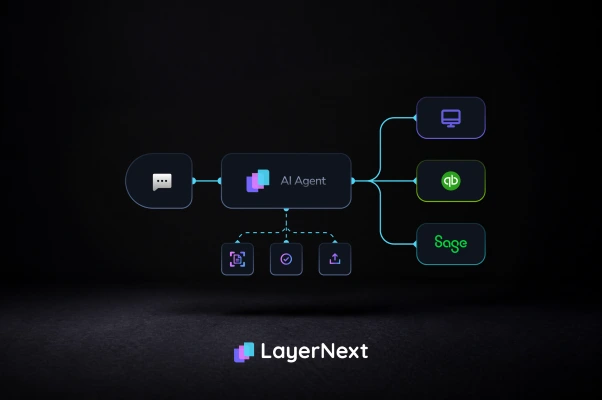
AI bookkeeping tools now integrate directly with QuickBooks and handle the entire workflow autonomously from the moment a transaction hits your bank account to the moment your books are closed. No manual input. No month-end panic. No bookkeeper required.

What "Full Automation" Actually Means

Before we get into the steps, let's be clear about what we're talking about because there's a big difference between tools that help you do bookkeeping and tools that do the bookkeeping.

AI-assisted bookkeeping (what most tools offer): The software makes suggestions, auto-fills some fields, and flags things for your review. You're still doing most of the work, just with training wheels.

Fully autonomous AI bookkeeping (what we're talking about): An AI agent handles transaction categorization, receipt matching, bank reconciliation, and month-end closing on its own. It only comes to you when it genuinely needs a decision, and even then, it's usually a one-tap confirmation.

Here's what gets fully automated when you set this up properly:

  • Transaction entry and categorization
  • Receipt and invoice capture and matching
  • Bank reconciliation (daily, not monthly)
  • Month-end and year-end closing
  • Cash flow reporting and CFO-level insights

Here's what still needs a human specifically, your accountant:

  • Filing taxes
  • Accounting system setup and configuration
  • Audit support and compliance review

The goal isn't to replace your accountant. It's to make your accountant's job faster, cheaper, and simpler by handing them books that are always clean and always current.

Step-by-Step: How to Automate Your QuickBooks Bookkeeping in 2026

Step 1: Connect Your QuickBooks Account to an AI Bookkeeping Tool

The foundation of everything is choosing a tool that integrates natively with QuickBooks Online, not one that exports CSVs or requires manual syncing.

Tools like LayerNext connect directly via a secure OAuth link. The setup takes under five minutes, and there's nothing to migrate. Your existing chart of accounts, transaction history, and bank feeds all carry over automatically.

What you're looking for in this step: a tool that reads your existing QuickBooks setup and works inside it, not one that replaces it or asks you to start from scratch.

What gets synced immediately:

  • Your full chart of accounts
  • Historical transactions
  • Existing bank feeds and connected accounts
  • Vendor and customer records

Once connected, the AI has everything it needs to understand your business how you categorize expenses, what your revenue streams look like, and where your money typically goes.

Step 2: Connect Your Bank Accounts and Credit Cards

This is where the automation actually starts. Once your bank feeds are live, every transaction that hits your account flows into the system in real time.

No more downloading bank statements at the end of the month. No more uploading CSVs. No more discovering in March that you missed reconciling something from November.

Most AI bookkeeping tools support direct bank feed connections through Plaid or similar integrations covering virtually every major bank and credit card provider. If for some reason a direct feed isn't available, you can upload a statement and the AI will process it in seconds.

Pro tip: Connect all your business accounts at once checking, savings, credit cards, and any payment processors like Stripe or PayPal. The AI needs the full picture to categorize accurately.

Step 3: Set Up Automated Receipt and Invoice Capture

This is the step most people underestimate and the one that saves the most headaches at tax time.

Every receipt, invoice, and expense document you receive gets captured automatically through one of three ways:

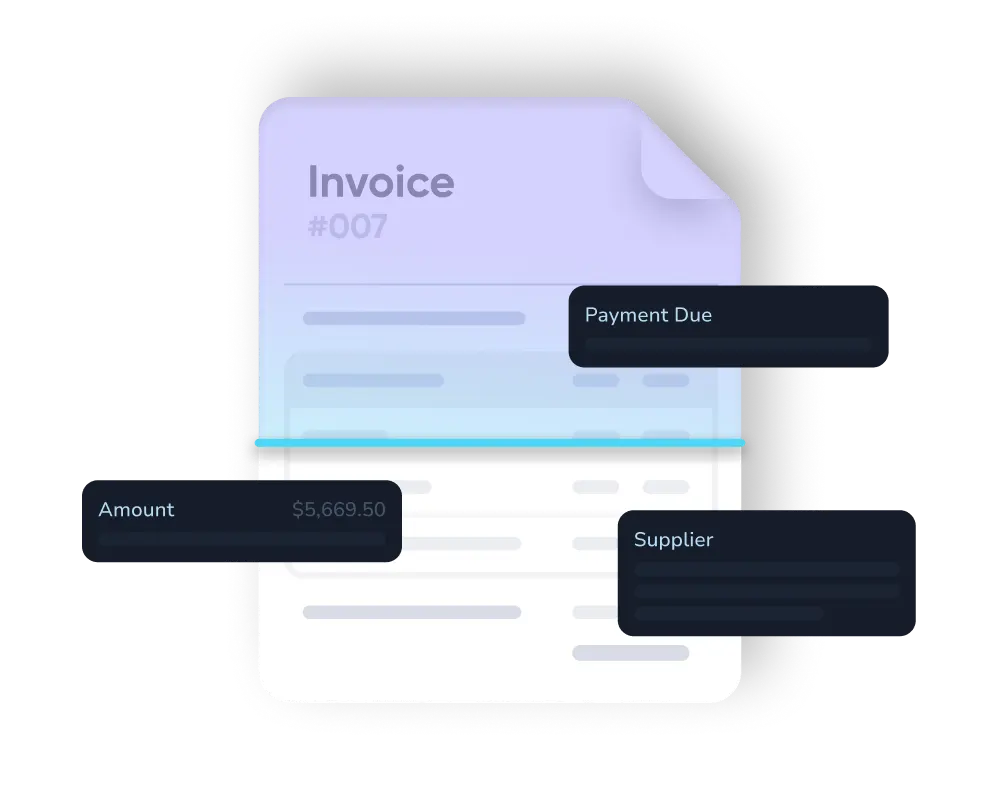
  1. Email forwarding — Forward any receipt email to a dedicated inbox and the AI extracts the vendor, amount, date, and tax information automatically
  2. Mobile photo — Snap a photo of a paper receipt through the app and it's processed within seconds
  3. Direct integration — Tools like Stripe, Shopify, or your invoicing software push documents directly into the system

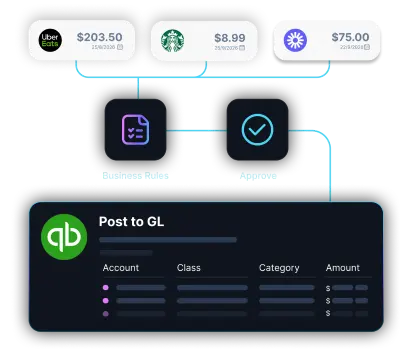
The AI then matches each document to the corresponding transaction in your bank feed. So when that $84.50 charge from Adobe hits your Visa, the system has already matched it to the receipt in your inbox and categorized it as a software subscription before you even open your laptop.

This means no more shoebox receipts in January. No more "what was this charge for?" conversations with your accountant. Every dollar has a document, and every document has a home.

Step 4: Let the AI Categorize Transactions and Reconcile Daily

This is the part that used to take hours every month. With a properly connected AI bookkeeping system, it happens continuously in the background every single day.

Here's what the AI does automatically:

Transaction categorization: Every transaction gets assigned to the correct account in your QuickBooks chart of accounts, based on the vendor, amount, description, and your historical patterns. Over time, the AI gets smarter about your specific business; it learns that your Thursday charge from a local coffee shop is a client meeting, not personal spending.

Bank reconciliation: Instead of waiting until the end of the month to reconcile your bank statement against QuickBooks, the AI does it continuously. Every transaction that comes through is matched and cleared in real time. By the time you'd normally start the reconciliation process, it's already done. If you want to understand exactly how bank reconciliation works under the hood, this guide breaks it down completely.

Exception handling: When the AI encounters something genuinely unclear, a new vendor it hasn't seen before, a split transaction, or something that doesn't quite fit any category  it flags it and asks you for a one-tap decision. It doesn't guess. It doesn't make the call for you. It just shows you the question, you answer it, and it remembers your preference for next time.

The result: your books are reconciled and accurate every single day, not just after a chaotic month-end sprint.

Step 5: Access Your Always-Closed Books Anytime

Here's where the payoff becomes real.

Instead of dreading the end of the month, you open your dashboard on a Tuesday afternoon and your books are already closed. Every transaction is categorized. Every account is reconciled. Your P&L is current. Your cash position is accurate.

This is what LayerNext calls the "always-closed ledger"  the idea that your books should never be open in the sense of incomplete or unreconciled. Modern AI makes this possible. Your books being "closed" stops being a monthly event and becomes a permanent state.

What you can see at any time:

  • Real-time cash flow and current bank balances
  • Burn rate and runway (especially useful if you're watching expenses closely)
  • Month-to-date and year-to-date P&L
  • Tax-ready categorization so there are no surprises at year-end
  • Clean, shareable reports for your accountant, investors, or lender

And because it's all connected to your existing QuickBooks account, your accountant doesn't need to change anything on their end. They just get better, cleaner books to work with.

Step 6: Use AI-Driven Insights to Make Smarter Decisions

This is the part that goes beyond bookkeeping and into genuine CFO-level intelligence and it's what separates the best AI bookkeeping tools from basic automation.

Once your books are always clean and current, the AI can start surfacing insights that used to require a full-time CFO or expensive fractional advisor. If you're curious about what an AI CFO actually does and how it differs from traditional financial management, it's worth understanding the full picture.

  • Cash flow forecasting — Based on your recurring expenses and revenue patterns, the AI shows you where your cash position will be 30, 60, and 90 days from now
  • Spending anomalies — If your software subscriptions jumped 40% this month, the system flags it before it becomes a problem
  • Tax-saving opportunities — The AI identifies deductible expenses you might have missed and flags categories where you're potentially over-spending
  • Margin analysis — Understand which revenue streams are actually profitable and which ones are costing you more than they're bringing in

You can ask financial questions in plain English and get instant answers "What did I spend on contractors last quarter?" or "Am I on track to hit my revenue target this month?"  without pulling a single report manually.

What to Look for in a QuickBooks Automation Tool

Not every "AI bookkeeping" tool on the market is actually autonomous. Many are just smarter versions of what QuickBooks already does natively. Here's how to evaluate what you're actually getting:

What to Check What You Want
QuickBooks integration Native OAuth sync, not CSV exports
Level of automation Fully autonomous, not just AI suggestions
Reconciliation frequency Daily or real-time, not monthly
Receipt capture Email + mobile photo support
Insights included Cash flow, burn rate, tax tips
Price point Under $150/month for most SMBs
Setup time Under 30 minutes, no migration needed

LayerNext checks every one of these boxes  it's built specifically for small business owners who are already on QuickBooks and want to stop touching it manually. You can also see how it stacks up against other options in this comparison of the best AI bookkeeping tools for 2026.

How Much Time and Money Does This Actually Save?

Let's put some real numbers on it, because "saves you time" is the kind of vague promise that's been on every software landing page since 2009.

Here's what small business owners who switch to fully automated AI bookkeeping typically see:

Time saved: 15+ hours per month. That's the equivalent of two full work days you get back  time you can put toward actually running your business.

Money saved vs. a bookkeeper: $400–$800/month, depending on your transaction volume and what you're paying. That's $5,000–$9,600 a year back in your pocket.

Money saved at tax time: Because your books are always clean and tax-ready, your accountant spends less time cleaning up before they can start working. Most business owners see their annual accounting bill drop meaningfully sometimes by 30–50%.

Errors avoided: Manual bookkeeping errors cost small businesses real money  missed deductions, miscategorized expenses, and reconciliation mistakes that don't surface until an audit. Automated reconciliation with 95%+ accuracy eliminates most of this risk.

Common Questions About Automating QuickBooks

1. Can QuickBooks automate bookkeeping on its own?

Not fully. QuickBooks has some smart features: it can remember how you categorized a vendor before and suggest the same category next time. But it still requires a human to review, approve, and reconcile everything. It's accounting software, not an autonomous bookkeeping agent.

2. Is it safe to connect an AI tool to my QuickBooks?

Yes, reputable tools use bank-level encryption and secure OAuth connections, which means they can read your data and push updates, but they never store your login credentials. Your data stays within the system and is never shared with third parties.

3. Do I still need an accountant if I use AI bookkeeping?

Yes, for taxes, audits, and accounting system setup and configuration. But here's the shift: instead of your accountant spending three hours cleaning up your books before they can start doing actual accounting work, they open a clean, current ledger and get straight to it. Your bill goes down. Their work gets better.

4. How long does the initial setup take?

Most small businesses are fully connected and running within 30 minutes. There's no data migration, no setup fee, and no learning curve—the AI adapts to your existing QuickBooks setup, not the other way around.

5. What happens when the AI isn't sure about something?

It asks you. Rather than guessing on an ambiguous transaction, the AI flags it, shows you what it's looking at, and asks for a quick decision. Once you answer, it remembers that preference going forward. Over time, the number of questions drops as the AI learns your patterns.

The Bottom Line

QuickBooks is a powerful tool, but it was never designed to do the bookkeeping for you. For years, that gap meant either hiring someone, doing it yourself, or living with books that were always a month behind.

In 2026, that's no longer the trade-off you have to make. AI bookkeeping tools like LayerNext sit on top of your existing QuickBooks account and handle everything autonomously  categorizing transactions, capturing receipts, reconciling your bank daily, and delivering CFO-level insights without the CFO price tag.

Your books stay closed. Your accountant stays happy. And you get your weekends back.

Ready to stop doing bookkeeping manually?
LayerNext connects to your QuickBooks in minutes and keeps your books always closed - no credit card required.
Start for free