


Summary
The benefit of AP automation that a CFO can take to a board is a number, not a feeling. Most content ranking for the benefits of AP automation never produces that number, so this article does: what one invoice costs you today, what it costs automated, when the investment pays back, and the one cost most ROI models leave out.
- Manual invoice processing runs about $10.89 fully loaded per invoice on average, and $15 to $40 for heavily manual teams (Ardent Partners, APQC).
- Top-performing AP teams process the same invoice for roughly $2.78 (Ardent Partners, 2025).
- At 100,000 invoices a year, the gap between average and top-tier cost is near $811,000.
- The cost that breaks most payback models is integration: a legacy ERP with no API can turn a software purchase into an IT project. LayerNext connects directly where an API exists and automates through the screen where it does not.
Why the benefits of AP automation question is really a cost question
Ask ten vendors for the benefits of AP automation and you get ten versions of the same list: faster processing, fewer errors, better visibility, happier suppliers. All true, none of it a number a CFO can defend. Every one of those benefits resolves to a single figure finance already tracks, or should: cost per invoice. Lower it, and speed, accuracy, and discount capture follow. So the useful question is not what are the benefits, but what does one invoice cost me now, and what would it cost automated.
What one invoice actually costs to process manually
Ardent Partners' 2025 State of ePayables research puts the fully loaded cost to process a single invoice at about $10.89 on average. APQC's 2024 to 2025 benchmarking cycle shows a wider spread: roughly $10.18 for top-quartile teams and $21.40 at the median. For shops that still key invoices by hand and chase approvals over email, the figure commonly lands between $15 and $40. The range is wide because cost per invoice is not one number. It depends on how many human hands touch each invoice.
The five costs stacked inside cost per invoice
Most teams measure the first cost and ignore the other four. A defensible cost-per-invoice figure includes labor (everyone who receives, codes, matches, approves, and pays), error correction (1 to 4 percent of manually keyed invoices carry a data error, per IOFM and Levvel benchmarks), late-payment penalties, missed early-payment discounts, and document storage. A team that counts only clerk salaries will understate its true accounts payable automation cost per invoice by a wide margin, which is exactly why the automation case tends to look weaker on paper than it is in practice.
Where standard AP automation ROI calculators fall short
Most vendor ROI calculators are built to produce a large number, not an honest one. Two assumptions do the damage.
They count license and labor, and ignore integration
A typical calculator multiplies your invoice volume by a labor saving and subtracts a subscription fee. It never asks how the software will read invoices out of your ERP or write approved payments back into it. For a modern cloud ERP with an open API, that omission is minor. For a legacy ERP or desktop accounting system without one, it is the whole story: the integration becomes a custom middleware build with a project timeline and a maintenance bill. That cost belongs in the payback math, and standard calculators leave it out.
They assume a straight-through rate only top teams reach
Vendor models often assume most invoices flow through untouched. The data disagrees. Ardent Partners puts the all-buyer average straight-through, or touchless, processing rate near 25 percent, while top-performing organizations reach 35 percent or more. If a calculator assumes 80 percent touchless on day one, the savings are fiction. An honest model uses the rate your invoice mix will realistically hit, then improves it over time.
How to calculate cost per invoice and AP automation ROI
Here is the math, with a worked example you can copy.
The cost-per-invoice formula
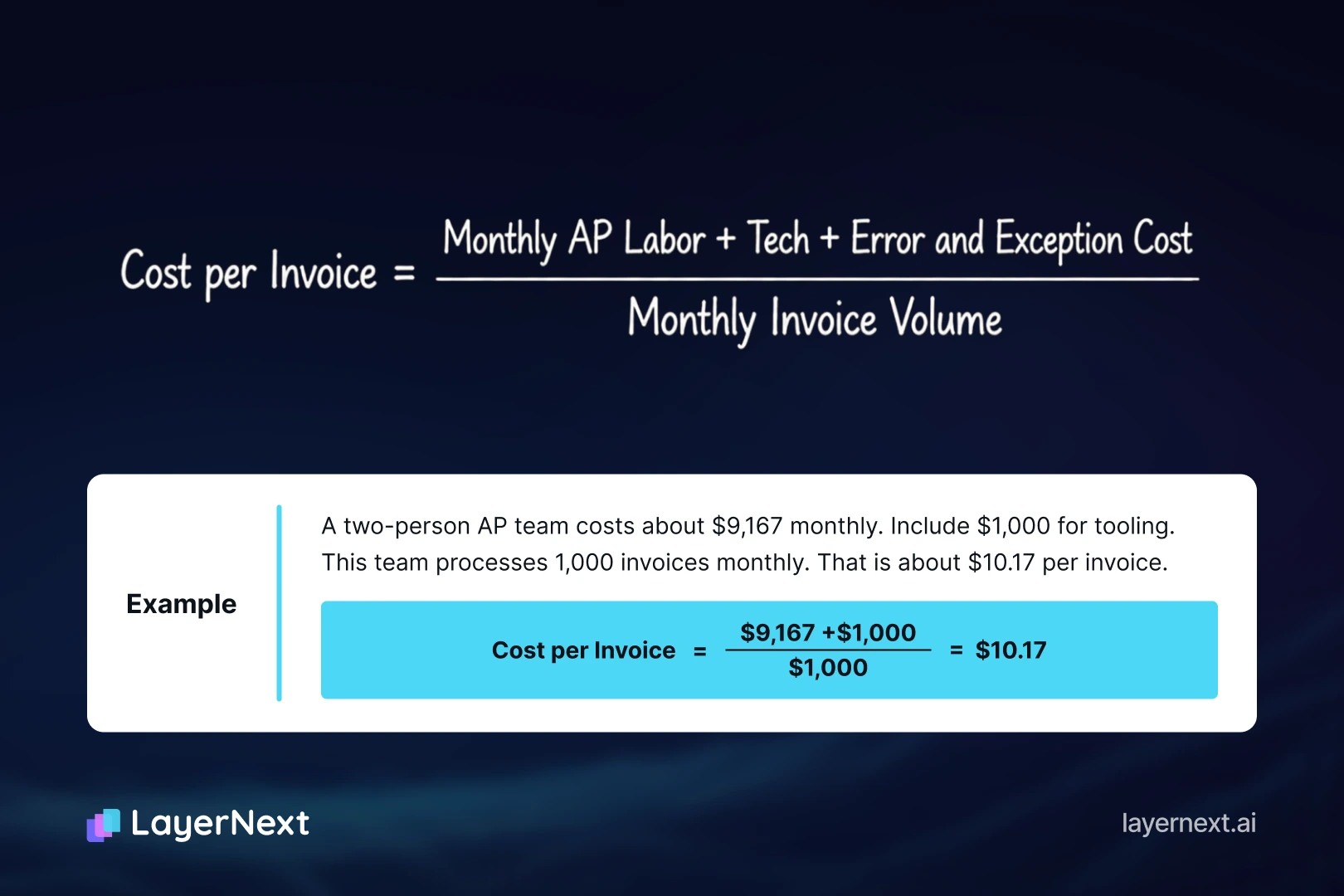
Add up every fully loaded monthly cost attached to processing invoices: AP salaries plus benefits and overhead, the software you already use, error-correction time, and storage. Divide by the number of invoices processed that month.
The ROI and payback calculation
Once you have your baseline, ROI is the gap between it and your automated cost, applied to volume. Take a company processing 100,000 invoices a year. At an average cost near $8 to $10 and a top-tier automated cost near $2.78, the annual gap runs into the hundreds of thousands: Ardent-derived figures put the spread between average and top-tier at roughly $811,000 at that volume. Payback is that saving measured against what you pay to get it. If automation saves $30,000 a month and implementation costs $60,000 once, payback is two months. If there is no separate implementation cost, savings start in month one. The calculator below runs this on your numbers.
What a good cost per invoice looks like as a KPI
Use cost per invoice as a standing KPI, not a one-time exercise. As a rough reading of Ardent Partners and APQC benchmarks: above $10 per invoice signals a heavily manual process with room to cut, $5 to $10 indicates partial automation, and under $3 marks the top tier, reached with digital capture, automated matching, and electronic payment. If your number sits above $10, automation typically pays for itself inside a year.
The cost every ROI model misses: the integration tax
Every section so far applies to any vendor. This one does not. The single biggest reason AP automation payback slips is the assumption that your ERP has an API to connect to. Many enterprises run a legacy ERP or a desktop accounting application that has none.
Why an API-less ERP breaks the payback math
When the target system has no API, connecting automation to it usually means one of three things: a custom middleware layer, a data-export and re-import workaround, or an IT integration project with its own budget and calendar. Each adds cost the vendor's ROI calculator never showed, and each adds a maintenance line that recurs every time the ERP changes. A payback period that looked like three months on the sales deck can stretch past a year once the integration bill lands.
How LayerNext handles both cases
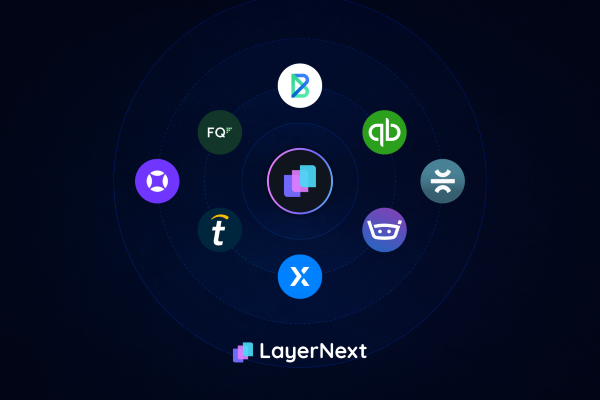
LayerNext does not force one integration method across the enterprise. Where an ERP has an API, such as QuickBooks, LayerNext connects to it directly. Where it does not, a legacy or desktop system with no API, its computer-use agent operates the ERP through its own screen, the same way your team does, with no middleware and no IT project to stand up. That flexibility matters most for enterprises running a mix, a modern cloud ERP at headquarters and an older API-less system at an acquired subsidiary, for example. Either way, the integration line item that breaks standard payback math is removed rather than reduced. Two design choices keep the ongoing cost down as well. Finance writes per-supplier business rules in plain English and edits them directly, with no development cycle, so exception handling scales to thousands of rules without IT. And when the system needs a human decision, for example an invoice whose tax does not match the shipped province, it creates a task searchable by invoice number rather than guessing silently, with an Insight Board showing what processed and what is waiting. Fewer silent errors means a lower true cost per invoice, not just a lower sticker price.
What finance teams actually gain beyond a lower cost per invoice
Cost per invoice is the headline. Three outcomes compound underneath it.
Faster cycles and recovered discounts
Ardent Partners puts average invoice cycle time at 10.9 days, against 3.1 days for top-tier teams, roughly 72 percent faster. Speed is not vanity. Manual AP captures only 20 to 30 percent of available early-payment discounts, while fast automated processing pushes capture above 80 percent. On $10 million of annual payables with 2/10 net 30 terms, that swing is worth well over $100,000 a year in discounts alone.
Fewer errors, less fraud exposure, cleaner audits
Manual keying introduces errors on an estimated 1 to 4 percent of invoices. Exception rates tell the same story: about 22 percent for average teams versus 9 percent for top performers, per Ardent Partners. Each exception is labor, and each silent error is risk. A task-based model with a full audit trail turns exceptions into tracked, searchable items instead of untraceable adjustments, which is what an auditor wants to see.
How to evaluate AP automation vendors on true cost
When a vendor quotes a per-invoice price, ask what is inside it. Five questions separate a real number from a brochure number:
- What does the quoted per-invoice price include, and what is billed separately (implementation, exceptions, support)?
- Does the software require an API to our ERP, and if ours has none, who builds and maintains the connection?
- What straight-through rate is realistic for our invoice mix in the first 90 days, not at maturity?
- How are exceptions priced and handled, since that is where manual cost hides?
- What does the audit trail capture, and can we search it by invoice number?
A vendor who answers the ERP-integration question with a straight no-API-required is quoting you a payback you can actually hit.
Frequently asked questions

.webp)