


Summary
- AP in manufacturing and distribution is structurally more complex than generic AP: higher PO volume, three-way matching with goods receipt notes, multi-supplier diversity, legacy ERP environments, and distribution-specific invoice types like freight and 3PL billing.
- The single most important evaluation criterion, and the one most vendor marketing avoids, is whether the tool works with your ERP, including legacy desktop systems with no API.
- Best-in-class AP automation reduces cost per invoice from $12–$15 manually to $2–$4 automated, and cuts processing cycles from 10–15 days to 3–5 days.
- The tools compared in this article: LayerNext (full AP workflow, legacy ERP via computer use agent, no-code configuration), Medius (AI-powered matching, strong analytics), Rillion (manufacturing-focused mid-market), Stampli (AI-assisted approvals, mid-market), Tipalti (global payment volume), and DataServ (document-heavy manufacturing AP).
- For manufacturing and distribution companies running legacy ERP with no API, the list of viable tools narrows to those with UI-based automation or a computer use agent approach. LayerNext is the only tool on this list with that capability built in.
A controller at a mid-market manufacturer is managing hundreds of suppliers, high PO volume, complex goods receipts, partial deliveries, and an ERP that was installed a decade ago with no API connectivity. A distribution company's AP team is processing freight invoices with fuel surcharges, 3PL billing with variable fee structures, and vendor rebates that affect net cost. Generic AP automation articles do not address any of this.
This guide is written specifically for manufacturing and distribution finance teams evaluating AP automation. It covers what makes AP in these industries structurally different, what criteria should drive vendor selection, the real ROI numbers, and which tools are actually suited for the environment.
Why AP in Manufacturing and Distribution Is Different
The core AP workflow, receive invoice, match to PO, approve, pay, looks the same across industries on paper. In practice, manufacturing and distribution AP operates at a different level of complexity, and tools designed for simpler environments show the gaps quickly.
High PO Volume and Three-Way Matching Complexity
Manufacturing companies generate purchase orders for raw materials, components, MRO supplies, tooling, and capital equipment, often from hundreds of suppliers running simultaneously. Every one of those invoices needs to match against both a purchase order and a goods receipt note (GRN) before payment is approved.
The challenge is not just volume. It is the nature of the matches. Partial deliveries are routine: a supplier ships 600 units against a PO for 1,000, invoices for the 600, and a second shipment follows later. Split POs, quantity variances within tolerance, and price adjustments tied to commodity indexes are standard operating conditions for a manufacturer, not exceptions to be flagged. AP automation tools that handle clean, one-to-one invoice-to-PO matching can fail when the real environment is messier than that. The right tool needs line-level matching precision, configurable tolerance thresholds, and the ability to match partial invoices against partial receipts without manual intervention.
Legacy ERP Environments
The majority of mid-market and enterprise manufacturers do not run modern cloud ERPs. JD Edwards, Epicor, Infor CloudSuite, SAP Business One, Microsoft Dynamics AX, and older on-premise SAP versions are common across the sector. Many of these systems were implemented before API connectivity was standard and have limited or no external integration capability.
This matters enormously for AP automation, because most tools on the market assume a modern cloud ERP with API access. Vendor marketing typically states "integrates with leading ERPs" without clarifying that their integrations require API connectivity that legacy systems cannot provide. A manufacturer running JD Edwards on-premises does not have the same integration options as one running NetSuite. This is the criterion that narrows the viable vendor list most significantly, and it is the one most commonly glossed over in buying conversations.
Distribution-Specific Invoice Complexity
Distribution businesses process invoice types that most AP automation software is not designed to handle. Freight invoices from carriers include base rates, fuel surcharges, accessorial charges, and dimensional weight adjustments that vary by shipment. Third-party logistics (3PL) billing involves complex fee structures: storage fees, pick-and-pack rates, handling charges, and monthly minimums. Vendor rebates, negotiated discounts applied retrospectively based on purchase volume, affect net cost in ways that standard invoice matching does not capture.
These require configurable matching rules that go beyond standard PO-to-invoice matching. A tool that handles straightforward goods invoices but cannot process carrier billing or 3PL statements without manual intervention is solving only part of the distribution AP problem.
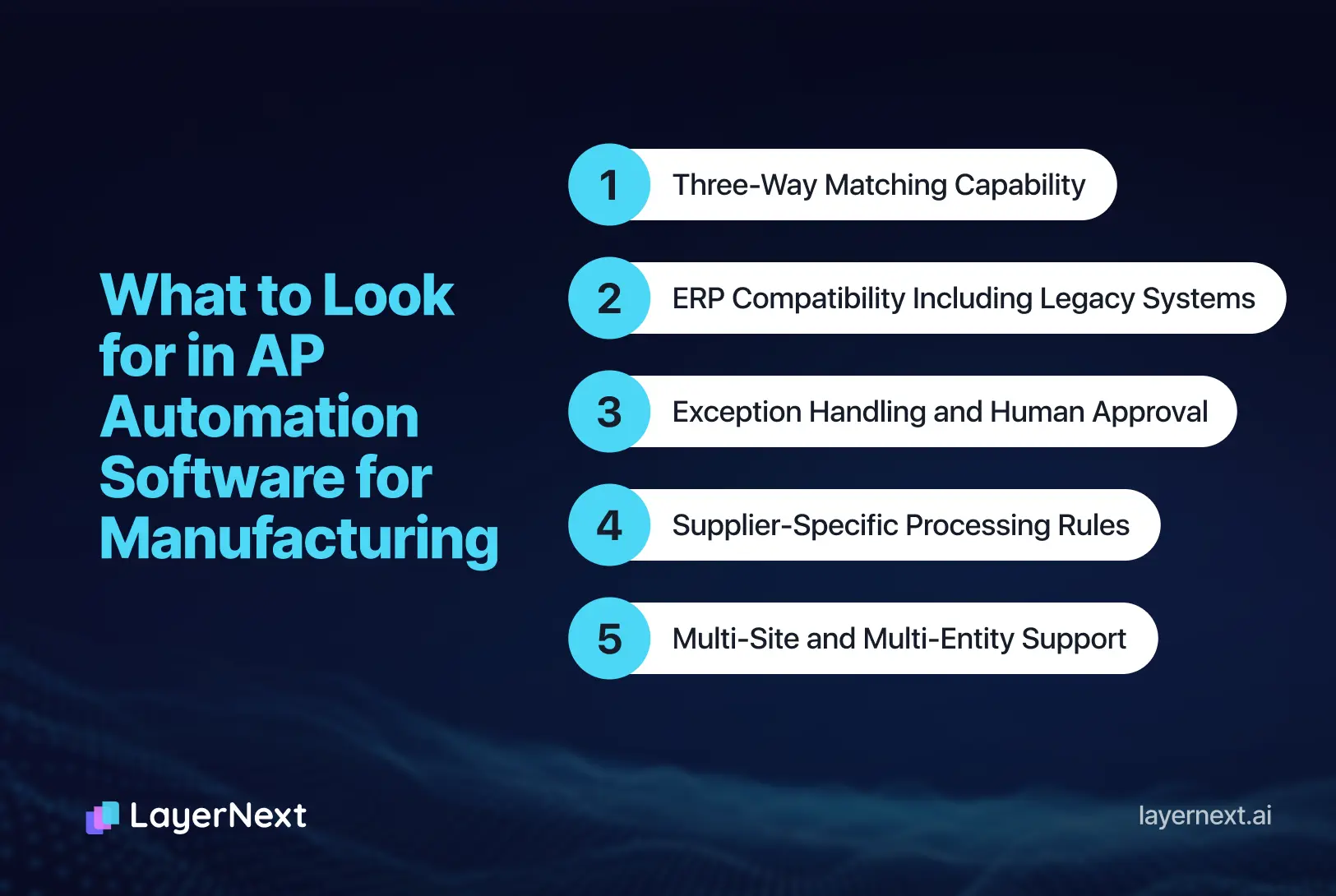
What to Look for in AP Automation Software for Manufacturing
These are the five criteria that matter specifically for manufacturing and distribution environments, not the generic five that appear in every AP automation buyer's guide.
1. ERP Compatibility Including Legacy Systems
This is the most critical criterion and the most commonly understated in vendor conversations. There are three levels of ERP integration to distinguish:
- API integration connects directly to your ERP system in real time. This works well for cloud ERPs such as NetSuite, Sage Intacct, QuickBooks Online, SAP S/4HANA cloud and is the standard integration method for most AP automation tools.
- Flat-file integration exports data from your ERP on a schedule and imports processed results back. This works for systems that can produce structured exports but introduces timing delays and additional configuration overhead.
- UI-based automation operates the ERP through its own user interface without requiring any API or export capability. This is the only option for legacy desktop ERP systems with no external connectivity, and very few tools offer it. For manufacturers running JD Edwards, older SAP, or Epicor on-premise without API access, this capability determines whether automation is possible at all without a system migration.
Before evaluating any AP automation vendor, confirm which integration method applies to your specific ERP version and deployment. Do not accept "we integrate with SAP" as an answer without knowing whether that integration requires a specific SAP version or API license your environment does not have.
2. Three-Way Matching at Volume and Line-Level Precision
The question is not whether the tool does three-way matching. The questions that matter are more specific:
- Does it match at the line item level or only at the header level? Header-level matching misses line-item pricing discrepancies that are common in manufacturing.
- What are the configurable tolerance thresholds? A 1% variance on a $200,000 raw materials invoice is $2,000, that should not be auto-approved without review.
- How are partial deliveries handled? Can the system match a partial invoice against the corresponding GRN quantity and hold the remainder for a second match later?
- What is the exception threshold, and where do unmatched invoices go? A system that flags exceptions without routing them to a specific owner with a resolution deadline creates a different queue, not a solution.
Manufacturing AP teams processing thousands of line-item matches per month need precision here. A tool that performs well on simple, clean matching will degrade in a real manufacturing environment.
3. Supplier-Specific Processing Rules
Manufacturing businesses carry long-standing supplier relationships with individually negotiated terms, pricing tiers, invoice formats, tax treatment requirements, and approval thresholds that vary by supplier. Applying those rules manually or maintaining them in a spreadsheet that the AP team consults is slow and error-prone.
The AP automation tool needs to apply different processing rules for different suppliers automatically, at processing time, without requiring manual lookup or IT involvement when rules change. The ability for the finance team to define and update those rules directly, in plain language rather than code, is a material operational advantage. When a supplier changes their invoicing format or a pricing agreement is renegotiated, the team should be able to update the rule themselves the same day.
4. Multi-Site and Multi-Entity Support
Manufacturers with multiple plants, warehouses, or legal entities need AP routing that reflects their actual organizational structure. An invoice for a Michigan plant should route to that plant's cost center and approvers, not through a centralized queue where context is lost.
Confirm that the tool handles multi-site approval routing, entity-level cost center coding, role-based access per location, and consolidated visibility across all entities from a single management dashboard. Multi-entity reporting matters for CFOs managing intercompany AP and consolidated financial close.
5. Exception Volume and Human-in-the-Loop Design
Manufacturing AP generates more exceptions than service-sector AP. Quantity variances, pricing discrepancies against contract terms, unmatched GRNs, freight billing disputes, and supplier statement reconciliation failures are routine. The design of the exception workflow determines whether AP automation actually reduces the team's workload or just moves it.
A well-designed exception workflow creates a structured task with the relevant invoice, PO, and GRN data attached, assigns it to the right team member, tracks resolution status, and logs the outcome for audit purposes. The AP manager should be able to see the full exception backlog organized by invoice number, supplier, or aging on a dashboard without asking the team for a status update.
A poorly designed one dumps mismatched invoices into a queue that someone checks when they remember. That is not automation. It is a slightly better spreadsheet.
The ROI of AP Automation in Manufacturing and Distribution
CFOs evaluating AP automation need a financial case, not just a feature comparison. These benchmarks reflect industry data from AP automation deployments across manufacturing and distribution environments.
- Cost per invoice.
Manual AP processing, when labor, error correction, late payment penalties, and duplicate payment recovery are included, typically costs $12–$15 per invoice. Automated processing with a well-configured system reduces this to $2–$4 per invoice, depending on the touchless rate achieved. For a manufacturer processing 5,000 invoices per month, that gap is $40,000–$65,000 in monthly cost reduction. - Touchless processing rate.
Best-in-class AP automation achieves 80–90% touchless processing, invoices that move from receipt to payment approval with no human intervention. Manufacturing environments with complex PO structures and high exception volume typically start lower, around 50–60%, and improve as matching rules are refined over the first 60–90 days. The right tool allows the finance team to refine those rules directly, without waiting for vendor support. - Processing time.
Manual invoice cycles in manufacturing average 10–15 days from receipt to payment authorization, primarily due to approval bottlenecks, exception handling delays, and matching errors that require supplier contact. Automated cycles with structured exception routing typically run 3–5 days. Faster processing enables early payment discount capture and reduces late payment exposure with suppliers. - Month-end close impact.
Real-time AP status visibility, knowing exactly how many invoices are processed, pending, and in exception at any point, reduces the manual status-gathering that consumes AP team time at close. Controllers report close cycle reductions of 1–3 days in environments where AP visibility was previously dependent on manual reporting. - Audit readiness.
A structured, searchable AP workflow with a complete audit trail reduces audit preparation time materially. Every invoice, match, exception, resolution, and payment authorization is logged and retrievable by invoice number, supplier, or date range. For manufacturers subject to external audit or internal compliance review, this has direct risk value.
Best AP Automation Software for Manufacturing & Distribution
The tools below are evaluated with manufacturing and distribution fit as the primary lens. A tool that ranks highly on general AP automation review sites may be poorly suited for a manufacturer with 400 suppliers, partial delivery complexity, and a legacy on-premise ERP.
1. LayerNext
Best for: Enterprise manufacturing and distribution companies that need full AP workflow automation, supplier-specific processing rules, multi-channel invoice ingestion, and the ability to automate legacy ERP systems without an API or system migration.
LayerNext automates the complete AP workflow end to end, from the moment an invoice arrives, through three-way matching, supplier-specific rule application, exception routing, and management reporting, with zero coding required to configure or maintain any part of the process.
For manufacturing and distribution specifically, the combination of three capabilities makes it uniquely suited to the sector.
- Legacy ERP compatibility without migration.
Most AP automation tools require API access to your ERP. LayerNext's computer use agent operates legacy ERP and accounting systems including desktop applications with no external API, through their own user interface. A manufacturer running JD Edwards on-premise or an older version of SAP can automate their AP process without upgrading their ERP or running a parallel integration project. This is the most common adoption blocker in manufacturing environments, and LayerNext is the only tool on this list that addresses it directly.
- Supplier-specific business rules in plain English.
Manufacturing companies deal with hundreds of suppliers, each with individual pricing agreements, invoice formats, tax requirements, and processing rules. LayerNext's Business Rules engine lets finance teams define those rules for each supplier entity in plain English, no coding, no IT involvement. When a supplier's terms change or a new pricing agreement is signed, the team updates the rule directly, same day. The rule engine uses a well-indexed search structure to retrieve the correct rules for each invoice at processing time, accurately and efficiently even across thousands of supplier-specific rules. If a manufacturer has different invoice processing rules for each of 300 suppliers, LayerNext applies the right rules for each one automatically.
- Multi-channel invoice ingestion.
Manufacturing invoices arrive through every channel: email attachments in varying formats, files dropped to shared network drives, supplier portals, EDI transmissions, and direct pulls from accounting systems. LayerNext captures invoices from all of these without requiring the AP team to manually feed documents into the system. It maintains a dedicated email address that processes attachments automatically, runs a local agent that pulls files from network drives and computer disks, connects to cloud storage including AWS S3 and Google Cloud, integrates with SQL databases, and connects via API to accounting systems such as QuickBooks. Once configured, invoice capture requires no manual handling regardless of which channel the supplier uses.
- Structured exception handling.
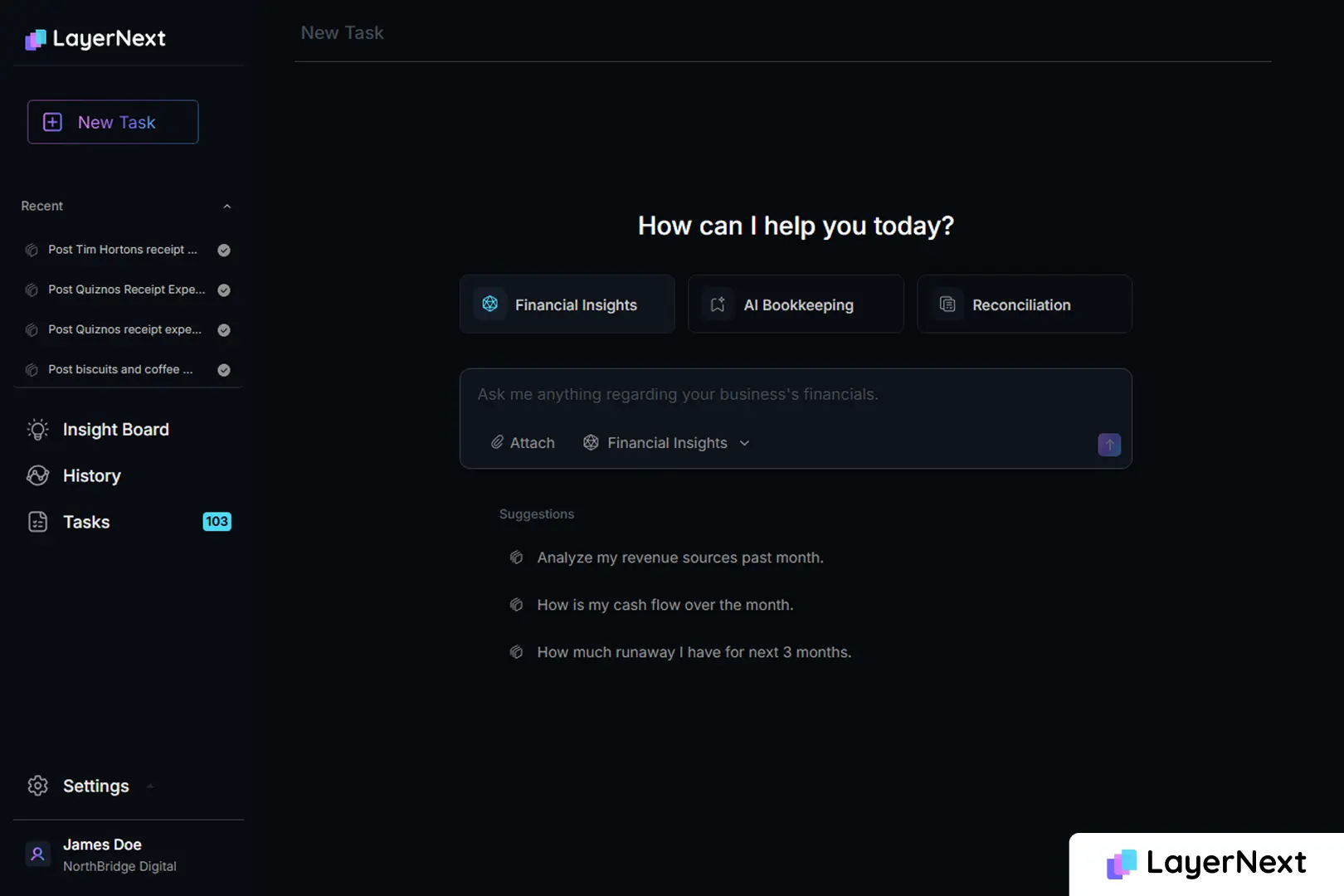
When a match cannot be resolved automatically, a quantity variance beyond tolerance, a pricing discrepancy, a GRN that has not been confirmed, LayerNext creates a structured task in the portal for the relevant team member. Tasks can be looked up by invoice number, PO number, or supplier name. The Insight Board dashboard gives managers a real-time view of how many invoices are processed, how many are pending review, and where exceptions sit. When all tasks are in a done state, the AP workflow is running fully automated with no human input required.
- No-code workflow configuration.
Any AP workflow, regardless of complexity, can be designed and maintained by the finance team directly. There is no dependency on the LayerNext development team to update processing logic when business requirements change. For manufacturing and distribution operations where supplier relationships and pricing structures evolve continuously, this means the automation stays current without a ticket queue.
Each enterprise gets a dedicated portal accessible via public internet at [enterprise].chat.layernext.ai, with role-based access for AP staff, controllers, and management.
2. Medius
Best for: Mid-market to enterprise manufacturing companies running modern cloud ERPs that need AI-powered invoice matching and strong spend analytics alongside AP automation.
Medius is an AP automation platform with a particular strength in AI-driven invoice matching and spend visibility. Its matching engine uses machine learning to improve accuracy over time, reducing exception rates as the system learns from historical invoice patterns. Spend analytics and reporting give controllers and CFOs visibility into supplier concentration, payment timing, and accrual accuracy that extends beyond basic AP processing.
ERP integrations are API-based, with pre-built connectors for SAP, Microsoft Dynamics, and Oracle. For manufacturers running these systems with standard API access, implementation is relatively straightforward. For companies on legacy or non-standard ERP deployments, integration complexity increases significantly.
Medius is one of the few tools on this list that has published manufacturing-specific content and positions explicitly for the sector, which indicates the product has been tested in manufacturing AP environments rather than simply relabeled for the industry.
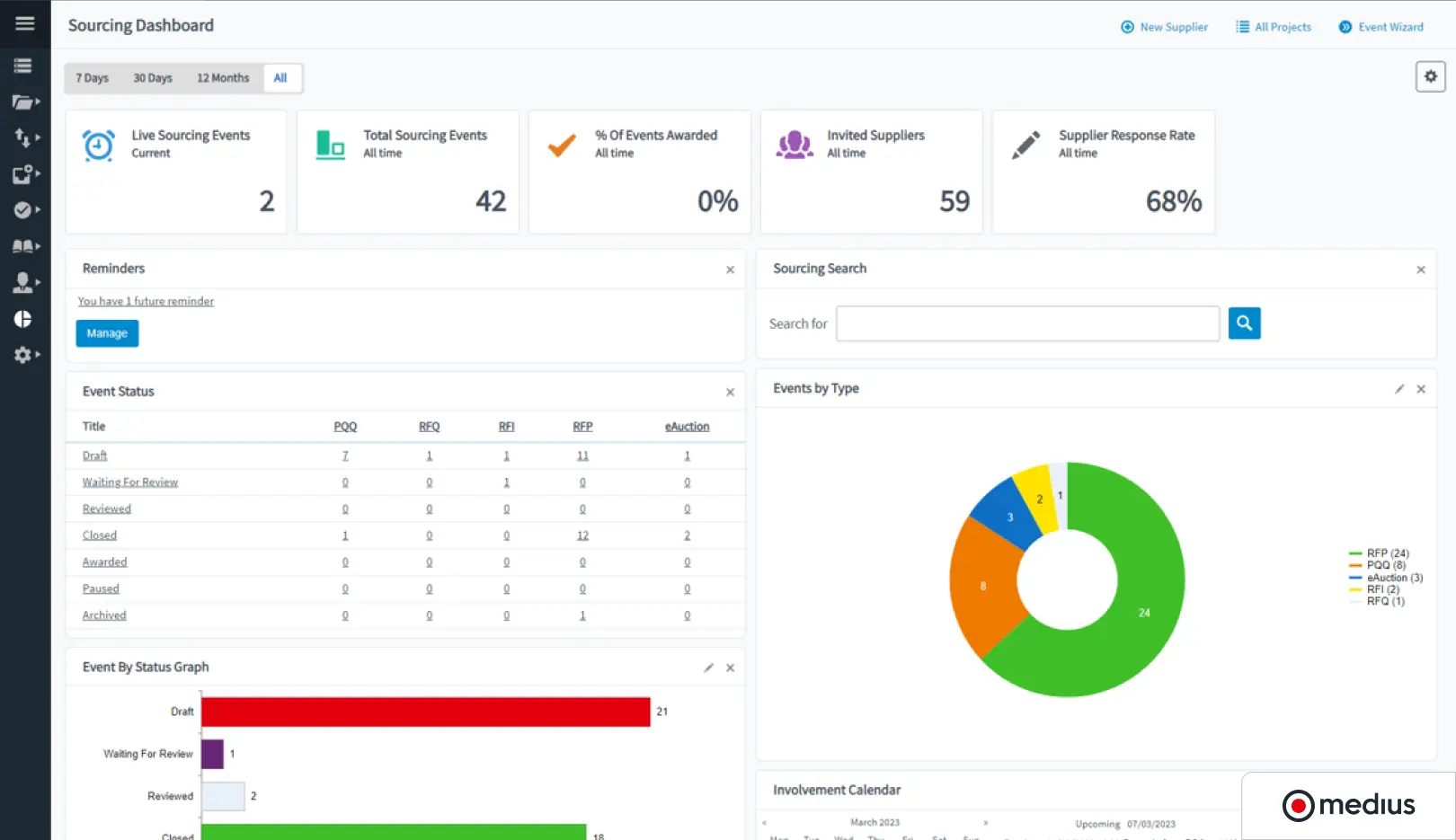
Note: API-dependent ERP integration means manufacturers on legacy on-premise systems without API access will face integration barriers. Exception handling is solid but less configurable at the supplier rule level than some alternatives.
3. Rillion
Best for: Mid-market manufacturing companies that want an AP automation tool built with manufacturing workflows in mind, without the implementation complexity of larger enterprise platforms.
Rillion positions explicitly for manufacturing and has product design choices that reflect it: three-way matching, GRN handling, and ERP integrations targeting manufacturing ERP systems including SAP and Microsoft Dynamics are core rather than add-on features. For mid-market manufacturers in the $10M–$100M revenue range, it offers a more focused implementation path than larger platforms.
Invoice capture, coding, approval routing, and three-way matching are all included. The platform is cloud-based with API-based ERP integration, which covers modern ERP deployments well.
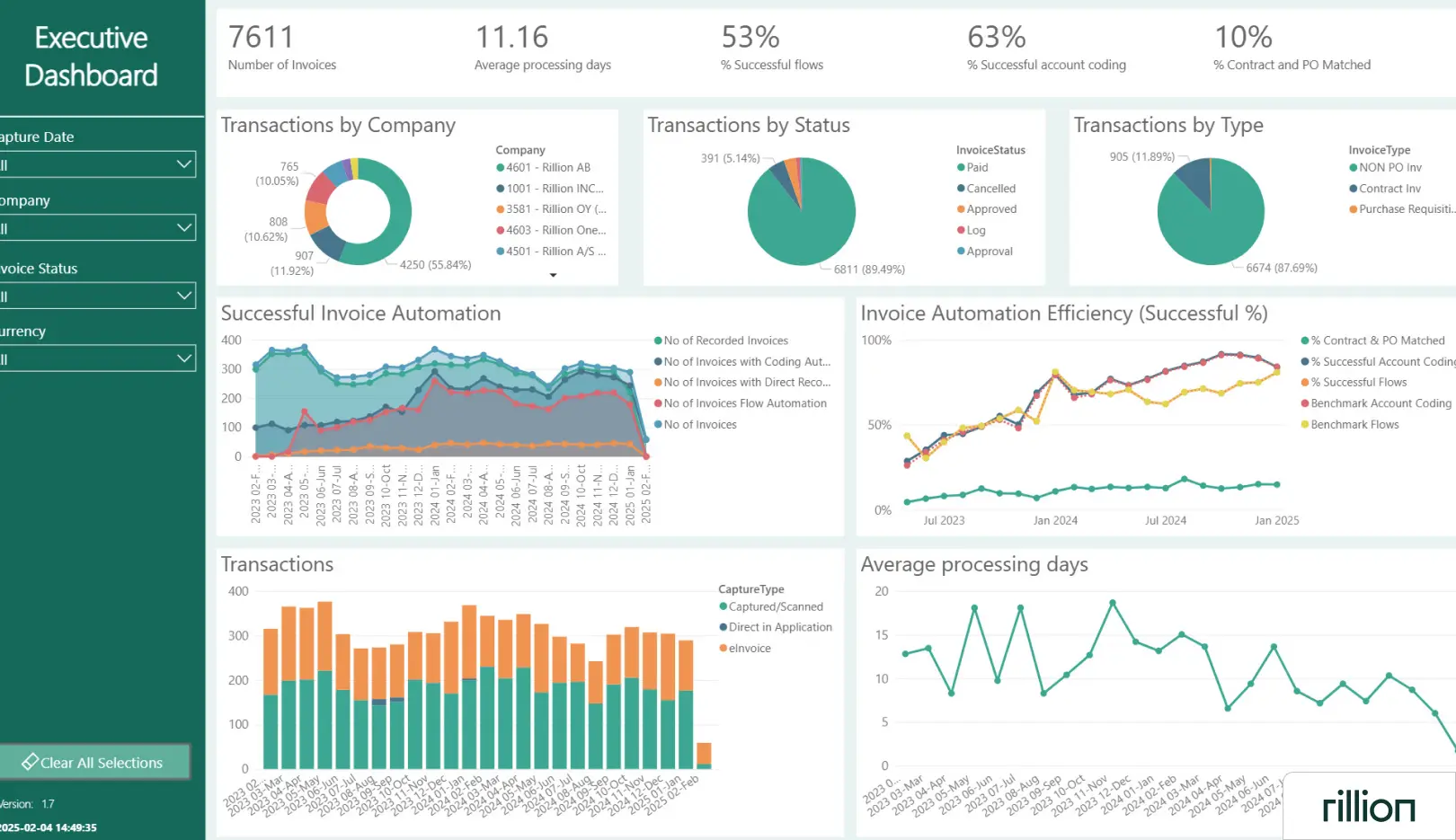
Note: Smaller vendor with a more limited global payment capability than Tipalti and less AI depth than Medius. International supplier payment volume should be evaluated separately if it is a significant portion of AP spend. Legacy ERP environments without API access are not supported.
4. Stampli
Best for: Mid-market manufacturers upgrading from email and spreadsheet AP management who want AI-assisted invoice coding and a strong approval communication layer without a long implementation timeline.
Stampli's distinguishing feature is the communication thread attached to every invoice in the system. Approvers, the AP team, and stakeholders can ask questions, flag issues, and document decisions directly on the invoice without leaving the platform. This eliminates the email chain problem that makes approval histories difficult to reconstruct during an audit, a practical benefit for manufacturing environments where invoice approvals often involve plant managers, procurement, and finance simultaneously.
AI-assisted GL coding suggests cost centers and account codes based on historical invoice patterns, which reduces manual data entry for recurring supplier invoices. Three-way matching and ERP integrations are included, with pre-built connectors for NetSuite, Sage, QuickBooks, Microsoft Dynamics, and others.
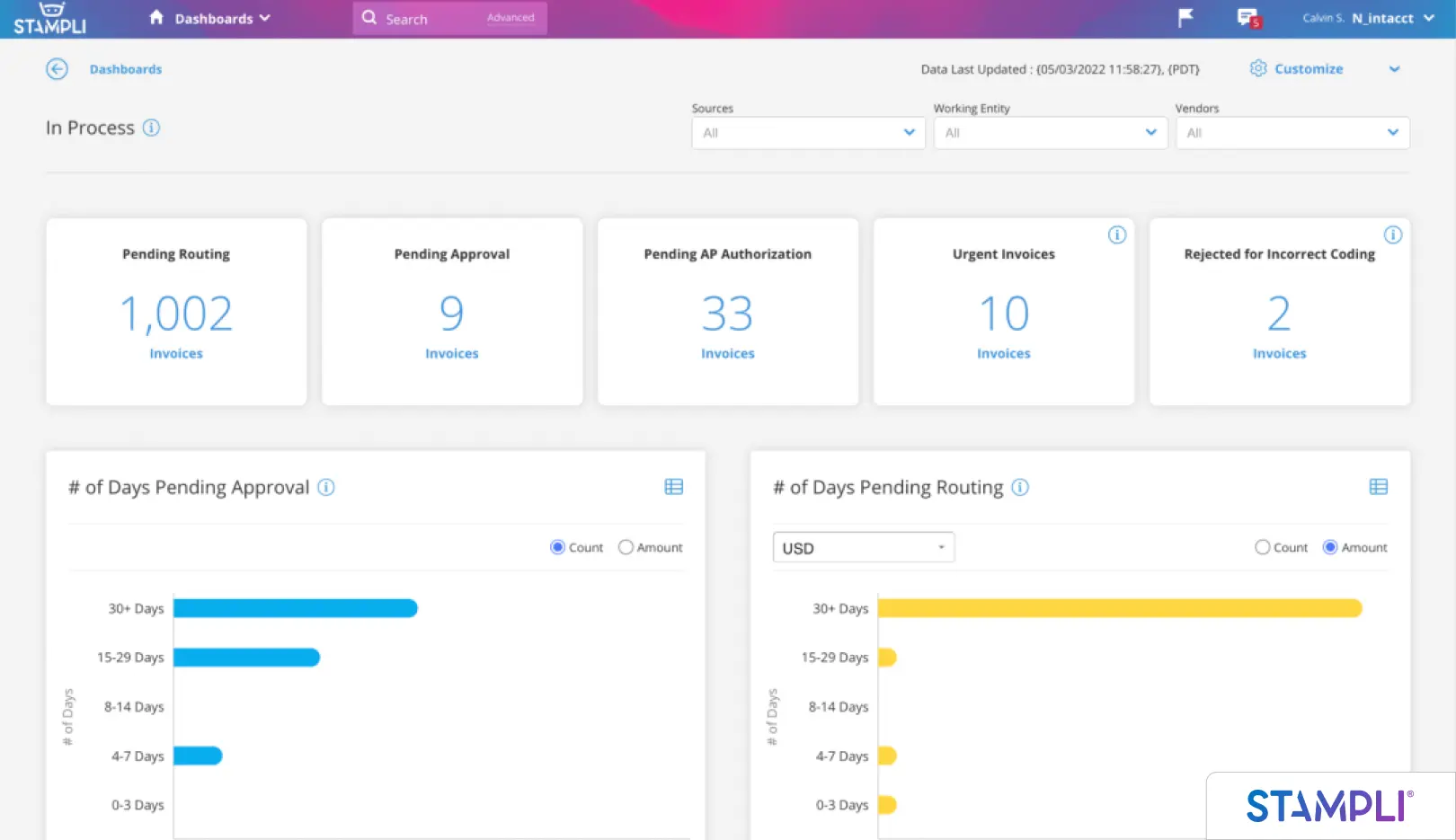
Note: Stampli is better suited for manufacturing companies with straightforward AP workflows than for high-volume environments with complex partial delivery matching or extensive supplier-specific rule requirements. Multi-entity support is more limited than Medius or LayerNext. Not suitable for legacy ERP environments without API access.
5. Tipalti
Best for: Manufacturing and distribution companies with significant international supplier payment volume who need end-to-end AP and payment reconciliation across multiple currencies and countries.
Tipalti's strongest differentiator is its payment infrastructure. Global payment rails, multi-currency support, tax form collection (W-9, W-8BEN), and withholding tax calculation make it particularly suited for manufacturers or distributors with international supply chains where the payment side of AP is as complex as the matching side. Its supplier self-service portal allows vendors to submit invoices, update banking details, and track payment status independently, which reduces inbound supplier inquiries to the AP team.
Three-way matching and AP automation are included, with API-based integrations for NetSuite, QuickBooks Online, Sage Intacct, and other cloud ERPs.
.webp)
Note: Tipalti's strength is payment-side AP, the reconciliation of outbound payments to invoices and banking records, more than the invoice capture and matching workflow. Manufacturing companies whose primary AP challenge is processing complexity rather than payment complexity may find the cost-to-value ratio skewed toward capabilities they do not need. Legacy ERP environments are not supported.
6. DataServ
Best for: Manufacturing companies with high volumes of paper-based or scanned invoices that need document capture, data extraction, and structured workflow routing as the foundation for AP automation.
DataServ focuses on the document capture and workflow layer of AP automation, with particular depth in environments where invoice volume is high and invoice format is inconsistent characteristics common in manufacturing supply chains where smaller suppliers still send paper invoices or non-standard PDFs.
Document capture, OCR extraction, workflow routing, and approval management are core capabilities. The platform has manufacturing industry positioning and has been deployed in manufacturing environments where document digitization and workflow structure were the primary AP problems to solve.
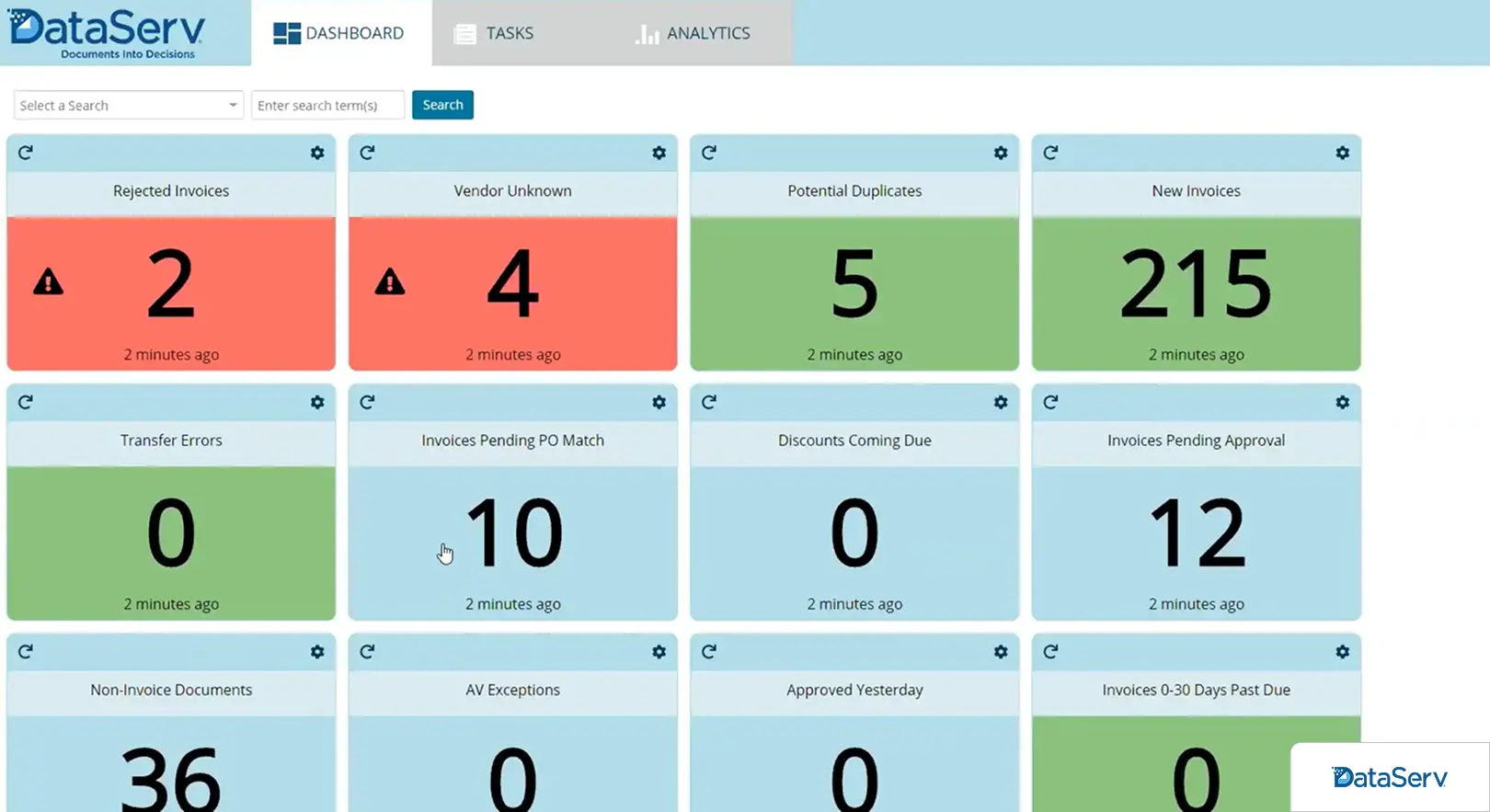
Note: DataServ is stronger on the capture and routing side than on AI-driven matching or spend analytics. Companies whose primary AP bottleneck is document processing and approval routing will find it a better fit than those whose main challenge is ERP integration complexity or international payment volume.
How to Evaluate AP Automation Vendors for Manufacturing
Three qualifying questions that should frame every vendor conversation before you evaluate features.
1. What ERP do you run, and does your specific version and deployment have API access?
This single question eliminates the most common buying mistake in manufacturing AP automation. If your ERP has API connectivity, modern cloud deployments of SAP, Oracle, NetSuite, Microsoft Dynamics 365, Sage Intacct, most tools on this list can integrate with it. If you run JD Edwards, Epicor on-premise, older SAP versions, Infor on-premise, or any desktop-based accounting system without an external API, confirm explicitly whether each vendor's integration works in your environment before spending time on demos. Do not accept "we integrate with SAP" without clarifying whether that applies to your specific SAP version and deployment type.
2. What is your monthly invoice volume and how complex is your PO structure?
Low-volume AP with simple, clean PO-to-invoice matches does not need the same tool as high-volume AP with partial deliveries, split POs, and GRN complexity. If your team processes fewer than 500 invoices per month with straightforward matching, most tools will work adequately. If you process thousands of invoices per month with manufacturing-grade matching complexity, prioritize tools with line-level matching precision and configurable tolerance thresholds over tools that lead with UI simplicity.
3. Do you need just invoice processing, or a full AP workflow from capture to payment?
If the bottleneck is a specific step as only invoice capture, only matching, only approvals, a point solution may be appropriate. If your AP process has friction at multiple points: invoices arrive through multiple channels, matching requires supplier-specific rules, approvals involve multiple plants, and exceptions pile up without structured routing, then a point solution will solve one problem and leave the rest in place. A full AP automation platform delivers measurable impact across the cycle; a single-function tool typically does not.
Your AP Process Should Run the Plant, Not the Other Way Around
Manufacturing and distribution companies deal with AP complexity that generic automation tools were not built for: hundreds of suppliers, partial deliveries, GRN matching, legacy ERPs with no API, freight billing, and exception volumes that overwhelm manual workflows. When AP falls behind, it affects supplier relationships, cash flow visibility, and close timelines, all problems the CFO ends up explaining to the board.
LayerNext automates the full AP workflow for manufacturing and distribution environments, from multi-channel invoice capture through three-way matching, supplier-specific rule application, exception routing, and management reporting, without requiring coding to configure or maintain. It works with modern cloud ERPs via API and with legacy desktop ERP systems through its computer use agent, which means automation does not depend on an ERP upgrade. Finance teams configure workflows, manage supplier rules, and resolve exceptions directly in the platform. The Insight Board gives management real-time visibility across all AP processing without asking the team for status updates.
Frequently Asked Questions

.webp)