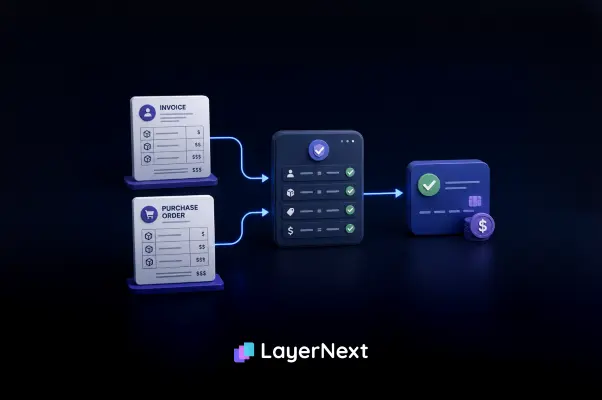
Summary
Three-way matching looks simple in theory, line up the purchase order, receiving record, and supplier invoice, and pay when they agree. In practice, the end-to-end process is a long manual path: collecting invoices from every channel, keying the data, identifying the vendor, finding and validating the PO, locating the receipt, then matching line by line on vendor name, date, amount, PO number, quantity, price, and unit of measure. It breaks constantly, on price changes, partial shipments, unit-of-measure conflicts, missing or wrong POs, duplicates, credit memos, and the month-end volume spike.
Legacy and desktop ERPs without an API make it worse, leaving the messy long tail to be matched by hand. The cost is not just labor: it shows up as duplicate payments, lost early-payment discounts, late month-end close, and audit exposure. This article breaks down the full manual workflow, where the 3-way match fails, why legacy systems amplify the problem, what it costs, and how AI agents can run the same end-to-end match, in bulk, inside your existing ERP while your team keeps control of every approval.
- Three-way matching is an AP control that compares the purchase order, receiving record, and supplier invoice before payment, catching price, quantity, and tax errors before they are paid.
- The control is sound; the execution breaks. Price changes, partial shipments, unit-of-measure conflicts, missing or wrong POs, duplicates, credit memos, and month-end volume all push invoices out of the automated flow and onto a person's desk.
- Legacy and desktop ERPs make it worse. Systems like QuickBooks Desktop, Epicor, and older Sage have no usable API, so bolt-on tools cannot connect and the messy long tail of invoices stays manual.
- The cost is mostly hidden. Ardent Partners pegs manual invoice processing at about $12.88 each, with non-best-in-class teams taking 17.4 days per invoice versus 3.1 days for top performers. Add the discounts most teams miss (the average AP team captures just 58 percent of available early-payment discounts), late close, and audit exposure.
- LayerNext runs the full match end to end without an API. Its AI agents operate the existing ERP through its own interface, match line by line on vendor name, date, amount, PO number, quantity, price, and unit of measure, process invoices in bulk, and route only genuine exceptions to a person, with every action logged.
What Three-Way Matching Actually Checks
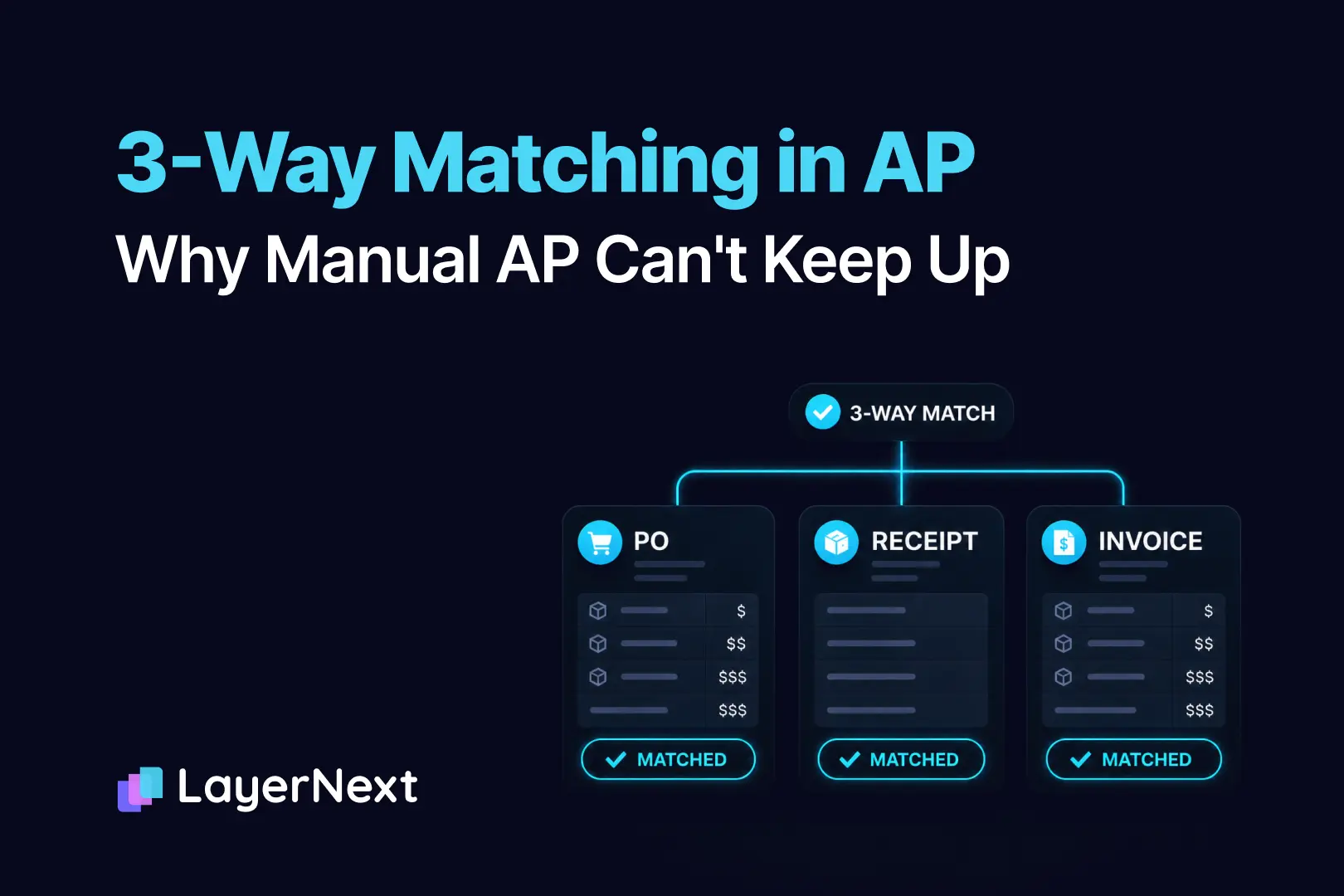
On paper, three-way matching is one of the cleanest controls in accounts payable. Line up three documents, the purchase order, the receiving record, and the supplier invoice, confirm they agree, and approve the payment. If the numbers match, you pay. If they don't, you investigate. Thirty seconds, done.
Anyone who has actually run AP knows it is almost never that clean. The check that takes thirty seconds in a textbook turns into a daily grind: chasing receivers, calling vendors, untangling partial shipments, and deciding whether a $14 freight charge is worth holding up a payment. For most finance teams, and especially those on older or desktop-based ERPs, the three-way match is one of the single biggest sources of manual work and month-end friction.
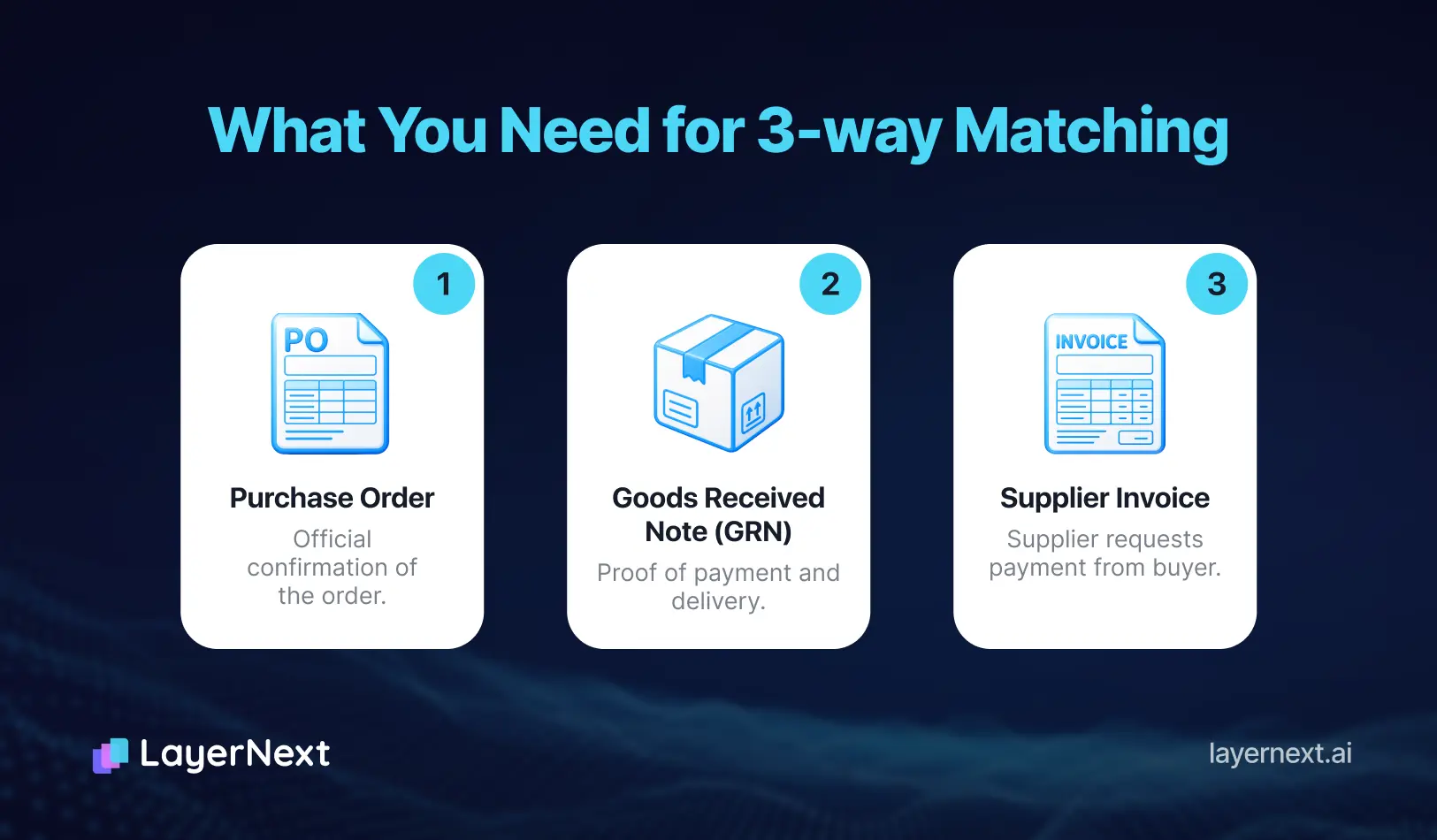
A three-way match, sometimes called three-way PO matching or purchase order matching, compares three things before an invoice is approved for payment:
- The purchase order: what you agreed to buy, at what price and quantity.
- The receiving record: what actually showed up at the dock or was confirmed as delivered.
- The supplier invoice: what the vendor is billing you for.
When all three agree within acceptable limits, the invoice clears for payment. The trouble is that "agree" is carrying an enormous amount of weight in that sentence. Real-world documents rarely agree on the first pass, and every disagreement becomes a task for a person.
How Manual Three-Way Matching Actually Works, Step by Step
Before looking at where it breaks, it helps to see how much happens on a single invoice when there is no automation. In a manual shop, one person carries each invoice through the entire path, and most of that path is reading, keying, searching, and cross-checking by hand.
- Collect the invoice from wherever it landed. Invoices arrive by email, supplier portal, EDI, mailed paper, or a PDF forwarded by whoever placed the order. Someone has to pull them from every channel into one queue before any matching can start.
- Read and key the invoice header. The clerk captures or confirms the core fields by hand: vendor name, invoice number, invoice date, total amount, tax, and the PO number if one is referenced. On a scanned or handwritten invoice, this is straight manual typing.
- Identify the vendor in the system. The vendor name on the invoice has to be matched to a vendor master record. This is rarely an exact match. A DBA name, a parent company, a merged entity, or a slightly different spelling all force a judgment call about who is actually billing you.
- Find the purchase order. If a PO number is printed on the invoice, the clerk looks it up in the ERP. If it isn't, they go hunting: searching by vendor and amount, emailing the requester, or asking the buyer which PO this belongs to.
- Open the PO and confirm it is valid. Is the PO still open, or already closed or cancelled? Is there a budget left on it? Is it even the right PO when the vendor has several open at once?
- Find the receiving record. The clerk confirms the goods were actually received by locating the goods receipt or asking the warehouse. No receipt, no match.
- Match line item by line item. This is the slow part. For every line on the invoice, the clerk compares it against the PO and the receiving record:
- vendor and item description
- the PO number the line belongs to
- quantity ordered, received, and billed
- unit price on the PO versus the invoice
- unit of measure, and any conversion needed
- the extended line total
- the date, to confirm it falls in the right period and discount window
- Apply tolerance at the line and at the total. Each variance is judged against the team's threshold. Within tolerance, it passes. Outside, it flags for review.
- Check for duplicates. Has this invoice number already been entered? Is there another invoice from the same vendor with the same amount and date that could be a double-bill?
- Validate tax and added charges. Confirm tax is correct for the jurisdiction or province, and decide whether freight, fuel, or handling lines are legitimate and how to code them.
- Route and resolve exceptions. Anything that doesn't agree goes back out: an email to the vendor, a call to the warehouse, a question to the buyer. The invoice waits in limbo until the answer comes back.
- Get approval. The matched invoice goes to the right approver based on dollar thresholds and the approval matrix.
- Post it for payment. The clerk keys the approved invoice into the ERP and schedules payment per terms, ideally in time to capture any early-payment discount.
- File everything for audit. The invoice, PO, receiving record, and approvals get archived so the trail can be reconstructed later.
Now multiply that by hundreds or thousands of invoices a month, with a spike at month-end when everything arrives at once. Every step is a place where a person spends time, and a place where the match can stall.
Where the 3-Way Match Actually Falls Apart
The failures are not exotic. They are the ordinary texture of buying things from real vendors.
Price mismatches
The invoice price doesn't equal the PO price more often than anyone would like. A vendor raised prices since the PO was cut. A negotiated discount didn't make it onto the invoice. There's a currency difference, a rounding gap, or a contract rate the AP clerk doesn't have in front of them. Each gap is small. Multiplied across thousands of lines a month, resolving them by hand becomes a full-time job.
Quantity and partial shipments
The PO says 100 units. The receiver shows 60. The invoice bills for 100. Is the vendor wrong, or did 40 arrive on a backorder that hasn't been received yet? Partial deliveries, split shipments billed across multiple invoices, and over-shipments all turn a simple quantity check into a detective exercise, one that needs context the documents alone don't carry.
Unit-of-measure conflicts
The PO is written in cases. The invoice bills in eaches. The receiver logged pallets. None of the numbers line up until someone converts them by hand, and a single bad conversion can quietly approve an overpayment. Unit-of-measure mismatches are one of the most common reasons a perfectly valid invoice fails an automated match.
Missing or no purchase order
A large share of real invoices have no PO to match against at all: services, utilities, one-off purchases, blanket POs, or maverick spend that bypassed procurement. The invoice is legitimate, but there's nothing to match it to, so it falls out of the automated flow and onto a human's desk for manual coding and approval. Industry surveys put non-PO and exception-heavy invoices among the hardest categories for any team to handle.
Receiving that was never recorded
Sometimes everything is correct. The goods arrived, the price is right, but no one entered the receiving record in the system. The match fails not because of a real discrepancy but because a piece of paperwork is missing. AP ends up chasing the warehouse instead of paying the bill.
Freight, taxes, and surcharges
Invoices routinely carry line items the PO never anticipated: freight, fuel surcharges, handling fees, and taxes that vary by jurisdiction. Deciding whether these are legitimate, how to code them, and whether they fall within tolerance is judgment work that resists simple rules.
One invoice, many POs (and the reverse)
One PO billed across several invoices. One invoice covering several POs. Consolidated monthly statements from a single vendor. The tidy one-PO-one-invoice assumption behind most matching logic collapses the moment real purchasing patterns show up.
Duplicate and double-billed invoices
The same invoice arrives twice, once by email and once by mail, or a vendor re-sends a "past due" copy that's already in the queue. Without a careful manual check on invoice number, vendor, amount, and date, a duplicate gets paid twice. Catching it depends entirely on a person remembering or searching, which is exactly what fails under volume.
Vendor identity mismatches
The name on the invoice doesn't cleanly match the vendor master. A DBA, a parent or subsidiary, an acquired company still billing under its old name, or just a different spelling all stall the match until someone confirms who is really being paid. Pay the wrong entity and recovering the funds is its own project.
Closed, cancelled, or wrong purchase orders
The invoice references a PO that's already been closed, fully consumed, or cancelled. Or the vendor has several open POs and the invoice doesn't say which one applies. The clerk has to figure out the right PO, or chase the buyer to find it, before any line-level matching can even begin.
Credit memos and returns
Returned goods, short shipments, and post-invoice adjustments arrive as credit memos that have to be matched back to the original PO and invoice and applied correctly. Handled by hand, they're easy to misapply or forget, which quietly overstates what you owe.
Bulk arrivals at month-end
Invoices don't arrive evenly. They surge near month-end, when a clerk may face hundreds at once. Manual matching has no way to absorb that spike except overtime, so the close slips and the most rushed reviews happen exactly when accuracy matters most.
The tolerance problem
Every team sets variance thresholds, how much of a gap to allow before flagging an exception. Set them too tight and everything flags, drowning the team in false exceptions. Set them too loose and overpayments slip straight through. There is no single right number, and the right tolerance often differs by vendor, by category, and by dollar value. Tolerance is not a setting you configure once. It is a policy you have to maintain.
Why Legacy and Desktop ERPs Make It Worse
Most modern AP automation assumes you run a cloud ERP with a clean API and well-structured data. A large share of mid-market manufacturers, contractors, and healthcare operators do not. They run Epicor, older versions of Sage, QuickBooks Desktop, Microsoft Dynamics, or a custom Windows application, systems with no usable API for a modern tool to plug into.
In those environments, three-way matching is almost entirely manual by default. Bolt-on matching tools can't connect. OCR and EDI plug-ins handle the clean, structured invoices from your largest suppliers, maybe 30 percent of volume, and the messy long tail of scanned, handwritten, and inconsistently formatted invoices still lands on a person's desk. The result is a hard irony: the companies with the highest invoice volume and the most fragmented vendor base are often the ones with the least automation available to them.
This is also why generic "automate your 3-way match" advice falls flat for these teams. The advice assumes an integration that does not exist and will not be built.
The Hidden Cost of Doing It by Hand
The manual labor is the visible cost. It is also the smaller one.
Start with the unit economics. Ardent Partners puts the cost of processing a single invoice at about $12.88 for companies without best-in-class processes and automation, and finds that best-in-class methods save over $10 per invoice in hard costs. Productivity tells the same story: APQC benchmarking shows the average AP full-time employee processes 10,853 invoices a year, but only about 6,082 in a fully manual process, against 23,333 when fully automated. The slower the match, the more people you need.
Speed compounds the problem. Ardent Partners reports that best-in-class teams process an invoice in 3.1 days versus 17.4 days for everyone else, and that the invoice exception rate runs 22 percent on average against 9 percent for top performers. Those delays cost real money. The Institute of Financial Operations and Leadership finds AP teams capture only 58 percent of available early-payment discounts on average, while centralized, automated teams capture 85 to 95 percent. NetSuite puts a number on the gap: failing to capture even half of the available 2 percent discounts on $10 million in annual spend costs about $100,000 a year. That is cash left on the table because an invoice sat in a queue waiting for an exception to clear.
Then there is the downstream damage that never shows up cleanly on a budget line:
- Overpayments and duplicate payments that slip through when a tired reviewer waves an invoice along at the end of a long day.
- Late month-end close, because AP is the bottleneck and accruals pile up for invoices that haven't been matched.
- Strained vendor relationships from disputed or delayed payments, which can cost you priority and pricing over time.
- Audit exposure, because manual matching leaves traceability gaps that auditors flag and that SOX or GAAP requirements punish.
None of these are line items, which is exactly why they persist. The cost of a broken three-way match is mostly invisible until you add it up.
What a Better Approach Looks Like
The teams that get ahead of three-way matching share a few principles, regardless of which tools they use.
- They handle the messy long tail, not just the clean 30 percent.
The goal is not to match the easy invoices faster. It is to stop the hard ones from consuming all of your people's time. That requires systems that can read and reason over unstructured, non-standard documents, not only well-formatted ones.
- They keep humans on judgment, not data entry.
The strongest setups don't try to remove people. They remove the keying and the document-chasing, and route only genuine exceptions, a real price discrepancy, a missing receipt, an out-of-tolerance variance, to a person with the context to decide. Every action stays logged for audit.
- They encode tolerance and vendor rules once.
Instead of relying on each clerk's memory, they capture the rules in one place: this vendor's contract pricing, this category's tolerance, this jurisdiction's tax treatment. The rules get applied consistently, every time, on every invoice.
- They work inside the ERP they already have.
The most durable solutions don't require ripping out a legacy system or waiting on an API that will never exist. They operate the systems the business already runs.
How LayerNext Handles Three-Way Matching
This is the problem LayerNext was built for: automating AP and three-way matching inside the legacy and desktop ERPs most tools can't touch, while your finance team stays in control of every approval.
The difference is in how the work gets done. LayerNext uses AI agents that operate your existing ERP the way a clerk would, through the application's own interface, using a computer-use agent. There is no API requirement and no integration to wait on. If your team can open the screen and key the invoice, the agent can too. That is what makes it work on QuickBooks Desktop, Epicor, older Sage, and custom Windows applications.
The agents run the same end-to-end path a person does, the full fourteen steps above, without the keying and chasing:
- They pull invoices from every channel. A dedicated email inbox, shared folders and disks via a bot that runs on your machines, cloud storage, and connected accounting systems all feed the queue automatically.
- They read and interpret the invoice, not just OCR it, capturing vendor name, invoice number, date, amount, tax, and PO number even on scanned or non-standard documents.
- They identify the vendor and locate the PO, including resolving name variations against the vendor master and finding the receiving record.
- They match line item by line item: vendor name, date, amount, PO number, quantity, unit price, and unit of measure, each line checked against the PO and receipt and against your tolerance.
- They process in bulk. When a batch of invoices lands at month-end, the agents match all of them through the same end-to-end flow at once, so the close doesn't wait on headcount.
Map it back to the failure modes above:
- Messy and non-standard invoices get read and interpreted, so the long-tail documents that normally land on a desk move through the match.
- Price, quantity, unit-of-measure, and tax variances are checked against rules you set, not against a clerk's memory.
- Duplicates, wrong or closed POs, and vendor name mismatches are caught in the same automated check rather than depending on a tired reviewer to notice.
- Vendor-specific and tolerance rules live in a Business Rules section you can write in plain English: this supplier's contract rate, this category's tolerance, this province's tax treatment. Your team manages them directly, without waiting on a developer.
- Genuine exceptions become tasks in your portal. When the agent finds an invoice whose tax looks wrong for the shipped province, it creates a to-do asking a person to double-check, searchable by invoice number, with the context attached. When every task reads "done," no human help is needed at that moment.
- Every action is logged, so the traceability auditors want is built in rather than reconstructed after the fact.
Frequently Asked Questions