Summary
Credit card reconciliation is the process finance teams use to match every transaction on a corporate card statement against the receipts, invoices, and general ledger entries that are supposed to explain it. Done by hand, it can take a finance team days per closing cycle and still miss errors. Automated, the matching, the exception routing, and the ledger sync happen without anyone opening a spreadsheet.
This article covers:
- What actually happens, step by step, when credit card reconciliation is automated
- Why manual reconciliation breaks down as a company adds cards, entities, or vendors
- What to do when the company's accounting system doesn't have an API
- Where automation still needs a human, and how to keep that from becoming a bottleneck
- What to evaluate before choosing a reconciliation tool
Automated credit card reconciliation is software that imports transaction data from its source, matches each transaction to a corresponding receipt, invoice, or ledger entry using a defined set of rules, flags anything that doesn't match for human review, and posts the reconciled result to the accounting system. It's built for finance teams processing enough card volume, whether from employee spend, vendor payments, or both, that matching everything by hand has stopped being a reasonable use of anyone's week.
Why Manual Credit Card Reconciliation Breaks Down at Scale
Manual credit card reconciliation breaks down for three structural reasons: statements arrive after the books are supposed to close, transactions get spread across shared or department-level cards with no clear owner, and the data needed to verify a charge lives in different systems than the transaction itself.
- Statement timing works against the close.
Card providers typically issue statements days or weeks after a billing period ends, but the accounting close doesn't wait for them. A company that closes its books on the fifth business day and receives its card statement on the tenth is reconciling against numbers that technically don't exist yet, which forces a choice between closing on estimates or closing late.
- Shared and departmental cards blur ownership.
When one card gets used by a regional manager one week and a department head the next, "who made this charge" becomes its own research task before the actual matching can start.
- The supporting data doesn't live next to the transaction.
A card charge might need a receipt sitting in someone's inbox, a purchase order in the ERP, and a vendor invoice in a shared folder, three separate lookups for one line item.
This isn't unique to credit cards. Ardent Partners' 2025 State of ePayables research found the average organization takes 10.9 days to fully process a single invoice, while top-performing finance teams using automation close the same loop in 3.1 days. IOFM's AP practitioner time study found that manual, repetitive tasks, the kind involved in matching a transaction to its supporting document by hand, consume 84% of the average AP staffer's week. Credit card reconciliation sits inside that same category of manual work.
Consider a 40-location restaurant group issuing 85 active corporate cards across regional managers, purchasing, and maintenance. Every month, someone in finance has to determine which of those 85 statements match which of the thousands of line items already sitting in the general ledger, and which don't. At that volume, matching by hand isn't really a task anymore. It's a queue that never empties.
How Automated Credit Card Reconciliation Actually Works
Automated credit card reconciliation runs in four stages: transaction data is pulled in from its source, each transaction is matched against a receipt, invoice, or ledger entry using predefined rules, anything that doesn't match is routed to a person for review, and the reconciled result posts to the accounting system automatically.
Where the Transaction Data Comes From
Reconciliation software needs a transaction to compare against something. That supporting data can come from a live card network feed, but it can also come from a scanned receipt, a PDF statement, a vendor invoice sitting in a shared email inbox, or a record already logged in the ERP. A finance team that automates the card-feed side of this and still gathers receipts and invoices manually from five different places hasn't solved the problem. It's moved the bottleneck upstream, from matching to collecting.
How the System Matches a Transaction to a Record
Matching logic typically checks amount, date, and vendor or merchant name against the corresponding record, within a defined tolerance. Here's what that looks like on one transaction: a $1,240 charge from a freight carrier posts to a corporate card on March 3. The system checks it against open vendor invoices and finds one for $1,240 from the same carrier dated February 28, inside the account's five-day matching window. The amount matches exactly, the vendor matches, and the date falls inside the window, so the transaction reconciles automatically and the invoice closes. No one on the finance team touches it.
What Happens When a Transaction Doesn't Match
Not every transaction resolves this cleanly. A charge might be missing a receipt, split across two cost centers, or larger than the invoice it's supposed to match. When that happens, the system needs a way to hand the exception to a person without losing track of it. LayerNext's task-based mechanism creates a structured task for each unresolved item, searchable by invoice number, so whoever reviews it isn't digging through a shared inbox or a spreadsheet to find the context. The Insight Board shows a manager, in real time, how many transactions are sitting in that queue and how many have cleared, which turns exception handling into a visible workload instead of a hidden one.
Can Automation Handle Reconciliation When the ERP Has No API?
Yes, but only if the automation tool can operate the accounting system's own interface instead of relying on an API connection. Many legacy ERPs and desktop accounting applications, common in manufacturing, distribution, and other established enterprises, were never built with an API, which is why most reconciliation vendors quietly assume one exists.
This is where most vendor content on credit card reconciliation goes quiet. Every major expense platform reviewed for this piece, including the published reconciliation workflows from Fyle, Spendesk, and Expensify, assumes the accounting system on the other end has an API or a native integration to sync against. That assumption holds for QuickBooks Online, Xero, and NetSuite. It doesn't hold for the desktop version of an older ERP running on-premises, or a system a company has run for fifteen years without modernizing, which is more common at larger and older enterprises than most SaaS marketing tends to admit.
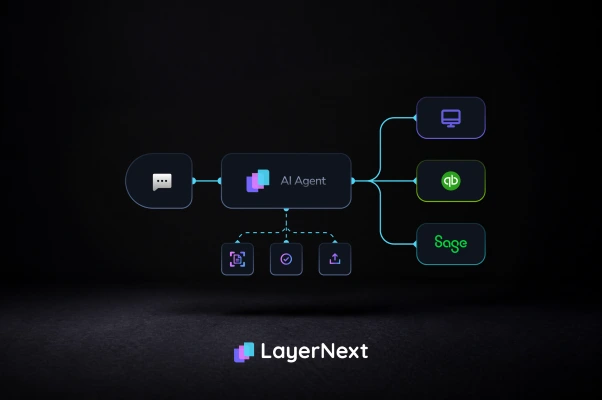
LayerNext's computer-use agent addresses this by operating the accounting system through its own user interface, the same way a person would, instead of requiring an API or a middleware layer. A finance team running a legacy ERP with no integration path doesn't have to choose between reconciling by hand and running a multi-month IT project to build a connector first. For a closer look at how this plays out across specific legacy systems, see AP automation software for legacy ERPs.
Where Entity-Specific Rules Matter in Card Reconciliation
Generic matching rules work until a company has suppliers or cardholders that need different treatment. A five-day matching window might be right for one vendor and wrong for another that invoices in batches, and a policy engine that can't express that difference without a developer starts generating false exceptions.
Most reconciliation and expense platforms handle this through admin-configured policies, set up once in a settings screen and applied broadly. That works for simple cases: a spending limit per cardholder, a receipt requirement above a dollar threshold. It works less well once a company has one supplier that consistently invoices three days after the card charge posts and another that invoices the same day, each needing a different matching tolerance.
LayerNext's business rules section lets a finance team write and edit these rules in plain English, scoped to a specific supplier, customer, or entity, without submitting a ticket to IT. The system's rule-query engine is built to retrieve the correct rule accurately even across thousands of entity-specific rules, so a company reconciling 300 active suppliers isn't relying on 300 generic exceptions getting manually reviewed every month. This same rule-per-entity approach is what makes healthcare AP automation workable across facilities that each inherited a different accounting system.
Automated Reconciliation in QuickBooks, NetSuite, and Sage
QuickBooks, NetSuite, and Sage each support card transaction imports, but the depth of native reconciliation differs: QuickBooks Online has a built-in bank feed matching tool, NetSuite typically needs more configuration for multi-subsidiary card programs, and Sage's on-premises versions often need a middleware layer or manual CSV import to sync at all.
This is where the legacy ERP problem from the previous section shows up in practice. Sage Intacct, a cloud product, connects the way most modern platforms expect. Sage 50 and other on-premises Sage installations, still common among established manufacturers and distributors, generally don't offer that same connection path, which is why reconciliation for those systems often falls back to manual CSV export and import.
Why LayerNext for Automated Credit Card Reconciliation
LayerNext automates credit card reconciliation for finance teams working across multiple entities, legacy accounting systems, and inconsistent data sources, combining computer-use automation for API-less ERPs, plain-English entity-level rules, and a single portal for managing every automation running across the organization. This sits inside LayerNext's broader accounts payable automation platform, which handles the full invoice-to-ERP workflow, not just the card side of reconciliation.
No-API ERP coverage. LayerNext's computer-use agent operates legacy and desktop accounting software directly through its interface, so companies running systems without an API don't need a middleware project before automation can start.
Entity-level rules without IT. Finance teams write and edit per-supplier, per-customer, or per-department reconciliation rules in plain English, and the system's indexed rule engine retrieves the correct one accurately even at a scale of thousands of rules.
Data from wherever it already lives. LayerNext ingests transactions and supporting documents from a dedicated AP inbox, shared folders, cloud storage such as AWS S3 and Google Cloud, direct SQL database connections, and ERP retrieval, so the reconciliation process isn't limited to whatever a card network feed happens to provide.
No-code workflow changes. A reconciliation workflow, what to extract, how to verify it, where exceptions route, can be changed without a development cycle when a company's process changes.
A searchable audit trail. Every exception becomes a task searchable by invoice number, and the Insight Board shows real-time processing statistics so a manager always knows the size of the queue still waiting on a human.
One portal for every automation. All of an enterprise's automations, credit card reconciliation included, are managed from a single dedicated portal at [enterprise].chat.layernext.ai.
What to Evaluate Before Automating Credit Card Reconciliation
Before choosing a reconciliation tool, confirm it can reach every data source involved, not just card feeds, express rules at the entity level without developer time, handle the specific accounting system in use including any legacy or on-premises components, and produce an audit trail that a person can search when a discrepancy needs explaining.
- Does it ingest data from every source involved, not just card network feeds, but receipts, invoices, and documents from email, shared folders, and cloud storage?
- Can it operate accounting systems that don't have an API, or does every legacy system need to be replaced or connected first?
- Can someone outside IT write and edit entity-specific rules, or does every exception require a development ticket?
- What's the actual matching tolerance, and how is it configured, per account, per vendor, or only globally?
- When a transaction doesn't match, is there a structured, searchable record of what happened to it, or does it disappear into a shared inbox?
- Does the vendor's own documentation address multi-entity, multi-subsidiary use, or only single-entity setups?
No reconciliation tool, LayerNext included, eliminates human review entirely. Transactions with missing documentation, genuine coding errors, or disputes with a card issuer still need a person to make a judgment call. The realistic goal isn't zero human involvement. It's making sure the transactions that do need a person are the ones that actually require judgment, not the majority that would match cleanly if the system were given the right rules and the right data sources to check against.
FAQ