Summary
- AS400 AP automation adds invoice capture, matching and posting around an IBM i ERP such as Infor XA or BPCS, so the ERP stays in place and the keying goes.
- Infor XA (formerly MAPICS) and Infor LX (formerly BPCS) both run on IBM i, and each has its own accounts payable module: AMAP for XA and ACP for LX.
- The average invoice costs $9.90 and takes 11.6 days to process, and 19.9% of invoices need manual exception handling (Ardent Partners, 2026).
- Invoice data reaches an IBM i ERP by file drop, Db2 for i access, an Infor interface such as System-Link or ION, or the ERP's own 5250 screens, so ask every vendor which route it uses on your release.
- ACOM, IntelliChief and Stampli each offer capture, matching or posting for IBM i or Infor ERPs, and none of their product pages describes bank reconciliation of the posted entries.
- LayerNext posts through the API where one exists and through the ERP's own screens where one does not, then reconciles the entries, so it fits teams that want one vendor from invoice to reconciled ledger.
- Test every shortlisted option on your own invoices, including partial receipts, unit-of-measure mismatches and duplicate invoice numbers.
AS400 AP automation puts invoice capture, matching and posting around an IBM i ERP such as Infor XA or BPCS, so the ERP stays and the keying goes. Invoices are read and matched to the PO and receipt outside the system, and the voucher is entered in the ERP's accounts payable module through a file, a database call, an Infor interface or the ERP's own 5250 screens.
What are Infor XA and BPCS, and why does AP automation work differently on them?
Infor XA is the former MAPICS, and Infor now sells BPCS as Infor LX (Infor). Both are IBM i products (IBM).
Both are manufacturing ERPs. Infor XA is a discrete manufacturing system covering engineer-to-order, make-to-stock and high-volume repetitive production, and LX supports process and discrete manufacturing. Each has its own payables module: Accounting Management Accounts Payable (AMAP) in XA and Accounts Payable (ACP) in LX.
On IBM i the posting route is a choice, and that choice sets how much IT work the project needs. Infor XA offers several integration routes, including System-Link, Infor ION and Electronic Commerce, which is built around EDI. Which of them a given release exposes for AP vouchers is a question for Infor or your IBM i team.
The average invoice takes 11.6 days and costs $9.90 to process
In Ardent Partners' AP Metrics That Matter in 2026, a survey of nearly 200 AP, finance and P2P leaders, the average invoice takes 11.6 days and $9.90 to process, and 19.9% of invoices need manual exception handling. The top-performing group of teams processes an invoice for $2.67, with an 11.8% exception rate.
Where invoices are keyed by hand, the check happens after the invoice has been typed, and problems tend to surface when the ERP rejects the voucher or the vendor statement does not agree. Five exceptions recur in AP queues:
- Price variance: the unit price on the invoice differs from the PO price by more than the tolerance.
- Partial receipt: a PO received in two shipments is billed on two invoices, and the first invoice exceeds what has been received.
- Unit-of-measure mismatch: the invoice bills in cases and the PO is written in each.
- Duplicate invoice number: the same reference arrives twice from one vendor, once by email and once by post.
- Vendor master mismatch: the remit-to address or tax ID on the invoice differs from the vendor record.
Automation moves these checks in front of the keying. A three-way match against the PO and receipt flags the invoice before a voucher exists, and only the flagged invoices reach a person.
Four common ways invoice data reaches Infor XA or BPCS
Four common routes reach an IBM i ERP from outside: files in the integrated file system, Db2 for i data access over ODBC and JDBC, Infor's own interfaces, and 5250 terminal screens. Each suits a different situation, and each puts the maintenance burden in a different place.
No route wins everywhere. File drops and Infor interfaces typically involve a job or a mapping that someone has to build and maintain. Screen entry uses the same screens and edits a clerk uses, so it does not depend on a new interface, but it has to confirm every save and handle a failed one.
What AP software for AS400 ERPs offers today
Three vendors offer AP automation for IBM i or Infor ERPs: ACOM, IntelliChief and Stampli.
ACOM suits teams that want an IBM i specialist
ACOM Systems sells AutoLedger, its AP platform, alongside EDI, payments and document output products for IBM i, and positions the AP layer as an upgrade that leaves the ERP alone (ACOM). AutoLedger reads invoices, POs and receipts, applies two-way and three-way matching with tolerance rules and posts approved invoices to the ERP.
Its design uses no inbound ports and makes no changes to the ERP schema, which suits IT teams that guard the IBM i host. Of the three vendors here, ACOM has the most IBM i-specific product line.
IntelliChief supports several Infor lines
IntelliChief supports Distribution A+, BPCS / LX, MAPICS/XA, System 21 and other Infor systems, with one chain from capture through matching to posting. It offers two- and three-way matching with tolerance thresholds, and its integration with the ERP helps prevent duplicate invoices, incorrect vendors and line-item mismatches before posting.
It connects to supported Infor systems on live data instead of delayed exports. The route it uses on an IBM i host is not published, so ask for it in writing.
Stampli suits teams that need invoice collaboration
Stampli offers a file integration that syncs invoice coding and payment data with the AS/400, along with vendors, GL accounts, open POs, line items and receiving. Its strength is the approval experience, with comments inside the invoice, routing by entity, amount and department, and mobile approvals. Support for Infor XA and BPCS is unconfirmed, and pricing is by quote.
ACOM and IntelliChief match and post, and Stampli syncs after approval. None of the three describes bank reconciliation of the posted entries on its product pages, so ask each vendor what happens after an entry posts.
How LayerNext runs AP on Infor XA and BPCS
LayerNext handles AP on Infor XA and BPCS from ingestion to reconciliation. Invoices arrive from email, shared folders or cloud storage, and LayerNext reads them, validates them and matches them to the PO and receipt. It then enters validated invoices in the AP module through the API where one exists and through the ERP's own screens where one does not.
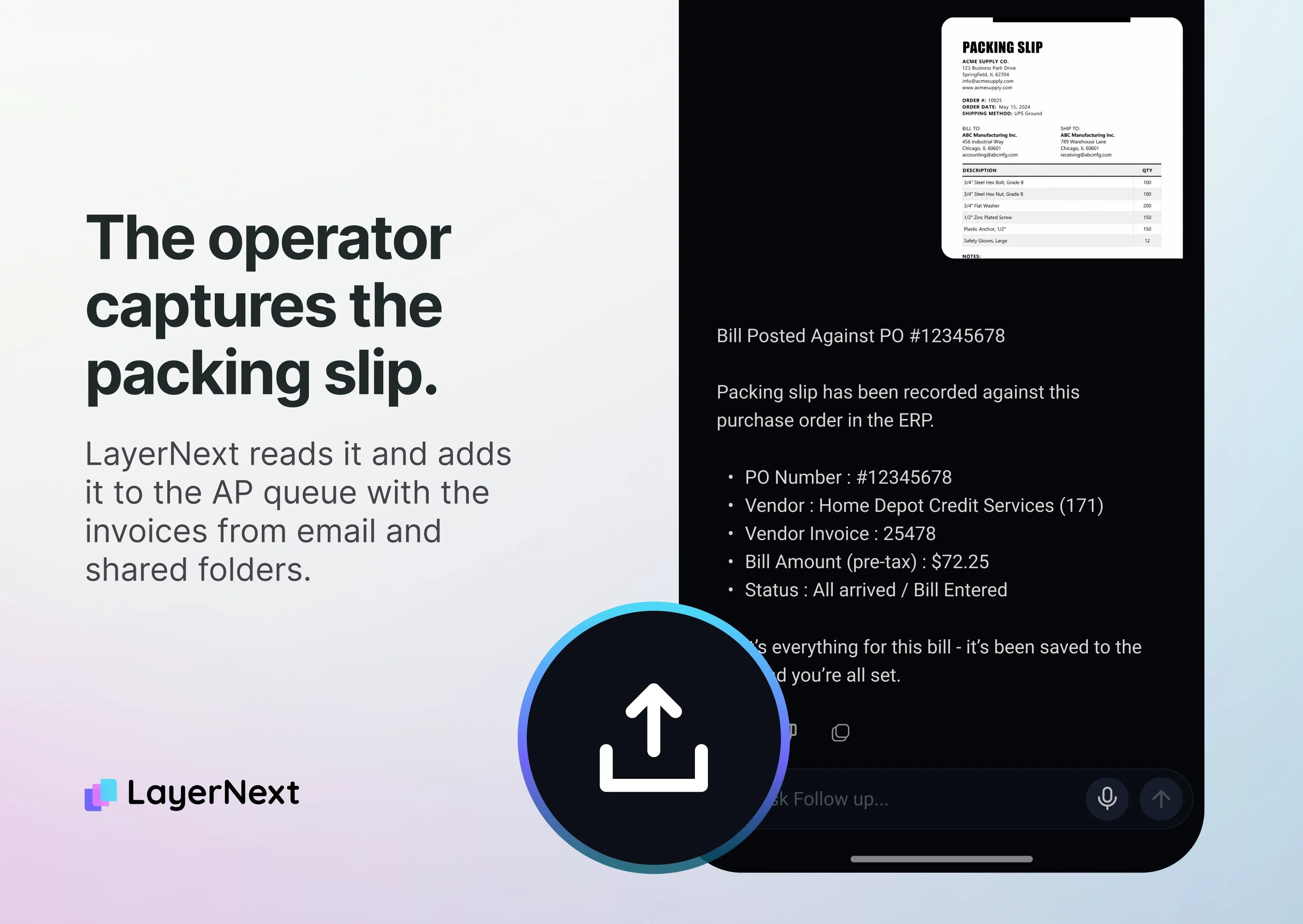
Validated invoices post once approval rules are met. A person reviews invoices flagged as exceptions and invoices a business rule sends for approval, and each one arrives as a named task with the invoice, the vendor and the issue. Finance teams define approval chains and entity rules in plain English, with no IT tickets, and a full audit trail records every step.
After posting, LayerNext reconciles the entries against the bank feed, and its other products, Real-time Bank Reconciliation and Financial Reporting, work on these ERPs as well. Customer financial data is encrypted in transit and at rest, bank connections run through Plaid, access is strictly controlled, and customer data is never used to train models.
Across deployments, finance teams see 90 to 165 hours saved per month, 90 to 100% fewer processing errors and 95%+ task accuracy on defined workflows. Deployment runs in three phases, discovery, a pilot and full deployment, and most LayerNext deployments go live in approximately four weeks. These figures are not specific to an XA or BPCS deployment, and they depend on invoice volume and data quality.
LayerNext fits a controller who wants one vendor from invoice to reconciled entry on Infor XA or BPCS. It combines posting through the API or the ERP's own screens with bank reconciliation. A team that wants an IBM i specialist's EDI and payments suite can reasonably start with ACOM, a team that wants Infor-line coverage and a real-time connection can start with IntelliChief, and a team whose priority is approver collaboration can start with Stampli.
Posting controls to require on a legacy ERP
An ERP that holds the general ledger needs the same controls whatever the posting route. Five are worth asking every vendor to demonstrate:
- Validation before entry: vendor match, duplicate check and tolerance checks run before any voucher exists.
- Rules before posting: an invoice posts only after the approval rules for its amount, vendor and cost center are met.
- Named exceptions: every flagged invoice goes to a named person with the reason attached.
- Save confirmation: the tool confirms that the ERP accepted the entry and shows what happens when it does not.
- Audit trail: each read, match, approval and posting is recorded with who or what did it and when.
Put the same five questions to LayerNext, and run them in a pilot on your own invoices.
Which approach fits which IBM i shop
Ask each shortlisted vendor for a written plan covering discovery, a pilot and full deployment, with the owner of each step named.
Frequently Asked Questions