


Summary
- Dynamics SL 2018 is the final version of Microsoft Dynamics SL, and its extended support, which covers security patches only, ends on July 11, 2028.
- Microsoft's migration tool from Dynamics SL to Business Central moves vendor records and open AP balances, but not the rules a finance team uses to code and approve invoices.
- LayerNext enters approved vouchers into Dynamics SL through SL's own Voucher and Adjustment Entry screen, with project and task on each line, so no API is needed.
- In LayerNext, a person approves every invoice before it posts to Dynamics SL, and each step is recorded in an audit trail.
- Ardent Partners' State of ePayables 2025 puts the average invoice exception rate at 18.4% and the average invoice processing time at 8.2 days.
LayerNext automates accounts payable on Microsoft Dynamics SL by reading each vendor invoice, coding it to the SL work order, project and task, getting it approved by the right manager, and entering it through the same SL screens an AP clerk uses. This article follows a service company's invoices through each of those steps, then covers what happens to the setup when the company moves off SL.
SL is still in daily use at field service, equipment service and facilities companies, and Microsoft stops security patches for it in July 2028. The AP team has to keep processing invoices on SL until the company migrates, and the process it runs has to work on the next ERP as well.
Entering Service Invoices in Dynamics SL Today
Dynamics SL began as Solomon, built in Findlay, Ohio, in 1980. Great Plains bought it in 2000 and Microsoft bought Great Plains in 2001. Its strength has always been project accounting. Project Controller handles job costing, and service companies often add Service Dispatch, Service Contracts and Equipment Maintenance to run work orders and maintenance schedules alongside the books.
AP at these companies looks different from AP at a distributor. Most supplier invoices are for repairs, parts, equipment rentals, fuel and subcontracted work. Many have no purchase order, and almost none have a receiving record, because nobody receives a repair.
A typical invoice goes through these hands:
Companies with several branches add another layer, since the approver and the coding often depend on which branch ordered the work.
Ardent Partners' State of ePayables 2025 found that 18.4% of invoices become exceptions and that the average invoice takes 8.2 days to process. An invoice with no PO and no receipt has nothing for software to match it against, so at a service company a person usually handles it from start to finish.
Where Most AP Tools Stop on Dynamics SL
SL is a Windows desktop application running on SQL Server. Most AP automation products are built to post into cloud ERPs through their APIs. When they meet SL, the usual result is a tool that reads the invoice and then produces a file for someone to bring into SL with Transaction Import, or a set of fields for someone to key in by hand.
Scripted robotic process automation can click through SL's screens, but it follows fixed steps. A new field, a warning message or a changed screen layout stops the script until someone rewrites it.
LayerNext works at the application layer instead. Its AI agents read SL's screens the way a person does and enter data through them, so the process doesn't depend on an API that SL doesn't offer.
LayerNext's AP Process on Dynamics SL, Step by Step
The process has five steps. The first four use the same names as LayerNext's field services workflow: Capture, Connect, Route and Complete. The fifth is reconciliation.
Step 1: Capture
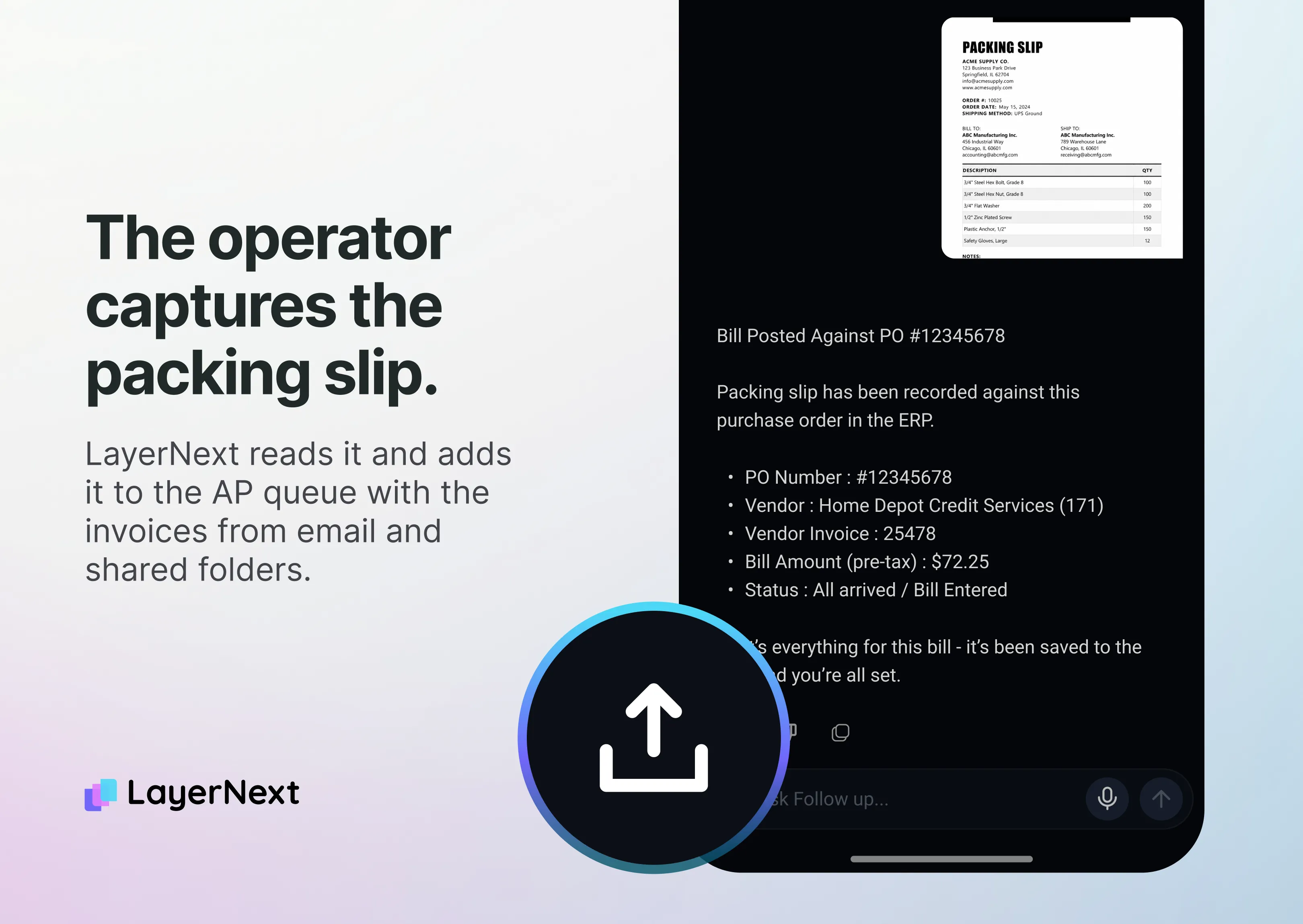
Invoices come in the way vendors already send them. LayerNext collects them from a dedicated email address, shared folders and cloud storage, and technicians can photograph receipts with mobile capture instead of saving paper for the end of the week. It reads scanned, handwritten and non-standard documents as well as clean PDFs.
That covers the invoice types service companies see most: parts, materials, equipment rentals, fuel and subcontractor bills.
Step 2: Connect
LayerNext extracts the vendor, invoice number, dates, line items, tax and totals. It then looks up the matching work order, project, task and branch in SL, so each line is tied to the job it belongs to.
Two checks run before anything moves forward. Duplicate Invoice Detection compares the invoice against what is already in SL, which catches the same bill sent twice by email and by mail. Automatic GL Coding applies the account and subaccount the finance team has set for that vendor or cost type.
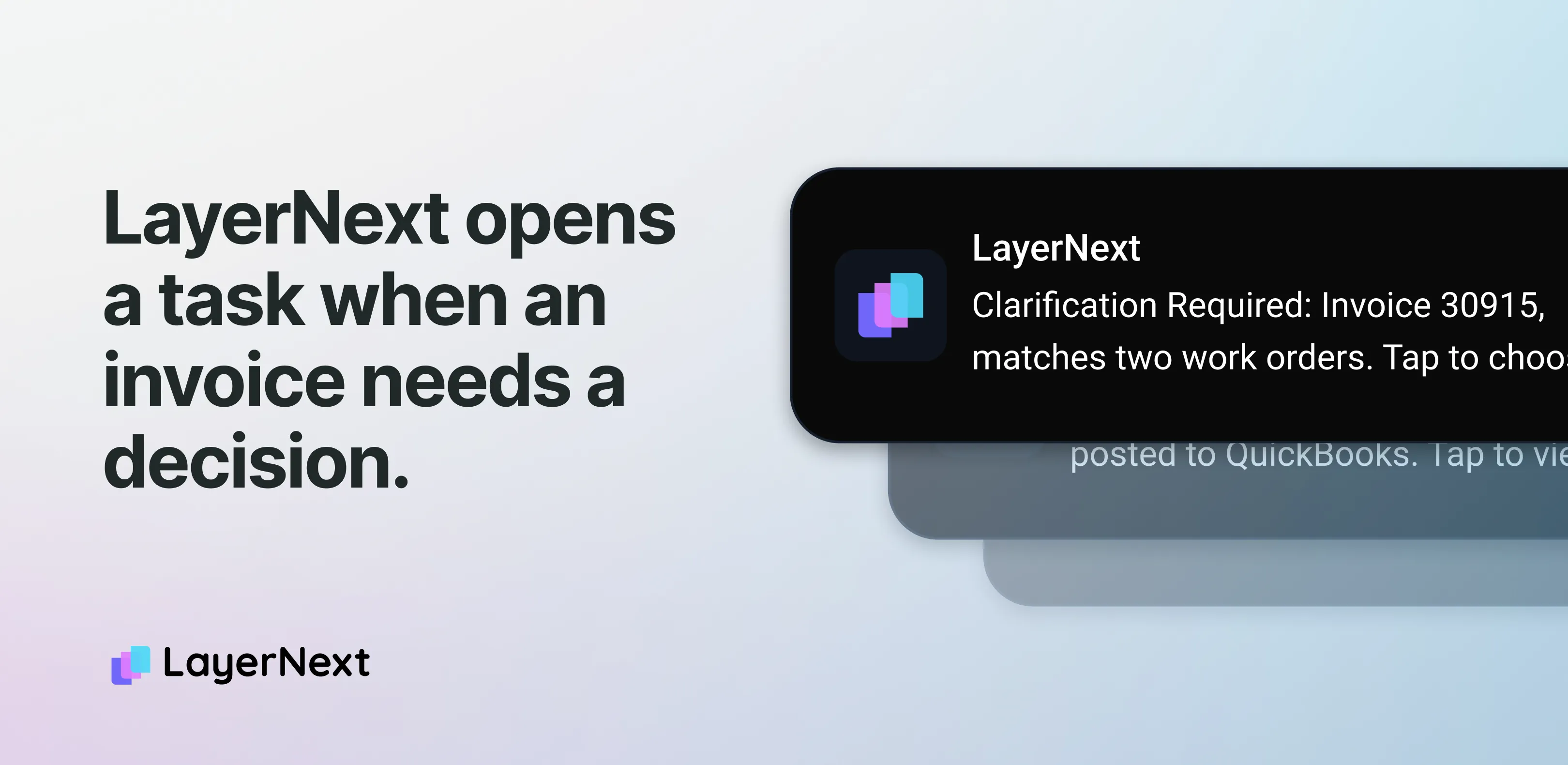
When something doesn't fit, such as an invoice with no work order reference or a line that matches two jobs, LayerNext creates a task in its portal with the invoice number, the supplier and the issue, and assigns it to a named person.
Step 3: Route
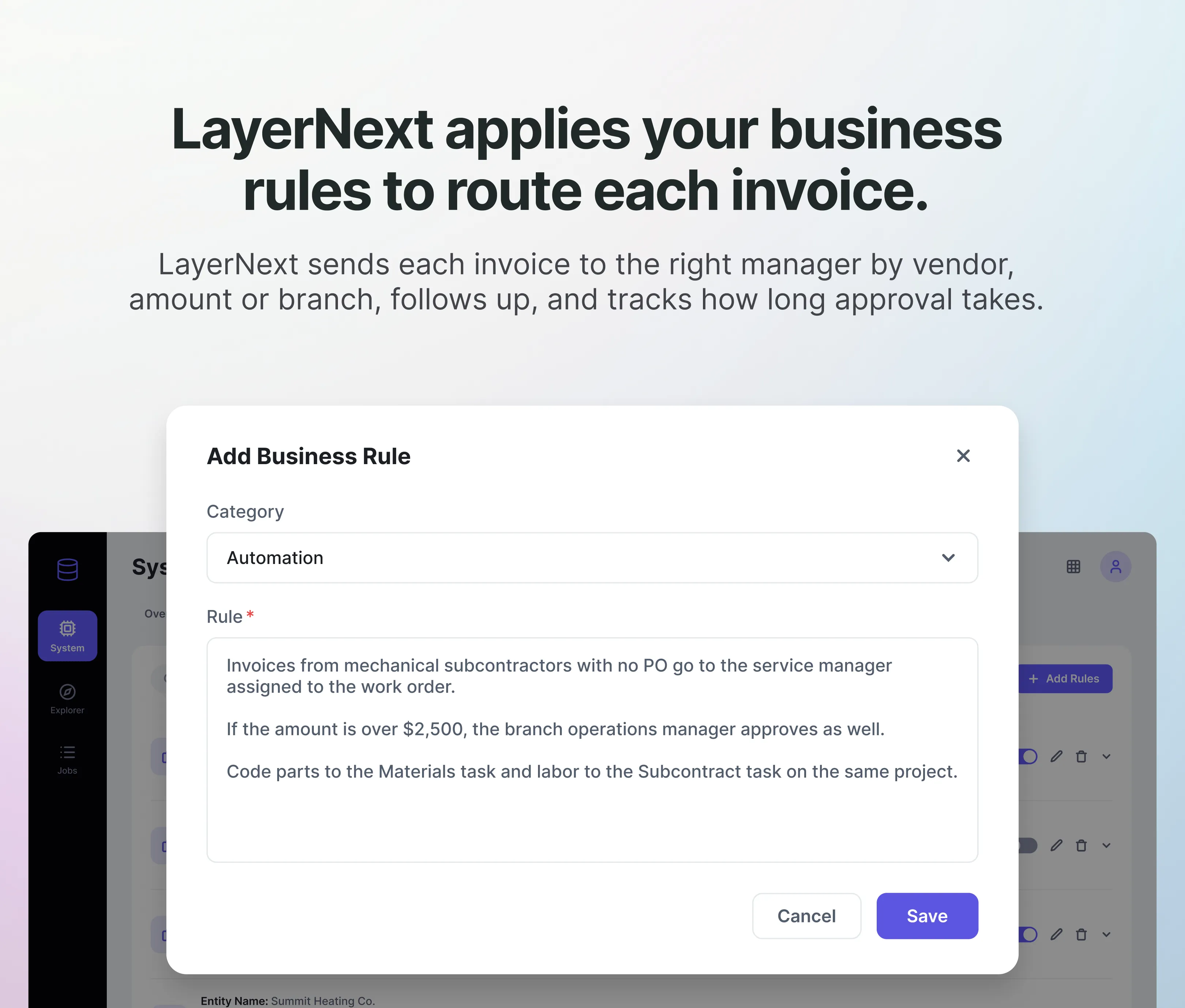
The routing and coding rules are written by the finance team in plain English, in LayerNext's Business Rules section, and can be set per vendor, amount, branch or GL code. A rule for subcontracted repairs might read:
Invoices from mechanical subcontractors with no PO go to the service manager assigned to the work order. If the amount is over $2,500, the branch operations manager approves as well. Code parts to the Materials task and labor to the Subcontract task on the same project.
This is also where service confirmation happens. For an invoice with no receiving record, LayerNext sends the responsible manager an approval task with the invoice attached. It sends reminders when the task stays open, and it tracks how long each approver takes, so a controller can see which approvals are aging and who is holding them. The Insight Board shows how many invoices have been processed and how many are waiting on a person.
Step 4: Complete
Nothing posts until a person approves it. Once the invoice is approved, the agent opens Voucher and Adjustment Entry (03.010.00) in SL and enters the vendor, invoice number, dates, amounts and the project and task on each line, using the same fields an AP clerk fills in. Fields a company added to the screen through SL's Customization Manager are filled in the same way.
SL sometimes responds with a warning, such as a closed period or a vendor on hold. The agent reads the message, retries the step when the workflow defines a retry, and otherwise sends it to a person as a task instead of guessing. Every document, action and approval is written to the audit trail.
This works the same whether SL runs on a local server or is hosted in Azure. There is no middleware to maintain and no import file to check.
Step 5: Reconcile
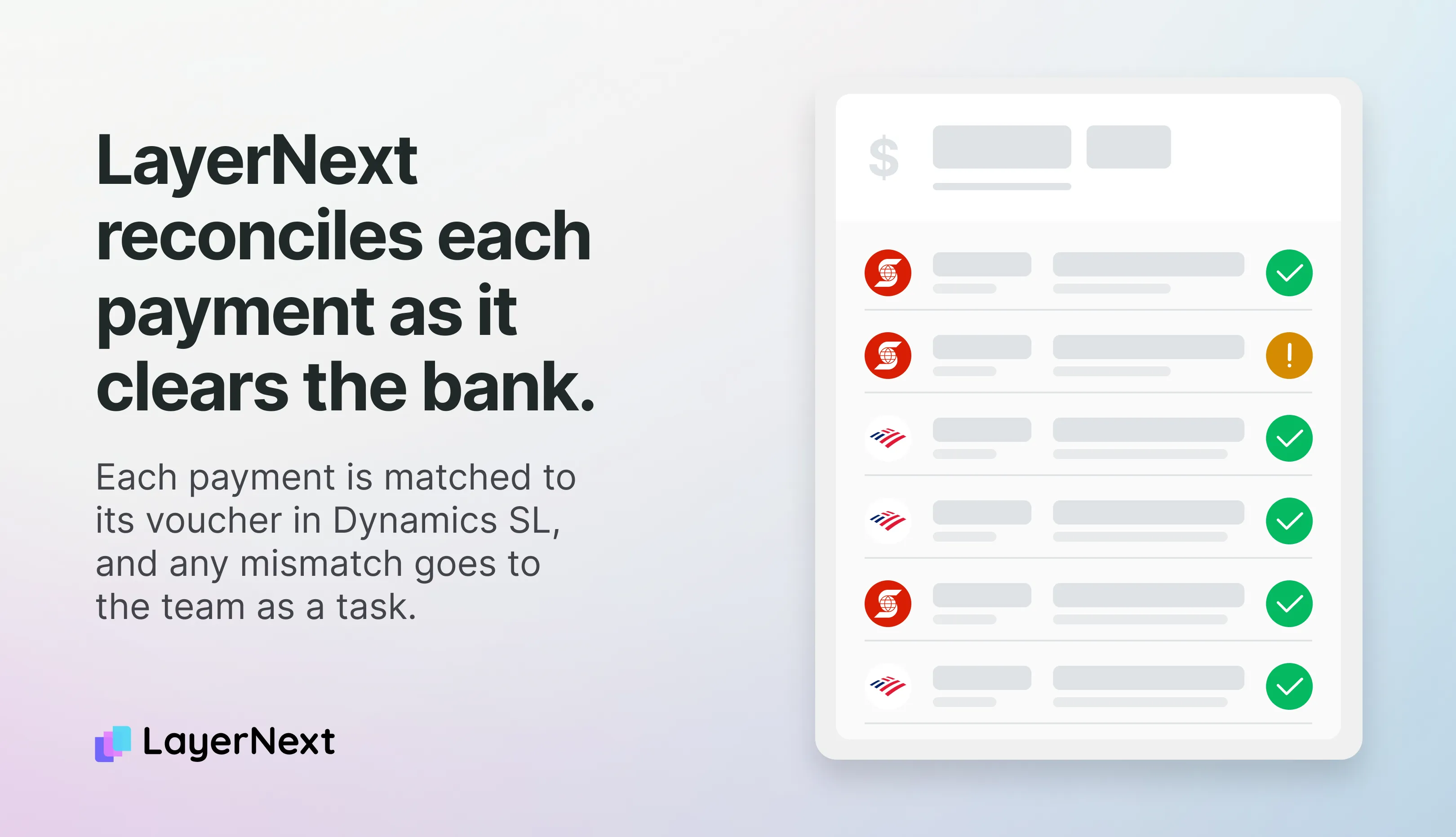
After payment, LayerNext's Real-time Bank Reconciliation matches each payment to the bank feed as it clears, with the bank connection handled through Plaid. Statement Reconciliation compares vendor statements against open AP in SL, which finds invoices a vendor believes were sent but that never reached the AP inbox.
Moving Off Dynamics SL: Versions, Dates and What Happens to AP
Microsoft's dates for Dynamics SL are fixed. The version in use decides how much time a company has.
A few more dates and facts affect service companies:
- Microsoft said it would ship no more year-end updates for SL once mainstream support ended, including the W-2 and 1099 changes it used to release each December. Service companies that pay many subcontractors file a large number of 1099s, so the missing updates affect them directly.
- On January 15, 2030, Service Plan coverage ends and companies can no longer add perpetual SL users.
- A company on SL 2015 or earlier has to upgrade to SL 2018 before it can migrate to Business Central.
- Hosting SL in Azure moves it off aging hardware, but it doesn't extend Microsoft's support dates.
Microsoft recommends Dynamics 365 Business Central as the next system and publishes a cloud migration tool for SL. The tool moves the chart of accounts, vendors, open AP balances and Project Controller projects, tasks and resources. AP history is optional and lands in separate tables used for reporting. Business Central has its own Projects module, and some project-based firms add a third-party module for deeper project accounting. Larger companies sometimes choose Dynamics 365 Finance with Project Operations instead.
The migration tool doesn't move the knowledge an AP team uses every day: which vendor codes to which task, which branch manager approves which work, which subcontractors need a signed-off work order before payment. At many companies that knowledge is held by a few people on the AP team.
In LayerNext, those rules belong to the finance team and are stored in LayerNext, not in SL. When the company moves to Business Central or F&O, the Business Rules, routing and approval chains stay as they are. The entry step changes from SL's screens to the new system's API.
Microsoft has also added a Payables Agent to Business Central. The table below compares it using Microsoft's published documentation.
The Payables Agent is a useful tool for a Business Central company with simple, PDF-based vendor invoices. It doesn't run on SL, and Microsoft's documentation doesn't describe approval routing or project coding.
Rolling Out AP Automation at a Service Company
Service companies usually start small. The first phase covers capture and approval routing, so managers get approval tasks and reminders while the AP team still keys vouchers into SL. Posting into SL is added once the team has checked enough of LayerNext's coding to trust it.
The schedule follows three phases: discovery in weeks 1 and 2, a pilot in weeks 3 to 6, and full deployment by week 12.
The agent reads, codes, routes, enters and reconciles. The AP team still approves every invoice, resolves the exceptions sent to it as tasks, and owns the rules. Finance teams running LayerNext get back 90 to 165 hours a month, see 90 to 100% fewer processing errors, and reach 95%+ task accuracy on defined workflows.
For the IT Director, data is encrypted in transit and at rest, access is strictly controlled under SOC 2-aligned security practices, and customer financial data is never used to train models. The agent works through SL's existing screens, so SL doesn't need a new API or integration opened to it.
Checklist for Evaluating AP Automation on Dynamics SL
- The tool enters the voucher in SL itself, with project and task on each line, and doesn't hand back a file for Transaction Import.
- It confirms service work with the responsible manager when there is no PO or receiving record, and it shows how long each approver takes.
- The finance team can write and change routing and coding rules without a developer or an IT ticket.
- A person approves every invoice before it posts, and the audit trail records who approved what and when.
- The same rules and approval chains carry over to Business Central or F&O, with only the entry step changing.
Common Questions About Microsoft Dynamics SL and AP Automation
