Summary
- Dynamics AX has had no Microsoft support of any kind, including security patches, since January 10, 2023, when extended support for the last version, AX 2012 R3, ended.
- Dynamics AX's cloud successor is Dynamics 365 Finance and Supply Chain Management (F&O), not Business Central, which descends from Dynamics NAV and GP instead.
- Business Central's AI-powered Payables Agent, generally available since November 7, 2025, reads invoices from email and drafts purchase documents, but it isn't available in Finance & Operations, the product AX customers actually migrate to.
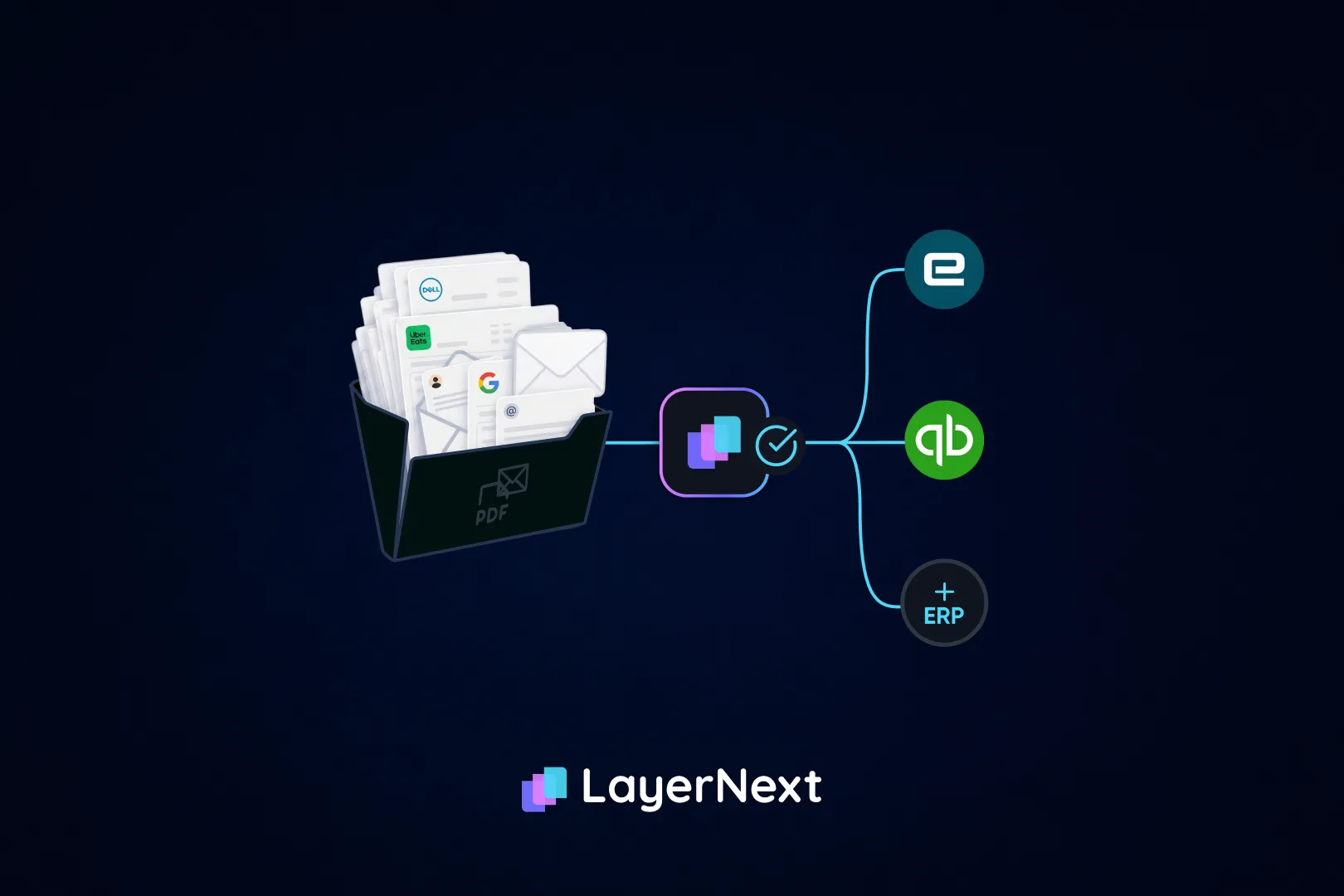
- LayerNext automates AP on both platforms through one process: its agents connect to Dynamics 365 F&O's API where it exists and operate Dynamics AX's own screens where no API is available.
- Best-in-Class AP teams process invoices at roughly 79% lower cost than their peers, according to Ardent Partners' State of ePayables 2025 survey of 204 AP and finance leaders.
Microsoft Dynamics AX and Dynamics 365 handle accounts payable differently, and the gap has gotten sharper since AX lost its last shred of Microsoft support. This page covers what changes for a controller, an AP manager, an IT lead, or a CFO deciding whether to automate now, migrate first, or do both at the same time.
What Happens When You Automate AP on Dynamics AX?
Dynamics AX started life as Axapta before Microsoft acquired it in 2002, and its last major on-premises release was AX 2012 R3 in 2014. Nothing has replaced it directly. Microsoft folded its functionality into Dynamics 365 Finance and Supply Chain Management, the enterprise cloud product AX customers are pointed toward when they modernize.
The more pressing fact for anyone still running AX: every version is now fully outside Microsoft support. Mainstream support for AX 2009 SP1, AX 2012, and AX 2012 R2 ended October 9, 2018, and their extended support, security hotfixes only, ended April 12, 2022. AX 2012 R3, the last release, lost mainstream support October 12, 2021, and its extended support ended January 10, 2023. Since that date, no version of AX has received a security patch of any kind.
That doesn't stop AX from running. Plenty of manufacturers and distributors still process real invoice volume on it every month. But it does mean automating AP on AX runs into a familiar wall: there typically isn't a usable API to connect to, because the product was never built with modern integration in mind and Microsoft stopped investing in it years ago. AP tools that assume an API-accessible ERP have nowhere to plug in. The practical fix is automation that reads and operates AX's own screens, the same way a person does, rather than automation that waits on an integration the ERP was never built to expose.
Moving From Dynamics AX to Dynamics 365: What Changes for AP Teams
Dynamics 365 Finance and Supply Chain Management, usually shortened to F&O, is the product AX customers actually land on when they modernize. It is not Business Central, a common mix-up. Business Central descends from Dynamics NAV and GP and is built for small and mid-sized companies. F&O is built for multi-entity, multi-currency enterprise operations, which is the market AX served.
F&O's approval workflow is a genuine strength, not a gap. Its native Workflow module supports conditional decisions, position-hierarchy routing, and dollar-threshold signing limits, and has for years. A controller can build a rule that routes any invoice over a set dollar amount to a specific approver without writing code. That's a real difference from a platform like Epicor Kinetic, which has no native AP approval routing at all.
Where F&O still leaves work on the table is earlier in the process: reading unstructured invoices and matching them across legal entities. Its native tools assume reasonably structured input and a single-entity view. A multi-plant manufacturer or a distributor running several legal entities on one F&O instance still needs something upstream of the workflow engine to read messy supplier PDFs and reconcile a partial shipment against the right entity's purchase order before that workflow ever fires.
Why Modern Dynamics Environments Still Need AP Automation
Moving to Dynamics 365 Finance and Supply Chain Management fixes the support problem. It doesn't fix the AP problem on its own, and that catches a lot of finance teams off guard, since it's easy to assume "modern" means "solved."
In 2025, Microsoft did make a real move toward AI-driven AP automation. It added an AI-powered Payables Agent to Business Central that reads invoice PDFs from a Microsoft 365 inbox or a SharePoint folder, uses Azure Document Intelligence to extract the data, and drafts a purchase invoice for review. It reached general availability on November 7, 2025. That's genuinely useful, and it's also only in Business Central, the NAV and GP successor. It was never built for Finance & Operations, the AX successor. So a Dynamics AX customer who migrates to modernize their AP process, expecting to inherit Microsoft's new AI agent, lands on the one Dynamics product that doesn't have it.
Set the Payables Agent aside entirely and the gap is still there. F&O's own workflow engine was never built to read unstructured invoices or catch a mismatch across legal entities before that workflow fires. It routes what's already been matched. It doesn't do the matching itself.
Put together: a company that finishes migrating from AX to F&O has traded an unsupported ERP with no automation for a supported ERP that still needs automation, just at a different point in the process. The upgrade removes one problem and leaves the other exactly where it was.
Why Distribution Companies Still Struggle With AP Automation on Dynamics
Distributors and building-materials suppliers were some of the heaviest AX adopters, and many are still on it. Volume is the issue: a distributor running thousands of invoices a month against dozens of vendor rebate programs needs matching logic that holds up at that scale, not just for a handful of POs a week. A rebate tied to quarterly volume doesn't show up as a line-item discrepancy the day the invoice lands. It surfaces months later, when nobody remembers which vendor agreement it traces back to. That's a matching problem neither AX's native tools nor F&O's workflow engine were built to solve on their own.
The AP Challenges Manufacturers Face With Dynamics AX and Dynamics 365
Manufacturers on AX often carry deep customizations tied to bills of materials and engineering change orders, built up over a decade or more of use. A supplier can ship against a superseded part revision while the purchase order was cut against the prior one, and the receipt and the invoice both look correct in isolation. That's a revision-tracking problem, and it shows up disproportionately in discrete manufacturing environments, where AX's customization depth made it a popular choice in the first place.
Where Field Service Companies Hit AP Bottlenecks on Dynamics
This one isn't a stretch fit. A whole ecosystem of third-party rental-management software, DynaRent and Sycor.Rental among them, is built specifically to run on Dynamics AX and Dynamics 365 Finance and Supply Chain Management, tracking equipment availability, maintenance schedules, and technician dispatch alongside the core ERP. Equipment-driven rental and field-service operators are common enough on this platform that dedicated add-ons exist for exactly that reason.
For AP, the pain looks different from a standard PO mismatch. A repair or maintenance invoice from a third-party service shop needs to trace back to the right piece of equipment and the right rental contract, not just the right vendor, and a subcontractor's invoice is often tied to a specific job site rather than a warehouse receipt. That's a matching problem neither AX's native tools nor a bolt-on rental module were built to solve for AP specifically, since they're built to manage the equipment and the schedule, not the invoice.
Dynamics AX vs. Dynamics 365: The Differences That Matter for Finance Teams
How Dynamics Changes Affect Different Finance Teams
AX's support status and F&O's native gaps don't land the same way on everyone in finance. What each person actually has to deal with:
- What Controllers Need to Consider.
Close calendar and exception volume are the daily reality. On AX, matching is often manual because there's nothing automated to trust, so exceptions surface at close instead of when the invoice arrives. On F&O, native workflow handles approval routing well, but reading unstructured invoices and catching multi-entity mismatches before they ever reach that workflow still falls to the team. A controller managing an AX-to-365 migration also inherits a messy in-between state: some invoices moving through the new F&O workflow, others still keyed by hand on AX, with no single view of where either process actually stands.
- What AP Leaders Need to Consider.
The daily queue looks different on each platform. On AX, it's mostly keying, since nothing routes or matches automatically, so the queue is the whole job. On F&O, the queue shifts toward reviewing what the native workflow already routed and resolving the exceptions the workflow doesn't catch, like a rebate tied to a program from three years ago. Either way, the day-to-day work doesn't shrink until something reads and matches the invoice before it reaches a person.
- What IT Teams Need to Evaluate.
AX's support status is the real story here: no security patches of any kind since January 10, 2023, on a system that's often still handling real financial transactions. Adding automation shouldn't add risk on top of that. Automation that operates through AX's own screens doesn't require opening a new API surface or granting broader access than a person already has, and it runs inside the same encrypted, single-tenant, audit-logged posture as automation on any other system.
- What CFOs Should Think About Before Automating AP.
AX and its AP process are really two separate decisions on two separate timelines. A Finance & Operations migration is a multi-month IT project with its own budget cycle. Automating AP is not. LayerNext deploys in weeks, and it runs on AX today the same way it runs on F&O later, through the same workflow, business rules, and audit trail, with nothing to redo when the migration eventually happens. The processing-cost case for acting now stands on its own. Ardent Partners' State of ePayables 2025 survey of 204 AP and finance leaders puts top-performing AP teams' invoice processing cost at roughly 79% lower than their peers, with cycle times tracking the same gap. The average organization spends close to $9.40 to process a single invoice; top-performing teams do it closer to $2.78. On 3,000 invoices a month, that gap alone is worth well over $200,000 a year, before counting the early-payment discounts a nine-day cycle time costs a business every month. None of that requires waiting on an ERP migration to capture.
What to Check Before You Automate AP on Dynamics AX or Dynamics 365
Before taking any AP automation claim at face value on either platform, a few questions cut through most of the marketing:
- ERP entry: API or screens?
Ask whether a tool posts through Dynamics 365 F&O's API, or actually operates AX's own screens where no API exists. A vendor that only works with API-connected ERPs has nothing to offer an AX customer who hasn't finished migrating.
- Multi-entity matching, or single-entity?
Confirm the matching logic checks the invoice, PO, and receipt against the correct legal entity, not just the correct vendor. Native F&O workflow routes what's already matched; it doesn't do that matching itself.
- Which Dynamics product, specifically?
"Dynamics" covers AX, Finance and Supply Chain Management, and Business Central, three different products with three different automation stories. A vendor that lumps them together under one pitch probably hasn't built for the one actually in use.
- Your actual invoices, or a clean demo set?
Ask whether the tool will run the invoice with a partial shipment, or the one tied to a rebate program from three years ago, not just a folder of well-formed sample PDFs.
- Timeline in writing?
Get the deployment timeline in writing, and ask whether it changes for a company running AX at some locations and F&O at others.
None of that means the answer has to be a new platform for every AX or F&O customer. A single-entity shop with modest volume and a functioning manual process may reasonably decide native tools, patched together with a lighter point solution, are enough for now. The case for a dedicated AP automation layer gets stronger specifically as legal entity count, invoice volume, and the AX-to-365 migration timeline all start moving at once.
Why Traditional AP Automation Approaches Fall Short
Most AP automation tools were built with an assumption baked in: a modern, API-accessible ERP on one side, and clean, mostly structured invoices on the other. Dynamics AX and Dynamics 365 break both assumptions, in different ways.
On AX, the API assumption fails outright. Tools that connect through an API have nowhere to plug in, so vendors either decline the deployment, hand over a file-based import that stops short of the final posting step, or point customers toward robotic process automation instead. RPA can technically click through AX's screens, but it follows a fixed script. Change a field, a screen layout, or a workflow step, and the script breaks until someone rebuilds it, which is a real risk on a platform Microsoft hasn't updated in years but partners and customers still customize.
On F&O, the API exists, so more tools connect. But most of them stop at capture and validation, the same two stages the market solved years ago, and hand the matched invoice back for someone to key or file-import into the ledger. Fewer still are built to match invoices across multiple legal entities, which is exactly the scale problem distributors and manufacturers running F&O actually have.
Neither gap is a minor inconvenience. It's the difference between automation that removes the typing and automation that just moves it somewhere else.
How LayerNext Connects Dynamics AX and Dynamics 365 AP Processes
LayerNext runs AP automation on Dynamics AX and Dynamics 365 as one process, not two separate projects. Dynamics is one system among several it works across, alongside QuickBooks, Sage, NetSuite, SAP, Epicor, and other legacy and custom ERPs, so a company running AX at one plant and F&O at another isn't stitching together two separate AP tools to cover each one. What that looks like in practice:
A Single AP Process Across AX and Dynamics 365
AX and F&O run through the same workflow, business rules, and audit trail. A company running AX at one plant and F&O at another gets one AP process, not one per system, and nothing has to be rebuilt when a plant eventually migrates.
Capture Invoices Wherever They Arrive
Invoices arrive however a plant already receives them: a shared inbox, a network folder, a direct feed from AX or F&O, or files dropped into cloud storage. Nobody has to standardize intake before automation can start.
Handling Complex Matching Across Plants and Legal Entities
Every invoice is checked against the purchase order and, for physical goods, the goods receipt, exactly where AX's native tools and F&O's workflow engine both leave gaps. The agents catch the exception types that show up on any ERP: partial deliveries, price variance, missing receipts, and unit-of-measure mismatches between a supplier's part codes and the item master.
Turning AP Exceptions Into Actionable Workflows
Each exception is tagged by invoice number, supplier, and issue type, then routed to the person who can actually resolve it, instead of sitting in an inbox waiting to be noticed.
Let Finance Teams Manage Their Own Business Rules.
F&O's native workflow is real, but it's IT-configured and change-controlled. LayerNext's business rules layer sits above that: a controller writes an approval chain or an entity-specific coding rule in plain English, no IT ticket required, and the system searches thousands of rules to find the right one for a given supplier or entity in real time. On AX, where that kind of routing usually doesn't exist natively at all, the same layer fills a gap rather than sitting alongside an existing one.
.webp)
Working With the ERP Environment You Already Have
Validated entries post through F&O's API where that connection exists, and through AX's own screens, the same fields a person would use, where it doesn't. Neither path requires middleware or a file export someone has to babysit.
Connecting AP Automation With Reconciliation
Once an invoice posts, the resulting payment gets matched against the bank feed as it lands, across every account and entity, rather than sitting for someone to chase down at close.
Human approval and a full audit trail on every step
Nothing reaches the ledger without sign-off, and every document, action, and approval is logged for compliance and traceability.
Manufacturers and distributors running this see 90 to 165 hours returned to the finance team each month, 95%+ task accuracy on defined workflows, and deployment measured in weeks, not months.
Common Questions About Dynamics AX and Dynamics 365 AP Automation