Summary
- Epicor's BisTrack ecosystem has three separate automation layers: the BisTrack API, the native AP Assist matching tool, and Automation Studio, a general-purpose Workato-powered integration platform with no accounts payable functionality of its own. Confusing the three is how a distributor ends up committed to a custom build while expecting a finished product.
- Eagle's AP Assist requires a template built for every vendor before it reads that vendor's invoices. Onboarding twenty vendors from an acquisition means building and testing twenty templates first.
- Ardent Partners' benchmark research puts the touchless processing ceiling for the industry's top-performing AP teams at approximately 49.2%, not the 80 to 90% some vendors imply.
- Stampli and Vergo are each strong at what they were built for: invoice approval collaboration, and construction job-cost coding with a real, dedicated BisTrack posting integration, respectively. Neither reconciles against a bank feed, and neither is built for a distributor group running more than one Epicor system.
- LayerNext operates across Eagle, BisTrack, and LumberTrack through the same ERP and Desktop Automation capability, with no API required, giving a multi-system distributor one AP process instead of three.
Epicor Eagle, BisTrack, and LumberTrack each handle accounts payable differently, and none of them do it the way a dedicated AP automation platform does. This guide breaks down what AP Assist, Automation Studio, and the BisTrack API actually do, where each system's native tools stop short, and what a building materials distributor running more than one of these systems needs to close the gap.
That question is worth more than idle curiosity. Building materials distributors and dealer groups that grew through acquisition often end up running Eagle at one location, BisTrack at another, and LumberTrack at a mill, with no single AP process connecting them. Before comparing the systems themselves, it helps to untangle a confusion that sits inside BisTrack alone: Epicor offers three different tools that all sound like automation, and mixing them up is an expensive mistake to make.
What's the difference between the BisTrack API, AP Assist, and Automation Studio?
The BisTrack API, AP Assist, and Automation Studio solve three different problems, and confusing them is how a distributor ends up buying the wrong thing.
The BisTrack API is the raw connection point: authenticated, programmatic access to BisTrack's data and functions, meant for connecting it to outside applications. On its own it requires a developer, or an integration platform built on top of it, to do anything useful. It is infrastructure, not a finished workflow.
AP Assist is the only one of the three actually built for accounts payable. It reads an invoice without requiring a vendor template first, and runs both two-way matching (invoice to purchase order) and three-way matching (adding stock receipt validation) before creating payables directly in BisTrack. Exceptions get routed for review, which leaves one real question worth asking directly in any AP Assist sales conversation: does a human sign off on the postings that never trigger an exception, or do those go straight to the ledger unattended?
Automation Studio is a different thing entirely, and calling it AP automation is like calling a generic workflow builder an accounting system because it can move numbers around. It's a low-code integration platform built on Workato, offering more than 2,000 pre-built connectors for linking BisTrack to CRM, ecommerce, and other business systems generally. It carries no accounts payable or invoice-processing functionality of its own, and it requires BisTrack API access to use. Pointed at AP, someone still has to build the matching logic, exception rules, and validation checks that AP Assist already has built in, which is why using Automation Studio for AP is a development project with a variable cost and timeline, not a subscription with a fixed one.
Eagle and LumberTrack don't carry this same three-way confusion, for different reasons. Eagle has AP Assist but nothing equivalent to Automation Studio, so an Eagle buyer only has one native option to evaluate. LumberTrack has neither, which is its own problem, covered next.
Does Eagle, BisTrack, or LumberTrack have AP automation built in?
BisTrack's AP Assist works without vendor templates. Eagle's version still requires one, and that requirement has a real operational cost, not just a technical footnote. LumberTrack has nothing built for general accounts payable at all.
Epicor Eagle is built for retail hardware, building supply, and specialty retail stores, where point-of-sale and inventory data live in the same system as purchasing. Eagle's AP Assist scans invoices, but it requires a template built for each vendor before it reads that vendor's invoices correctly. Picture a location absorbing twenty new vendor accounts from an acquisition: that requirement turns into a queue of twenty templates someone in the back office has to build and test before those invoices process automatically, and until each one is done, that vendor's invoices go back to manual entry.
Epicor BisTrack is built for building supply distributors, pro dealers, and specialty suppliers such as roofing, drywall, door, and truss companies, where invoice volume runs far higher and cost has to land against the right job or branch, not just the right GL account. BisTrack's AP Assist recognizes new vendor layouts automatically, removing Eagle's template queue. That claim comes from the company selling the tool, not from an independent test against a full, messy accounts payable ledger, which is exactly the caution the next section works through.
Epicor LumberTrack is built around log and production tracking for sawmills and panel mills, not retail or distribution transactions. Its related FiberTrack module handles log procurement and settlement, paying loggers by volume and grade, not general vendor invoices for equipment, fuel, or supplies. Mills on LumberTrack process the same categories of supplier invoice as any other business, for fuel, parts, and service vendors, but no automation exists for that side of it. A mill running LumberTrack today is handling AP exactly the way it was done a decade ago.
What happens when a distributor runs more than one of these systems?
Running more than one of these systems doesn't just mean more work. It means nobody has one clean number for what a shared vendor actually owes the company back.
Picture a distributor group that grew by acquisition. One location runs Eagle, with its per-vendor template queue. Another runs BisTrack, where AP Assist adapts to new vendors automatically, a claim still worth weighing against the industry's touchless ceiling above. A mill runs LumberTrack, where the invoice lands in someone's inbox exactly the way it did ten years ago. Now say that same vendor, a regional lumber supplier, sells to all three locations and offers a 3% volume rebate calculated across total annual purchases. Eagle records purchases from that vendor one way, BisTrack tracks them against jobs and branches another way, and LumberTrack logs them however the mill always has. Nobody owns the job of pulling that vendor's total spend across all three systems by hand to check the rebate math, so at year end, whatever gets calculated is whatever someone remembered to add up. The gap between that number and the real one is money the distributor negotiated for and never collected.
That is not a workflow inconvenience. That is margin sitting on the table, unclaimed, every year the reconciliation doesn't happen. LayerNext has deployed AP automation for large building materials distributors in this segment.
Mike Janik, CPA, CGA
CFO, Sexton Family of Companies

Where do Stampli, Vergo, and Automation Studio fit, and where don't they?
None of these three set out to be a distributor's full AP-to-reconciliation platform, and that's worth taking on its own terms rather than counting as a shared failure. Each is genuinely good at the specific thing it was built for. The real question for a distributor is whether that specific thing is what's actually costing them money.
Stampli is an invoice collaboration and approval platform, and by most public reviews a mature, well-regarded one: routing an invoice to the right approver and keeping a clear record of who signed off and when. Its Epicor integration is file-based: it exchanges vendor lists, GL accounts, and open PO data with Epicor, and syncs an invoice's payment-authorization status and payment information back in. That's invoice-and-payment-status sync, not the API-based posting or bank-transaction tracing Stampli offers for NetSuite, SAP S/4HANA, and Dynamics 365, and it doesn't name BisTrack, Eagle, or LumberTrack among its integrations specifically. For a team that wants better visibility into Epicor approvals without taking on a bigger project, that's a real advantage. For a distributor whose actual problem is BisTrack's job- and branch-level coding, or the rebate reconciliation described above, Stampli wasn't built to solve either one.
Vergo is built exclusively for construction accounting teams: general contractors, specialty contractors, subcontractors, and construction management firms. It has a dedicated BisTrack integration, not just a passing mention, that reads branches, jobs, cost codes, GL accounts, and suppliers out of BisTrack, applies AI-inferred job and cost-code coding to each invoice and receipt line, and posts the coded transaction back through the BisTrack API. That's a real, specific BisTrack workflow. It doesn't reconcile payments against a bank feed; its scope stops at posting the coded invoice into BisTrack. For an LBM distributor whose invoices mainly need job- and cost-code coding on a single BisTrack instance, Vergo's coding automation is a genuine fit. For a distributor group running more than one Epicor system with the rebate problem described above, Vergo is built around one contractor's job-based accounting, not that.
Automation Studio's real strength is its breadth: more than 2,000 pre-built connectors make it a legitimate choice for a distributor that needs BisTrack talking to many systems, not just AP, and that already has the technical resources to build with it. Pointed specifically at accounts payable, it carries no invoice-reading intelligence, matching logic, or exception handling of its own, so someone still has to define all of that. Building AP automation on it isn't buying a product, it's commissioning a custom development project using its connector library as the raw material, which is why no deployment timeline exists for it anywhere in this comparison.
None of this means a dedicated AP platform is the right call for every distributor on these systems. A single-location BisTrack shop with modest invoice volume, no multi-system rebate problem, and no appetite for a new vendor relationship may reasonably decide that AP Assist's native, already-licensed match rate, short of touchless as it is, beats the cost and procurement effort of adding a separate platform. The case for a dedicated AP automation layer gets stronger specifically as invoice volume, vendor count, and the number of systems in play go up.
How does LayerNext automate AP across Eagle, BisTrack, and LumberTrack?
LayerNext reaches Eagle, BisTrack, and LumberTrack the same way: through each system's own interface, using its ERP and Desktop Automation capability, with no API required. Where a system exposes a clean API, LayerNext uses it as the faster path. Where it doesn't, the same agent operates the screens the way a person would, clicking through the same menus a controller would use manually. That's a different approach from Automation Studio, which needs the BisTrack API and a workflow someone builds by hand. LayerNext's agent works whether the system offers an API or not, so the path in changes but the workflow, business rules, coding logic, and audit trail on the other side stay identical.
For a distributor group split across more than one of these systems, that consistency turns into one AP process instead of one per system, built from six connected stages.
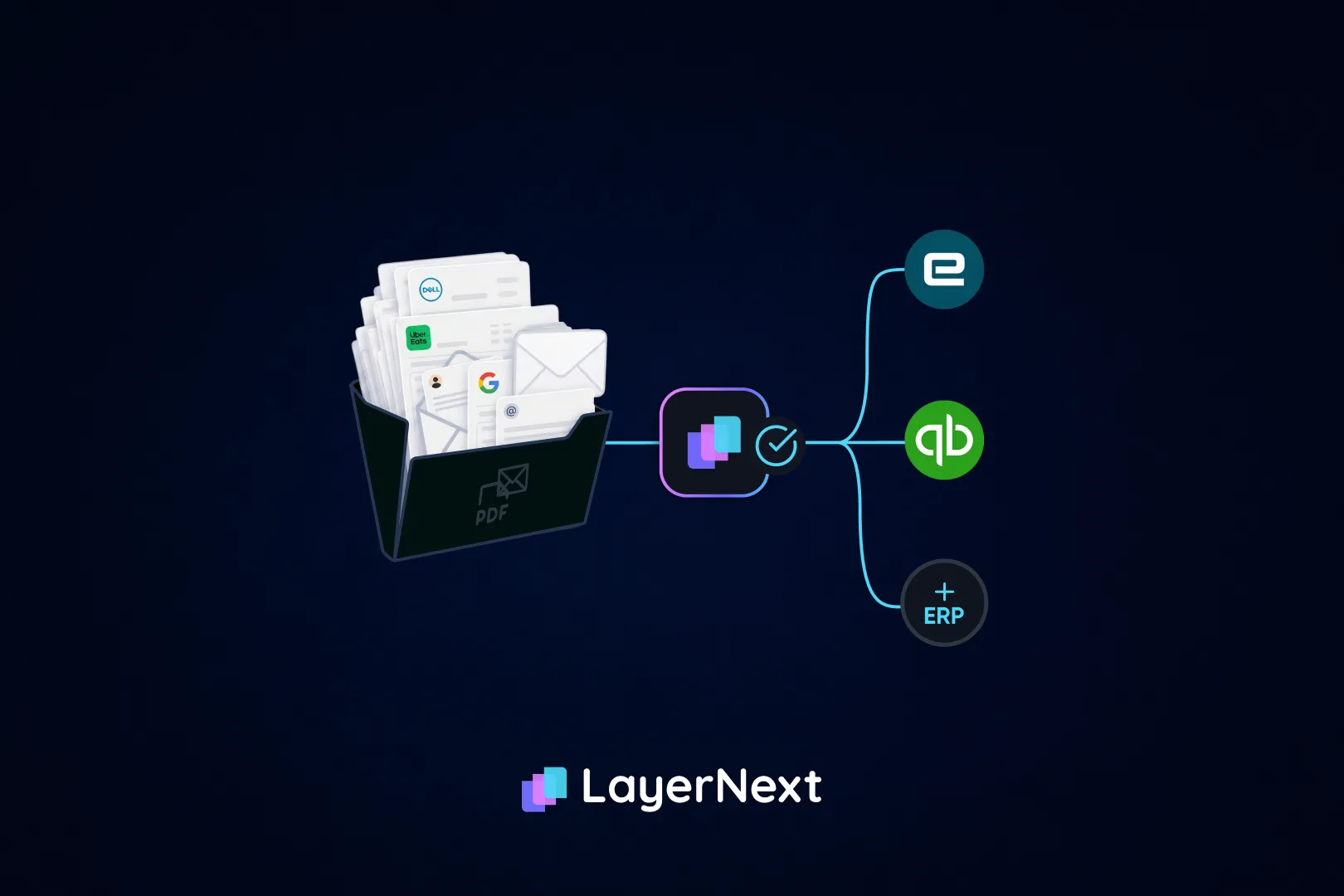
Ingestion doesn't depend on invoices arriving in one clean format. LayerNext pulls them from a dedicated inbound email address, from files on a shared drive or computer disk, from cloud storage such as an S3 bucket or Google Cloud, or from a connected SQL database, in addition to reading them directly out of Eagle, BisTrack, or LumberTrack where needed. A small regional supplier who faxes a photo of a handwritten invoice doesn't need a template built for them first; wherever that scanned image lands, it gets read the same way as a clean digital invoice from a major vendor.
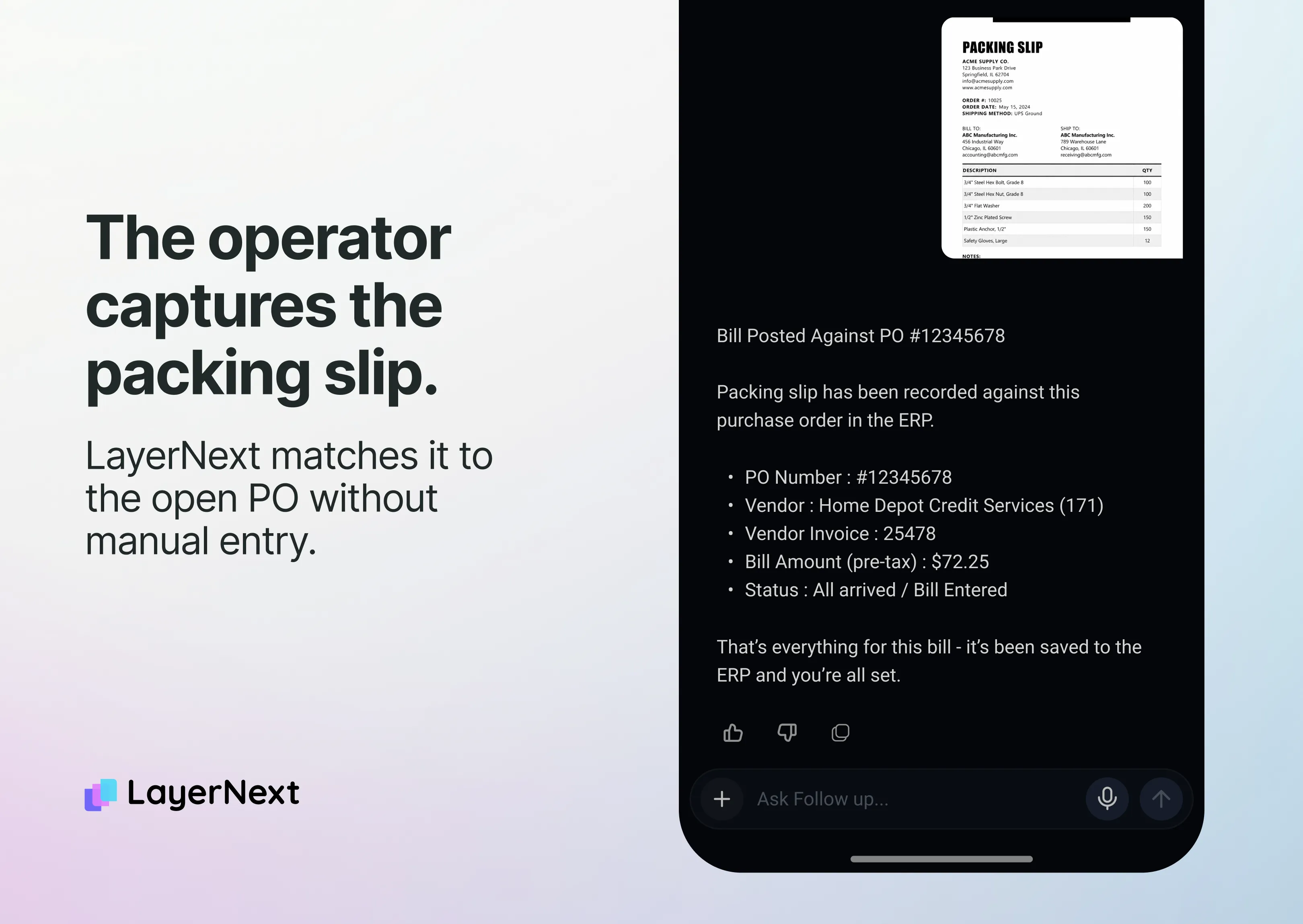
Matching runs two-way or three-way against the purchase order and, where applicable, the receipt. Underneath that sits a business rules engine where entity- and vendor-specific coding logic gets written in plain English by the finance team, not filed as an IT ticket. The system indexes those rules so it retrieves the correct one even across thousands of them, which is exactly what a BisTrack location with job- and branch-level costing needs.
Exception handling turns anything that doesn't match cleanly into a named, tagged task inside a shared portal rather than a message sitting in someone's inbox. If an invoice's tax doesn't match the shipped province, that becomes a specific task a Controller or AP Manager can look up by invoice number and resolve, instead of a flagged line item buried in a queue.
ERP entry posts validated entries directly into whichever system LayerNext is connected to, through that system's own interface, applying the same coding logic whether the entry lands in BisTrack, Eagle, or LumberTrack.
Reconciliation matches posted transactions against the bank feed as it arrives, using Plaid for the bank connection, rather than waiting for a batch reconciliation at month end. This is also what solves the rebate problem described earlier: with every transaction reconciled and coded consistently across all three systems as it happens, pulling a shared vendor's total spend for a rebate calculation becomes a query against one dataset, not a manual reconstruction three people have to do separately.
Audit trail carries full traceability across every invoice and every system, in one place, giving a Controller or IT Director the compliance and audit readiness they need without reconstructing it after the fact.
All of this shows up in a single dashboard, called the Insight Board, where a manager can see how many invoices have processed and how many are waiting on a task, across Eagle, BisTrack, and LumberTrack at once.
Every entry still goes through human approval before it posts. Against the category's $9.40 average cost per invoice, LayerNext customers report 90 to 165 hours returned to the AP team every month and 90 to 100% fewer processing errors, self-reported customer results rather than a third-party audit, worth the same scrutiny this article has applied to every other vendor's numbers. Deployment is generally in weeks, not months, on the same schedule regardless of which system it's connecting to: discovery in weeks 1 to 2, a pilot in weeks 3 to 6, and full rollout by week 12.
That reconciliation step is what actually shortens close for a Controller. Month-end isn't only a fight against invoice volume; it's the fact that what posted and what actually cleared the bank get reconciled separately, after the fact, often across three different systems. Running reconciliation continuously instead of once a month means close stops waiting on it.
What to check before you buy
Before taking any AP automation claim at face value, on Eagle, BisTrack, LumberTrack, or elsewhere, a few questions cut through most of the marketing:
- Which tool, specifically?
If a vendor says it integrates with BisTrack, ask whether that means through the API, through AP Assist, or by building the workflow on Automation Studio. Those are three different answers with three different setup burdens, and vendors rarely volunteer which one they mean.
- Whose vendor mix?
Does the touchless rate quoted describe the vendor's actual customer mix, or one clean account?
- Which system, by name?
Does the tool cover the specific system in use, Eagle, BisTrack, or LumberTrack by name, rather than Epicor generically?
- Posting or reconciling?
Does it stop at posting, or does it reconcile against the bank feed afterward too?
- Timeline in writing?
What's the deployment timeline, in writing, not left open-ended?
None of that means the answer has to be a new platform. A distributor on a single system, with manageable volume and no rebate visibility problem to solve, may find that native AP Assist, or a lighter tool like Stampli for approval routing alone, is a better match for the actual size of the problem than a full AP-to-reconciliation platform. The math changes as volume, vendor count, and the number of systems in play go up.
If that's the situation, and the invoices in question are the messy kind, scanned, non-templated, buried in rebate terms, or landing in three different systems across the company, send us your ugliest invoices. LayerNext will run them through and show exactly what gets matched, what gets flagged, and what would have posted on its own.
FAQ