


Summary
- Accounts payable is what a company owes suppliers for goods and services it has already received but not yet paid for. It sits on the balance sheet as a current liability.
- The term also names the finance function that receives, checks, approves, records and pays supplier invoices, and it is the control point where most payment errors and fraud either get caught or get through.
- Accounts payable is the mirror image of accounts receivable, and it is downstream of procurement: procurement decides what to buy and issues the purchase order, AP handles everything from invoice receipt to reconciliation.
- The full process runs eight steps, from invoice receipt to bank reconciliation, with purchase order matching and approval as the two steps that carry most of the control weight.
- Processing one invoice costs an average business $9.40 and takes 9.2 days. Best performers spend $2.78 and take 3.1 days (Ardent Partners, Accounts Payable Metrics That Matter in 2025, based on 212 AP and finance professionals).
Accounts payable is the money your company owes suppliers for goods and services you have already received but have not yet paid for. It sits on the balance sheet as a current liability, and it is also the name of the finance function that handles those supplier invoices from arrival to payment.
This guide covers what the term means, how it differs from accounts receivable and procurement, the process step by step, who does the work, and the benchmarks finance leaders use to judge whether it is running well.
What is accounts payable?
Accounts payable, usually shortened to AP, is a short-term obligation to a supplier. Your company received something, an invoice arrived, and payment has not gone out yet. Until it does, the amount sits in accounts payable.
Finance teams use the term three ways, often in the same conversation.
A balance sheet liability.
Accounts payable is a current liability, meaning it is expected to be settled within twelve months and usually much sooner. A balance sheet showing $840,000 in accounts payable means that is what the company owed suppliers on the date the statement was prepared.
A finance function.
The AP department, or the person doing the job at a smaller company, receives supplier invoices, checks them against orders, gets them approved, records them in the accounting system and schedules payment.
A control point.
Nearly every dollar leaving the business for goods and services passes through accounts payable, which is why duplicate payments, miscoded expenses, price discrepancies and supplier fraud tend to surface here. Auditors spend a disproportionate share of their time in this function for the same reason.
One accounting detail worth getting right: accounts payable carries a credit balance. Recording an invoice debits the expense or asset account and credits accounts payable. Paying the invoice debits accounts payable and credits cash, reducing both.
Accounts payable is not the same as accrued expenses. AP covers obligations backed by an actual invoice. Accrued expenses cover costs already incurred but not yet billed, such as utilities consumed this month with the invoice arriving next month.
How is accounts payable different from accounts receivable?
These two get confused constantly, including by people who have worked in finance for years. Seen from both ends, the split is simple.
A single transaction creates both sides. When a distributor sells $12,000 of product to a contractor, that amount is accounts receivable on the distributor's books and accounts payable on the contractor's. Same invoice, opposite entries.
The two functions also pull in opposite directions on cash. AR wants money in faster. AP is asked to hold money longer without damaging supplier relationships. The gap between those timings is working capital, which is why CFOs watch both closely.
How does accounts payable differ from procurement?
The two get bundled together constantly, but they sit on opposite sides of the same purchase. Procurement is upstream: it sources suppliers, negotiates terms and issues the purchase order. Accounts payable is downstream: it takes over once the goods or services actually arrive and runs through invoice receipt, matching, approval, posting and reconciliation.
The handoff between them happens at two documents. Procurement issues the purchase order that says what was ordered, at what price, and how much. AP receives the invoice and, where a physical good is involved, the goods receipt confirming what actually showed up. Matching the invoice against both is what catches the gap between what a supplier billed and what was actually agreed and delivered.
Where teams run into trouble is treating the two as one function with one owner. Procurement's incentive is favorable pricing and supplier relationships. AP's incentive is accuracy and control. Keeping them as separate steps, even in a small team where one person does both jobs, preserves the check each one is supposed to provide on the other.
What are the steps in the accounts payable process?
A full cycle runs from invoice arrival to reconciliation. The eight steps below are standard across most mid-market and enterprise teams, though how much of each is automated varies widely.
Two steps carry most of the control weight. Purchase order matching is where discrepancies surface. Two-way matching checks the invoice against the PO for price and quantity. Three-way matching adds the goods receipt, confirming the business was billed for what it ordered and what actually arrived. Three-way is standard in manufacturing and distribution, where physical goods make the receipt meaningful.
Approval is where invoices go to die. It is also the least technical step, which is why delays here are so common. An invoice sitting in a manager's inbox for nine days does not care how good the capture software is.
Worth knowing as background: most AP software on the market handles the first four or five of these steps well and hands the result back to a person for posting and reconciliation. We cover that gap, and what closes it, in our AP automation guide.
Who works in accounts payable?
The shape of an AP team tracks invoice volume more than company revenue. A distributor turning over $60 million across thousands of small invoices carries far more AP work than a manufacturer doing the same revenue across two hundred large ones.
AP clerk or specialist
Handles the daily queue: entering invoices, chasing missing purchase orders, answering supplier calls about payment status. One or two people typically carry this full time at a mid-market company.
AP manager
Owns the process, the approval policy and the payment run. Handles escalations and supplier disputes.
Controller
Owns accuracy and controls. Signs off on the close, deals with auditors, and is the one who notices when the exception queue keeps growing.
CFO
Owns the cash decision. Cares about payment timing, early payment discounts, working capital and whether the function scales without adding headcount.
Below roughly $10 million in revenue, all four of these are often one person, usually the owner or an office manager, doing AP on top of everything else.
However many people touch the process, the controls that matter most sit at four handoff points: who can add or edit a vendor in the system, who enters an invoice, who approves it, and who releases payment. Keeping those four apart, even across just two or three people, is the single most effective fraud control a small AP team can run without buying anything.
How accounts payable performance is measured
Four numbers show whether an AP function is healthy or just busy.
Days payable outstanding is calculated as accounts payable divided by cost of goods sold, multiplied by the number of days in the period. A DPO of 45 means the business takes roughly 45 days to pay a supplier. Whether that is good depends entirely on agreed terms: 45 days against net-30 means consistently late payment.
The tool most AP teams live in day to day is the aging report, which buckets outstanding invoices by how overdue they are. It is the fastest way to see whether the function is falling behind.
Turning these four numbers into a savings estimate, cost per invoice, cycle time and exception rate, is its own exercise with real math behind it. We walk through that model in the AP automation guide.
Where accounts payable breaks down at volume
Manual accounts payable works fine at low volume. The problems start when invoice count grows faster than headcount, which is exactly what happens after an acquisition, a new location, or simply a good year.
Applied to real numbers: a company processing 4,000 invoices a month at the $9.40 average is spending roughly $37,600 a month on AP processing. At a 22% exception rate, someone on that team is manually working through around 880 problem invoices every month.
The exceptions are rarely what people expect. Most are not unreadable documents. They are quantity or price differences against the purchase order, goods receipts not yet entered, freight or tax appearing on the invoice but not the order, the same supplier sitting in the vendor master twice under slightly different names, and supplier-specific rules that only one person in the department knows.
How teams automate accounts payable
Accounts payable automation applies software to the repetitive middle of the process: capture, validation, matching, coding and approval routing. Judgment stays with people.
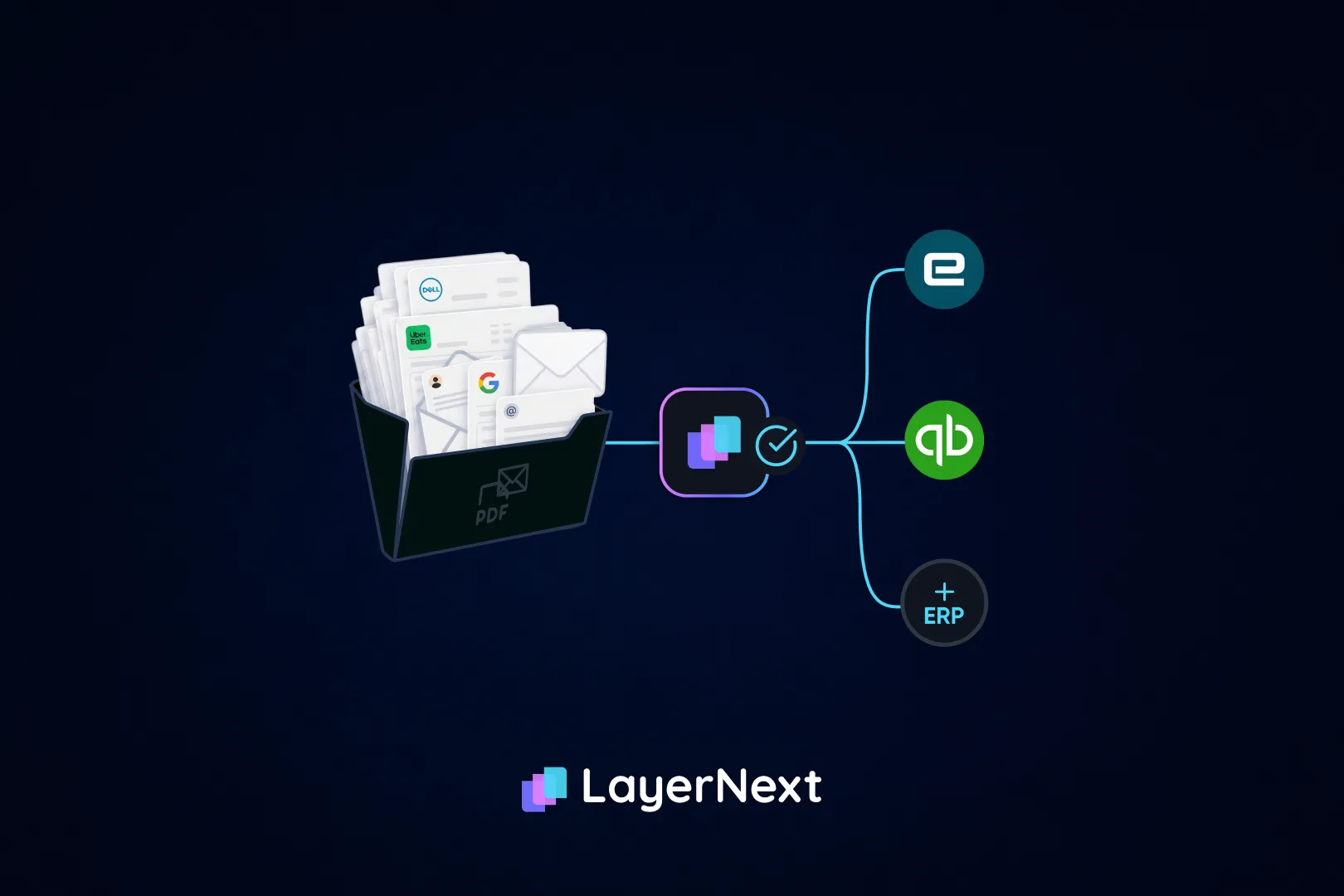
The category splits into two kinds of tool, and the difference determines whether the data-entry job actually goes away. Capture-and-route tools read the invoice, extract the data and move it through approvals, then someone keys the result into the ERP or imports a file. Platforms that complete the chain post the invoice directly into the accounting system and reconcile it against the bank afterward.
Both get marketed as AP automation. Only the second removes the keying, and the usual blocker is a mid-market ERP with no usable API, a desktop application with no web layer, or heavy customization that a standard connector can't handle cleanly.
Where does LayerNext fit?
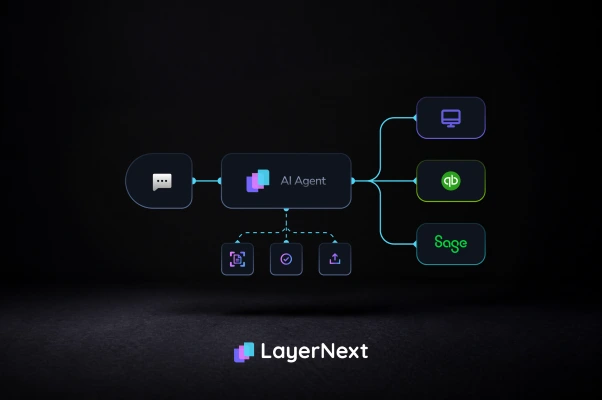
LayerNext is an AI-powered financial operations platform. Rather than stopping at extraction and handing a file back to a person, its AI agents take an invoice through the whole chain: capture, validation, purchase order and packing-slip matching, approval routing, ERP entry and exception handling.
A few things about how it works stand out:
- Works with or without an API
Where an accounting system exposes a usable API, LayerNext connects to it directly. Where it doesn't, a computer-use agent operates the ERP through its own screens the same way a person would, clicking, typing and navigating menus rather than calling an endpoint that doesn't exist. That covers desktop software like QuickBooks Desktop, older or heavily customized ERPs, and systems with no web portal at all, without an integration project and without replacing what's already in place.
- Business rules written in plain English
Every enterprise AP team carries supplier quirks that repeat: one always bills freight separately, another consolidates shipments onto a single invoice. LayerNext lets the finance team write that logic as a rule in a Business Rules section they control directly, no developer required, and the system retrieves the right rule for a given invoice by supplier name, even across thousands of rules.
- No-code workflow configuration
Adding or changing an automation, what data to extract, how to verify it, how to route it, doesn't require a build cycle. The finance team designs the workflow; there's no separate development and testing phase to wait on.
- Multiple channels for input data
Invoices and supporting documents can come in through a dedicated processing email address, a bot that pulls files from computer disks or retrieves information from accounting software directly, a connection to enterprise SQL databases, cloud storage (AWS S3, Google Cloud), or API connectivity to systems like QuickBooks. The team doesn't do extra work routing data to LayerNext once it's configured.
- Exceptions become tracked tasks, not lost emails.
When LayerNext can't resolve something on its own, it opens a task tagged with the invoice number and the issue, inside the enterprise portal's Insight Board, where a reviewer can find it, act on it, and see it marked done. Every action stays logged and traceable for audit, and nothing posts without the approval chain the team has already set up.
- One portal per enterprise.
Authorized staff manage every automation running in the company from a single dedicated portal, with the Insight Board showing processed volume, pending clarifications and overall activity at a glance.
LayerNext works across cloud, desktop and legacy systems, including AP automation for ERPs with no usable API: QuickBooks Online and Desktop, Microsoft Dynamics 365, Sage, Xero, NetSuite, SAP, and heavily customized or legacy platforms.
Reported outcomes on live deployments: 90 to 165 hours returned to a finance team per month, a 90 to 100% reduction in processing errors, and 95%+ accuracy on defined workflows. Most deployments go live in about four weeks, with more complex multi-system rollouts taking up to six. Customer financial data is not used to train AI models, and that commitment extends to the third-party AI providers in the pipeline as well.
For the stage-by-stage breakdown of how this compares to capture-only tools, and the ROI math behind it, see the AP automation guide.
Frequently asked questions

.webp)
.webp)