Summary
- Microsoft ends Dynamics GP product support and tax updates on December 31, 2029, and stops GP security updates on April 30, 2031.
- Dynamics NAV 2017 loses extended support on January 11, 2027. NAV 2018, the final NAV release, follows on January 11, 2028.
- For most GP and NAV manufacturers, Microsoft Dynamics 365 manufacturing means Business Central Premium, which lists at $110 per user per month.
- Business Central's Payables Agent reads invoices and prepares them for approval. It runs only on Business Central online, so it can't help a plant still on GP, NAV, or Business Central on-premises.
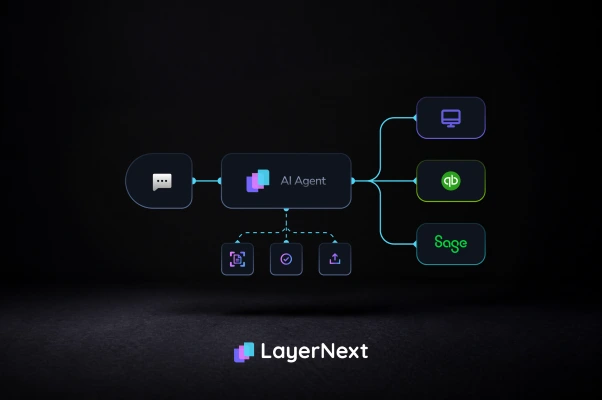
- LayerNext runs one AP process across GP, NAV, and Business Central, from invoice intake through ERP posting and bank reconciliation, routing anomalies and exceptions to a person for approval before they post.
Manufacturers on Dynamics GP and NAV are working against fixed dates. Both products are on Microsoft's retirement schedule. For most of these companies, the next step is Microsoft Dynamics 365 manufacturing, which in practice means Business Central Premium. That move fixes the support problem. It doesn't fix accounts payable on its own.
Manufacturing AP is hard because of matching, not reading. A supplier ships 480 of 500 units, the dock signs for them, and nobody enters the receipt. The invoice arrives billing all 500, with freight on a separate line. The migration rarely happens all at once either. A multi-plant manufacturer usually runs GP or NAV at one site and Business Central at another for a while, with two AP processes and two exception queues.
This guide covers the support dates driving the move and where manufacturing AP breaks today. It also covers what Microsoft's own Payables Agent does and doesn't cover, and how to automate AP without waiting for the migration to finish.
What Does Microsoft Dynamics 365 Manufacturing Mean for a GP or NAV Shop?
Microsoft sells two manufacturing ERPs under the Dynamics 365 name. For GP and NAV customers, the landing spot is almost always Business Central.
Business Central is not a new product. It's NAV, rebuilt for the cloud. Microsoft rewrote the on-premises Dynamics NAV for the cloud in April 2018, renamed it Dynamics 365 Business Central, and positioned it for small and mid-size businesses as the successor to Dynamics GP. A NAV team will recognize much of it. A GP team is learning a different system.
Manufacturing in Business Central requires the Premium license. Essentials costs $80 per user per month and Premium costs $110, with Premium adding the Manufacturing and Service Management modules to everything in Essentials. A GP manufacturer that ran production through GP's manufacturing module should budget for Premium, not Essentials.
The other product is Dynamics 365 Supply Chain Management, the enterprise option. It covers discrete, process, lean, and mixed-mode manufacturing, with production scheduling, shop floor execution, and quality management, and it's aimed at mid-market and large enterprises. Companies coming from Dynamics AX usually land there, and that path has its own AP story, covered in our guide to AP automation for Dynamics AX and Dynamics 365.
When Do Dynamics GP and NAV Lose Support?
Both products have fixed end dates. NAV's come first.
For GP, the current release line has a two-stage exit. Microsoft ends product enhancements, regulatory tax updates, and technical support for Dynamics GP on December 31, 2029, and makes security patches available until April 30, 2031. Sales have already stopped. New GP perpetual licenses ended April 1, 2025, new subscription sales ended April 1, 2026, and Service Plan coverage and subscription renewals end April 30, 2031. The full history is in Microsoft's announcement of end of support for Dynamics GP and its Dynamics GP lifecycle policy.
NAV's dates depend on the version. NAV 2016 lost extended support on April 14, 2026, NAV 2017 loses it on January 11, 2027, and NAV 2018 on January 11, 2028. Licensing has now been dated too. In an announcement on July 28, 2026, Microsoft said Annual Service Plan coverage, additional perpetual licenses, and Solution Provider Agreement renewals for Dynamics NAV all end April 30, 2031. Rand Group's guide to Dynamics NAV keeps the version table current.
For AP, the GP date that matters most is the end of regulatory updates, since year-end tax changes stop arriving after 2029. For NAV, it's January 2028. After that, a system handling real vendor payments and bank details runs with no security patches from Microsoft.
Neither date stops the software from running. Plenty of manufacturers will keep processing invoices on GP and NAV well past these dates, often with partner support. What changes is the risk, and how long the finance team can wait before deciding.
Where Does Manufacturing AP Break on GP and NAV Today?
The hard part of manufacturing AP isn't reading the invoice. It's matching it to a receipt that doesn't agree with the purchase order.
Both GP and NAV can match an invoice to a receipt natively. A person does that matching, one line at a time, in each system's purchasing screens. At low volume that works. At a few thousand invoices a month, most of the AP team's week goes to the lines that don't match.
Ardent Partners' benchmark research sets the scale. The average organization spends $9.40 to process an invoice and takes 9.2 days. Top-performing teams spend $2.78 and take 3.1 days. The average exception rate is 22%, against 9% for top performers. Even the top-performing teams top out at about 49.2% touchless processing. Our AP Automation Guide walks through where that gap comes from across all seven stages of the workflow.
Partial deliveries and missing receipts
A supplier ships part of an order and invoices for all of it. Or the goods arrive, the dock signs the packing slip, and nobody enters the receipt. In both cases the invoice, the PO, and the receipt disagree, and the invoice sits until someone investigates. Missing receipts are often the largest single source of three-way matching exceptions. The fix usually belongs in receiving, not in AP.
Unit-of-measure and item master mismatches
Suppliers bill in cases while the item master tracks eaches. Their part numbers differ from yours. After fifteen years on GP or NAV, many manufacturers also carry duplicate and inactive item codes. Matching a line then means working out which of several similar codes is correct, which is a judgment call, not an extraction problem.
Freight lines and BOM revision drift
Some suppliers always bill freight as a separate line with no matching PO line. In discrete manufacturing, a supplier can ship against a newer part revision than the one on the PO. The invoice and receipt each look correct on their own, and the variance only shows up in costing later.
What Does Business Central's Payables Agent Cover, and Where Does It Stop?
The Payables Agent is Microsoft's own answer to AP capture. It only works once you're on Business Central online.
Credit where it's due: it does real work. Microsoft describes it as reading invoices, matching vendors and accounts, and preparing invoices for approval with a human overseeing the result. PO matching has improved quickly. Business Central's 2026 release wave 1 update added matching across multiple lines: invoice lines can now match against every relevant PO line and receipt, including partial receipts, item tracking, multiple order references, and missing receipts, with general availability in April 2026. The 2026 release wave 2 preview goes further: during PO matching, the agent checks line amounts and expected receipt dates.
The limits matter for a GP or NAV manufacturer.
It only runs online
Copilot and agents are available only to Business Central online customers. A plant still on GP, NAV, or Business Central on-premises can't use it at all.
It's billed separately
Autonomous agents are billed on Microsoft AI consumption, while base Copilot is included in the Business Central license. Invoice volume drives that cost.
It stops at a draft
The agent picks up vendor invoices from a mailbox and turns them into draft purchase invoices. Business Central has its own bank reconciliation tools, but those are a separate step, and nothing connects the invoice the agent drafted to the payment clearing the bank.
Validation has had language limits
As of mid-2026, availability covered all countries and regions, with a caveat that validation was English-only. That matters for suppliers invoicing in French or Spanish.
For a single-plant manufacturer already on Business Central online with mostly English PDF invoices, the Payables Agent may cover most of what's needed. The gaps are sharpest for a manufacturer that hasn't migrated, or is partway through.
What Happens to AP While Plants Move One at a Time?
Most multi-plant manufacturers don't switch ERPs in one weekend. For months, sometimes longer, AP runs on two systems.
Migrations take time for reasons that have nothing to do with AP. ERP migrations tend to run longer than planned once data cleanup, process reviews, testing, training, and change management are counted. Moving plants in sequence reduces risk, so a manufacturer might move its largest plant to Business Central first and leave two smaller plants on GP until the next budget cycle.
That creates an AP problem that neither system solves. Say the same steel supplier invoices all three plants. At the migrated plant, the Payables Agent drafts the invoice in Business Central. At the other two, someone keys it into GP by hand. The vendor's freight rule has to be handled in two places, in two different ways. Exceptions sit in two queues with no shared view. Month-end close waits on the slower plant.
None of that has to wait for the migration to finish. AP automation and an ERP migration are two separate decisions on two separate timelines. An AP process that runs the same way on GP, NAV, and Business Central keeps working as each plant moves, with nothing to rebuild.
How Does LayerNext Automate AP Across GP, NAV, and Dynamics 365?
LayerNext runs one AP process across Dynamics GP, NAV, and Business Central. It uses the ERP's API where a usable one exists, and operates the ERP's own screens where it doesn't.
That second path matters for GP and NAV. After years of partner customizations, connecting to either system through an integration often becomes a development project. LayerNext's legacy ERP automation capability works through the same screens and fields a person already uses. There's no middleware and no file export for someone to import. On Business Central, the platform connects through our Microsoft Dynamics 365 integration. The workflow, business rules, coding logic, and audit trail are the same on both paths.
LayerNext AP Automation runs the full chain:
- Intake. Invoices come in however each plant already receives them: a dedicated email address, a shared folder, cloud storage such as AWS S3 or Google Cloud, or a SQL database. Scanned and unstructured invoices are read without building a template per supplier.
- Matching. Two- and three-way matching runs against the PO and the receipt. Partial deliveries, price variances, missing receipts, and unit-of-measure mismatches are handled before anything reaches the ledger.
- Business rules. The finance team writes vendor- and entity-specific rules in plain English, such as how one supplier's freight line gets coded. No IT ticket is needed. The rules engine finds the right rule for a supplier even across thousands of them, and the same rule applies whether the invoice lands in GP or Business Central.
- Exceptions. Anything that doesn't match becomes a named task, tagged by invoice number, supplier, and issue type. A controller can look it up by invoice number and resolve it.
- ERP entry. Validated entries post directly into whichever system the plant runs.
- Reconciliation. Posted transactions are matched against the bank feed as they arrive, with Plaid handling the bank connection. This happens continuously rather than at month end.
- Visibility. The Insight Board shows how many invoices have processed and how many are waiting on a person, across every plant and system.
Ivan Cruz
VP of Finance, CHB Group

Invoices that clear validation and matching post on their own. Anomalies and exceptions, such as a price variance outside tolerance or a missing receipt, go to a person for approval before they post. Every action is logged. Customer financial data is encrypted in transit and at rest, handled under SOC 2-aligned security practices, and never used to train models.
LayerNext customers report 90 to 165 hours returned to the finance team each month, 90 to 100% fewer processing errors, and 95%+ task accuracy on defined workflows. These are self-reported customer results, not a third-party audit, and deserve the same scrutiny as any vendor's numbers. Deployment runs in weeks: discovery in weeks 1 to 2, a pilot in weeks 3 to 6, and full rollout by week 12.
What to Check Before You Automate AP on GP, NAV, or Dynamics 365
A few checks cut through most vendor claims:
- Product fit
GP, NAV, Business Central, and Supply Chain Management are four different products. A vendor that says "Dynamics" without naming one may not have built for yours.
- On-premises support
If any plant will stay on GP, NAV, or Business Central on-premises for another year, confirm the tool works there, not just on Business Central online.
- Partial receipt handling
Ask for a demo on an invoice billing 500 units against a receipt for 480. Don't settle for a clean single-line sample.
- Touchless rate across all customers
Compare any quoted figure against Ardent Partners' 49.2% ceiling for top-performing teams, and confirm it describes the whole customer base, not one account.
- Deployment timeline in writing
Get it documented, including any change when one plant is on GP and another is on Business Central.
None of this means every manufacturer needs a separate AP platform. A single-plant shop already on Business Central online, with modest volume and mostly English PDF invoices, may find the Payables Agent covers what it needs, especially as Microsoft keeps extending it. The case for a dedicated AP layer gets stronger as invoice volume, plant count, and the number of systems running at once go up.
FAQ