Summary
Most "best AP automation software" comparisons assume a modern, API-connected ERP. This breaks down the features that actually separate strong AP automation from a good demo, built around the mid-market reality of running Epicor Eagle, Sage, or QuickBooks Desktop, where "integration" doesn't mean what most vendor content assumes it means.
- A feature-by-feature checklist covering invoice capture through reconciliation, with what breaks if a vendor is missing each one
- What changes when your ERP has no API, and the three practical paths around it
- How to tell a real feature from a demo feature before signing a contract
- Which features to insist on at launch versus which can mature over time
- A 30 to 60 day pilot checklist with specific invoices to test, not generic advice
Why the stakes are higher than a feature checklist suggests
Ardent Partners' Accounts Payable Metrics That Matter in 2025 report, based on its State of ePayables research, puts the average cost of processing a single invoice at $9.40, with top-performing AP teams down to $2.78. The average invoice takes 9.2 days from receipt to payment. Top-performing teams do it in 3.1 days, compared to 17.4 days for everyone else. The same report found that 53% of AP professionals name invoice exceptions, not volume, as their single biggest challenge.
Source: Ardent Partners, Accounts Payable Metrics That Matter in 2025
The gap between those two columns isn't explained by headcount. It's explained by which features a team's software actually has, and how well those features hold up on real invoices instead of the clean sample invoices used in vendor demos.
What AP automation software needs to do, at minimum
G2's accounts payable automation category defines the baseline: customizable workflows for repetitive AP tasks, document capture that converts paper and PDF invoices into structured data, the ability to process high volumes of supplier documents, a searchable repository for retrieving them later, invoice-to-purchase-order matching, an approval process for payments and any changes to AP transactions, and integration with the ERP or accounting system it's feeding.
That's the floor, not the differentiator. Every vendor in a comparison list clears that bar. What separates them is depth within each category, and whether "integration" means a real-time API connection or something else entirely when your ERP doesn't offer one.
The core features to evaluate
Invoice capture and data extraction
This is where automation starts, and where it varies the most in practice. Optical character recognition (OCR) alone struggles with anything that isn't a clean, machine-generated PDF: scanned invoices, faxed invoices, handwritten notes in the margin, or a supplier's one-off format that doesn't match their usual template. Zone & Co, an AP automation vendor, has noted that standard OCR and EDI tools typically handle the more standardized share of invoice volume well, while non-standard formats are the ones that keep landing on someone's desk regardless of what the vendor's brochure claims about accuracy.
Ask a vendor for their extraction accuracy on your messiest supplier formats specifically, not their published accuracy number, which is almost always measured against clean sample invoices.
Validation and entity-specific business rules
Every supplier and every customer has its own quirks: different tax treatment, different tolerance thresholds, different exception handling. A platform that only supports one global rule set forces your team to manually override that rule constantly. A platform with a real business rules engine lets finance teams write and manage those exceptions themselves, in plain language, without opening a ticket with the vendor's development team.
The test here isn't whether a vendor supports "custom rules." Most claim they do. The test is how those rules get found and applied when you have hundreds or thousands of them across your supplier base. A rule that exists somewhere in a settings menu isn't useful if nobody can locate it during a live invoice review.
PO matching: two-way and three-way
Two-way matching checks the invoice against the purchase order. Three-way matching adds the goods receipt, confirming that what was ordered, received, and billed all agree before payment goes out. If your business buys physical inventory or materials, three-way matching is not optional. It's the control that catches price drift, short shipments, and duplicate billing before money leaves the building.
What to check: whether matching works at the line-item level (not just invoice total), whether tolerance thresholds are configurable per vendor, and how the system handles partial shipments, which is where rigid matching logic tends to break down.
Approval workflows and routing
Multi-entity organizations need routing logic that accounts for legal entity, cost center, department, spend threshold, and temporary delegation when an approver is traveling. The best test of a workflow engine isn't whether it can route a simple invoice. It's whether your AP team can build a new approval chain themselves, in hours, when a new supplier group or division gets added, without filing an IT request and waiting weeks.
Exception handling and human-in-the-loop review
No AP automation platform eliminates every exception. The question is what happens when one comes up: a tax discrepancy, a pricing mismatch, an invoice that doesn't match any open PO. A platform with weak exception handling routes the problem into a shared inbox or a generic alert, and it gets lost. A platform with structured exception handling creates a specific, trackable task tied to the invoice number and supplier, so whoever picks it up can resolve it without reconstructing the context from scratch, and shows at a glance whether anything is still waiting on a human decision anywhere in the pipeline.
ERP and accounting system integration
For a cloud-native ERP like NetSuite or QuickBooks Online, integration usually means an API connection or a purpose-built app that syncs data in real time. That's a reasonable model if that's your ERP.
It is not a reasonable model if your ERP is Epicor Eagle, an older Sage installation, QuickBooks Desktop, or a custom Excel-heavy setup with no API to connect to. That situation changes what "integration" should even mean for your evaluation, and it gets its own treatment below.
Multi-channel data ingestion
Invoices and source documents don't arrive through one channel. They come by email, from shared network drives, from a supplier portal, from a scanned document sitting on someone's desk, or from a cloud storage bucket. A platform that only accepts one input method (say, a single email inbox) pushes the burden of collecting everything else back onto your team, which defeats the purpose of automating the process in the first place.
Look for a dedicated inbox for incoming documents, connectivity to shared drives or a bot that can retrieve files from local machines, direct database connectivity for enterprises with internal SQL systems, and support for cloud storage like AWS S3 or Google Cloud. The more of these a platform genuinely covers, the less your team has to manually feed it from every source.
Payments
Some AP automation platforms stop at approval and hand off to the ERP or a separate system for the actual payment run. Others execute payment directly: ACH, wire, virtual card, or check, with remittance details sent automatically. Neither approach is wrong, but they're different products with different implementation implications, so confirm which one you're evaluating before you compare pricing.
Reconciliation
Reconciliation is the step most feature lists mention briefly and most vendors under-deliver on. The real question is whether payments get matched against bank feeds and statements continuously, so month-end reconciliation becomes a quick review instead of a multi-day project, or whether it's still a manual export-and-match exercise dressed up as a feature.
Reporting, audit trail, and security
CFOs and Controllers care about different things here, and both matter. Real-time dashboards showing unbilled POs, invoices in approval, and scheduled payments give a Controller the visibility to catch problems early. A complete audit trail, timestamped and attributed to every user and every action, is what a CFO or an auditor actually needs when compliance questions come up. Ask specifically how bank connections are handled (direct integrations through a provider like Plaid are a meaningfully different risk profile than screen-scraping credentials), whether customer data trains the vendor's models, and what the vendor's security posture looks like against a recognized standard like SOC 2.
Can AP automation software work with a legacy ERP that has no API?
It matters most if you're on something like Epicor Eagle or QuickBooks Desktop rather than a modern cloud system, and it's the piece vendor comparison content routinely leaves out.
Most AP automation platforms are built around API integration. When a vendor's marketing says "integrates with your ERP," they mean their system talks to your ERP's API, pulling and pushing data programmatically. If your ERP doesn't expose an API, or exposes one too limited to support this, that entire integration model doesn't apply to you, and a lot of vendor comparison content simply doesn't say so.
There are three practical paths for a legacy or API-less ERP:
- Middleware or a custom connector.
A developer builds a bridge between the AP platform and your ERP's database or file exports. This works, but it's a project with its own cost, timeline, and maintenance burden, and it tends to break when either system updates. - Manual export and import.
The AP platform does its job, then someone exports the results and manually keys or imports them into the ERP. This defeats a meaningful part of the automation, since the last mile is still manual. - Computer-use automation.
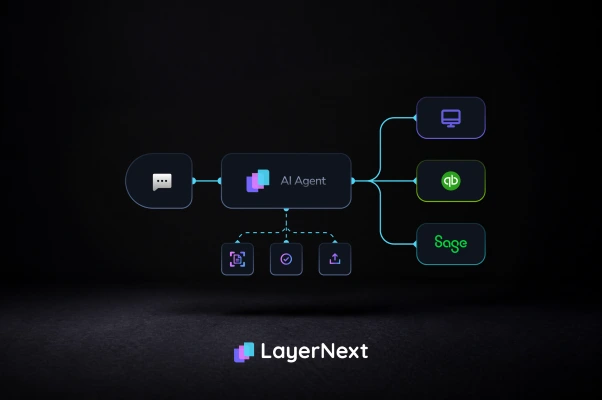
The platform operates your ERP's own user interface directly, the same screens and clicks a person would use, without requiring an API at all.
If you're evaluating vendors and your ERP falls into this category, ask directly: "Does your platform require an API, and if my ERP doesn't have one, what exactly happens?" A vague answer or a pivot to "we support most modern ERPs" is itself the answer.
If your ERP is...Prioritize thisWeight this lowerModern cloud ERP with an open API (NetSuite, QuickBooks Online, Sage Intacct)Integration depth, real-time sync, native app qualityComputer-use or UI-automation capabilityLegacy or desktop ERP with no API (Epicor Eagle, older Sage, QuickBooks Desktop, custom Excel systems)Computer-use automation, or a proven middleware track recordClaims about "native API integration" that won't apply to you
How to tell a real feature from a demo feature
Vendor demos run on clean data by design. A few ways to see past that during evaluation, not after signing:
- Ask for the accuracy number on your invoices, not theirs. An OCR accuracy claim measured on a vendor's curated sample set tells you almost nothing about your actual supplier mix.
- Ask what "flexible workflows" costs after go-live. Some platforms are flexible in the sales demo and locked behind paid professional-services hours once you're a customer trying to add a new approval chain.
- Ask what "AI-powered" specifically means for a given feature. Sometimes it means a model that improves from corrections over time. Sometimes it means a static rules engine with a marketing label attached. The difference matters for how much manual tuning you'll be doing a year in.
- Ask how many invoices are in their reference customer's actual volume, and whether that customer runs your ERP. A platform proven at 500 invoices a month on NetSuite is not necessarily proven at 5,000 a month on Epicor Eagle.
Which features to insist on at launch
Not every feature on the list above needs to be perfect on day one. A reasonable split for a first rollout:
Insist on at launch: invoice capture that handles your actual invoice formats (test this, don't take the number on faith), PO matching if you buy inventory or materials, an approval workflow your team can modify without a developer, and exception handling that creates trackable, attributable tasks.
Can mature over time: advanced fraud-detection modeling, deep predictive analytics, and multi-currency or multi-entity support if you're not there yet. These matter, but a platform that gets the first group right and grows into the second group is a better bet than one that leads with an impressive analytics dashboard sitting on top of shaky invoice capture.
Pricing models, and what actually drives your total cost
AP automation pricing generally falls into a few structures, and the label matters less than how it interacts with your invoice volume:
- Per-invoice or per-transaction pricing scales directly with volume. Predictable at low volume, but costs can climb fast as you grow, and it's worth modeling your cost at 2x and 5x your current invoice count before signing.
- Per-user or per-seat pricing is predictable regardless of volume, but can penalize you if you need many approvers across a multi-entity structure, since every approver is a paid seat.
- Flat subscription tiers bundle a set volume or feature set into one price, with overage fees once you exceed it. Watch for what triggers the next tier: user count, invoice volume, or activated modules all push costs differently.
- Implementation fee plus monthly recurring, common in mid-market and enterprise deals, front-loads a setup cost that can range widely depending on how many workflows, ERP environments, and supplier groups need to be configured.
The number that actually matters for comparison isn't the headline price. It's cost per invoice, fully loaded, once you include implementation, training, and any per-transaction fees, measured against what you're paying per invoice manually today.
Why AP automation rollouts stall even with the right software
A September 2025 survey of 225 mid-market finance and accounting leaders by Ottimate, reported by CFO.com, found that only 4% had achieved fully automated AP with no manual touchpoints from invoice to payment. Eighty-nine percent were running partial automation, meaning some tasks were handled by software and others were still manual. Forty-eight percent said they'd seen little to no cost savings from their AP automation tools, a result the survey attributes directly to that partial-automation pattern.
That statistic is the real argument for weighing exception handling as heavily as invoice capture. A platform that automates the easy 80% of invoices and dumps the hard 20% into an unstructured inbox isn't automating AP. It's automating the part of AP that was never the actual bottleneck. The invoices that were already easy to process weren't costing you $9.40 and 9.2 days; the exceptions were. A rollout that doesn't have a real answer for exception handling from day one is the rollout most likely to end up in that 48% who saw little to no savings.
Running a real pilot before you commit
Every vendor will offer a demo. Fewer will survive a real pilot, which is the only test that actually predicts what implementation will look like. Before rolling out company-wide, run a 30 to 60 day pilot using real invoices, long enough to hit a month-end close, and include:
- A known duplicate invoice, to confirm duplicate detection actually catches it
- A non-PO invoice, since not every workflow runs through a purchase order
- A foreign-currency invoice, if you have any international suppliers
- A scanned or handwritten invoice from your messiest supplier
- An invoice with a deliberate PO price or quantity mismatch, to test whether matching actually flags it or lets it slide
Track processing time before and after, extraction accuracy against your actual formats, and how long a real exception took to resolve using the platform's task or review workflow. That data is what you bring to leadership, not a vendor's case study from a different industry.
FAQ