Summary
Property management accounts payable works fine at twenty units. It starts failing somewhere around two hundred, and by five hundred the cracks are visible to every property owner asking why their monthly report is late again. This article breaks down exactly where the process fails, why it fails there, and what changes once it's fixed.
- Where AP actually breaks down as a portfolio grows, and why the usual advice misses the real cause
- What makes property management AP structurally different from standard business AP
- Whether AP can be automated without an ERP API, since most legacy property management software doesn't have one
- What changes operationally once the process is fixed
- How to evaluate a fix: in-house, outsourced, or software
Where Property Management Accounts Payable Actually Breaks Down
Property management accounts payable breaks down in three predictable places: invoices arriving through channels nobody consolidates, approval routing built for one property instead of dozens, and owner-specific rules that live in someone's memory instead of the system. Each failure compounds as the portfolio grows. None of them shows up as a single dramatic event.
Invoices That Never Reach One Place
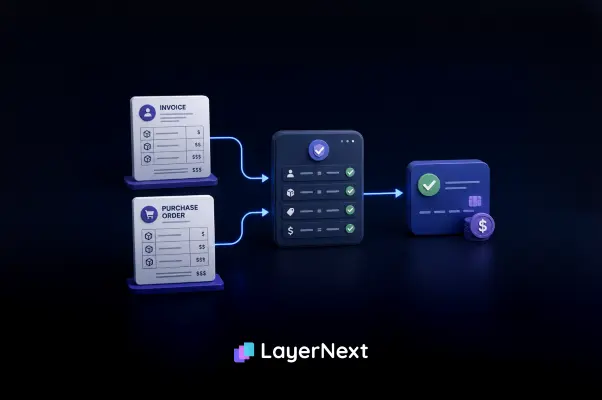
Vendors send invoices however is easiest for them: email, a vendor portal, a PDF attached to a text message, sometimes a paper copy handed to an onsite property manager. Without one consolidated intake point, invoices land in a property manager's personal inbox and wait there until someone remembers to forward them. Manual entry compounds the problem once those invoices are finally found. Levvel Research and IOFM's 2025 accounts payable benchmarks put the error rate on manually keyed invoices at roughly 1 to 4 percent, and every invoice that sits unprocessed in someone's personal inbox is one more chance for that kind of error once someone finally gets around to entering it. Scattered intake is a large part of why: an invoice sitting in one person's inbox is functionally an exception, even though nothing about it is actually wrong.
Approval Routing That Doesn't Match the Portfolio
Most AP workflows, including the ones built into general accounting software, assume a single approval chain: submit, one manager approves, pay. Property management companies need routing by property and often by owner, since an owner managing a single retail building expects different sign-off than an institutional client with two hundred multifamily units. When the software can't route that way, the workaround is usually a spreadsheet or a shared inbox someone checks manually, which reintroduces the exact bottleneck automation was supposed to remove.
Owner-Specific Rules Nobody Wrote Down
Every owner or vendor relationship tends to carry its own exceptions: a landscaping vendor invoiced monthly instead of per visit, an owner who requires a photo before any repair invoice over $500 gets paid, a supplier with 45-day terms instead of the company standard of 30. When those rules exist only in an experienced AP clerk's memory, they leave the company when that clerk does, and every new hire relearns them the hard way. LayerNext addresses this with a business rules engine that stores these exceptions in plain English, written and edited directly by the finance team without involving IT, and retrieves the correct rule for a given invoice by querying the supplier or owner name, even across thousands of stored rules.
Why Property Management AP Is Different From Standard Business AP
Property management accounts payable differs from standard business AP in four structural ways: payments cross multiple ownership structures instead of one, some funds must legally sit in trust or escrow accounts, transaction volume scales with unit count rather than headcount, and expenses split between predictable recurring bills and unpredictable emergency repairs.
A company managing properties for forty different owners effectively needs forty sets of accurate financials, not one consolidated set with a note explaining the difference. Security deposits and owner funds typically have to be held separately from operating funds under most states' real estate licensing rules, and commingling those funds is a compliance violation, not just a bookkeeping error. Invoice volume tracks the number of units and properties, not the size of the back-office team, so a 300-unit portfolio can generate hundreds or thousands of vendor invoices a year even with a two-person AP function. And unlike a typical business where most expenses are budgeted and recurring, property management AP has to process both a predictable landscaping invoice and an unplanned $8,000 roof repair through the same system without slowing either one down.
Can Accounts Payable Be Automated Without an ERP API?
Yes, but the method depends on the accounting system. Platforms with a published API, such as QuickBooks, support direct integration. Legacy or desktop-only property management and accounting software with no API and no reliable export path needs a different approach: automation that operates the software's existing screens the same way a person would, instead of waiting for an IT-approved system replacement.
This is a real and common bottleneck, not an edge case. Many mid-market property management companies run on accounting or PM software installed years ago, and replacing it means data migration risk, retraining staff, and a project timeline measured in months, which is exactly why so many companies stay on it despite its limitations. Even AP automation vendors built for real estate acknowledge the constraint: AvidXchange's own product documentation for its real estate AP suite states that its integrations rely on either an API or a file-based connection, meaning the source accounting system still has to support some form of data export.
LayerNext takes a different approach for the systems that support neither. Its computer-use agent operates the legacy software's own user interface directly, clicking through the same screens a person would to extract data, enter invoices, and verify records, rather than requiring an API connection or a middleware layer. Where an API exists, it connects to it, QuickBooks being one documented example. Where it doesn't, the agent works with the system exactly as installed, without a migration project or a new IT vendor relationship.
What Actually Changes When the Process Is Fixed
Once accounts payable is fixed, the visible changes are fewer late vendor payments, an audit trail an owner or auditor can review invoice by invoice, and a monthly close that doesn't slip because someone is still tracking down a receipt from three weeks ago. Those changes show up first in how fast invoices move and how few of them turn into exceptions.
The industry baseline shows how much room most companies have to close that gap. Ardent Partners' 2025 research put average invoice processing time at 9.2 days across surveyed organizations, with the same research reporting that 73% of AP departments now use some form of automation, up from 56% in 2022.
LayerNext's approach to exception handling is task-based. When the system needs a human decision, such as an invoice with tax calculated incorrectly for the property's shipping province, it creates a task in the portal rather than silently flagging an error or blocking the whole queue. That task is searchable by invoice number, so a controller checking on a specific payment doesn't have to dig through a general ticket queue to find it. The portal's Insight Board gives a real-time count of how many invoices have been processed and how many are waiting on a human decision, and when every task shows as done, that's a direct signal that no human input is currently needed to keep AP moving.
How to Evaluate an Accounts Payable Fix for Property Management
Property management companies generally choose between three paths: keep the process in-house and unautomated, outsource AP to an accounting or staffing firm, or adopt software that automates the workflow directly. Each has a real tradeoff in cost, control, and how well it handles the company's existing systems, and the right choice depends on portfolio size and how brittle the current process already is.
The integration requirement is often the deciding factor, and the one most evaluations skip. Before choosing a path, confirm whether the option requires replacing the existing accounting system, whether it can connect through an API if one exists, and whether it has any answer at all for a legacy system with neither an API nor an export path. A solution that only works with modern, API-enabled software isn't a real option for a company still running a decade-old desktop install, no matter how strong its feature list looks on paper.
Frequently Asked Questions